
Built on Google Veo 3.1
AI ASMR Video Generator
Describe a slow, satisfying scene, choose how many 8-second clips you want, and Blipix generates each one with Google's Veo 3.1, sound included, then joins them in order into one video for Shorts, TikTok or Reels.
- 50 credits per 8-second clip
- 1 to 10 clips per video
- Paid plans
A real ASMR template video. The ring is its 24-second timeline; the chips are the sounds each clip prompt asked for.
The example, unpacked
Three clips, 24 seconds
The vertical video above came out of the ASMR template: three 8-second Veo 3.1 clips, joined in the order the AI planned them. At 50 credits a clip, it cost 150 credits. Here is what went in and what the template did with it.
A close-up of a crystal-clear glass strawberry being delicately sliced with a precision blade. Each cut sends fine shards softly scattering on a smooth surface, accompanied by crisp, echoing glass-splitting sounds. Cool tones and gentle lighting highlight the fragility of the fruit.
Typed into the template once. An AI writer turned it into the three clip prompts in this sequence, each with its own camera angle and sounds.
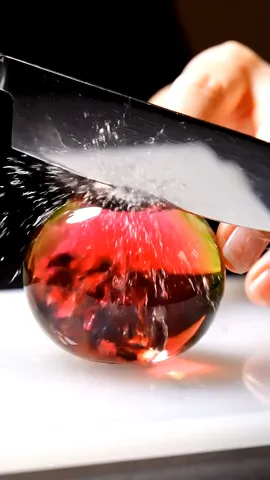
Clip 1Close-up0:00 to 0:08
A sharp blade glides through the skin of the crystal-clear glass strawberry, showcasing the smooth texture and bright red interior.
ASMRsubtle glass cracking sounds mix with the soft whisper of the blade meeting the surface.
+ the calm-shot instructions Blipix adds to every clip
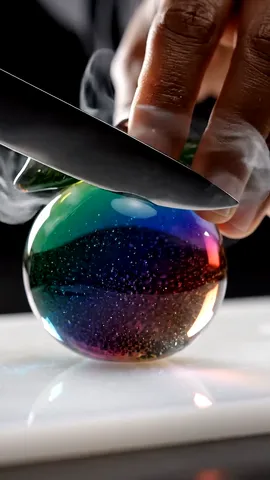
Clip 2Extreme close-up0:08 to 0:16
Shards of glass cascade down as the strawberry is expertly sliced, each piece catching the light and creating a dazzling display.
ASMRa symphony of delicate shatters and the soft rustling of glass pieces touching one another.
+ the calm-shot instructions Blipix adds to every clip
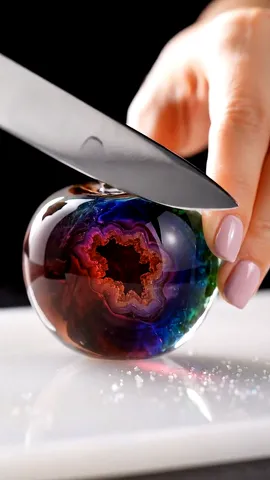
Clip 3Wide shot0:16 to 0:24
The final pieces of the strawberry rest beautifully scattered on the smooth surface, their juiciness glistening in the gentle light.
ASMRa calming echo of the final glass fragments settling, accompanied by a soft breeze-like sound as the scene fades.
+ the calm-shot instructions Blipix adds to every clip
Close to the prompt, not identical
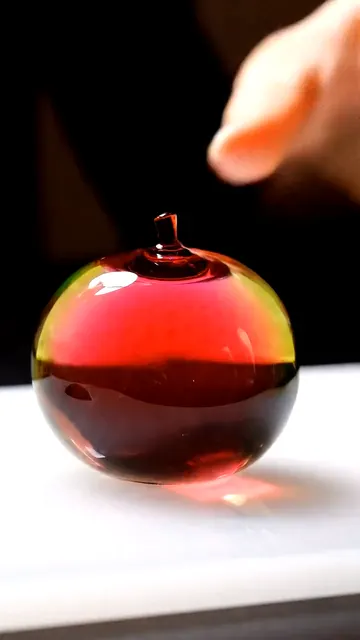
The description asks for a glass strawberry. Veo drew round glass fruit closer to an apple, with a different inside in each clip, and the third clip shows another slice up close instead of the wide shot its prompt asks for. Each clip is a separate generation, so write the details that matter into your description and watch every clip before you post.
The template
What the ASMR template actually gives you
Most AI video tools for ASMR stop at one clip. This template plans a short sequence from one description, generates every clip with Google's Veo 3.1 and puts them back to back, so you get a finished upload rather than loose files.
Clips with their own sound
Veo 3.1 generates picture and audio together, so the crunch, pour or tap you describe is part of the clip. No narrator is added on top.
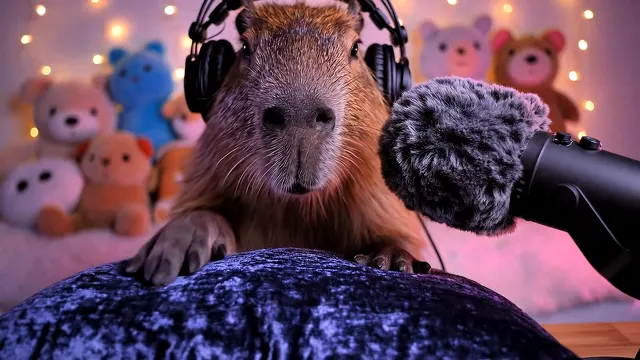
Five starter templates
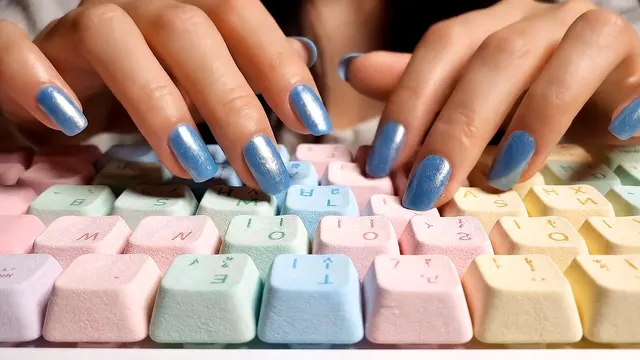
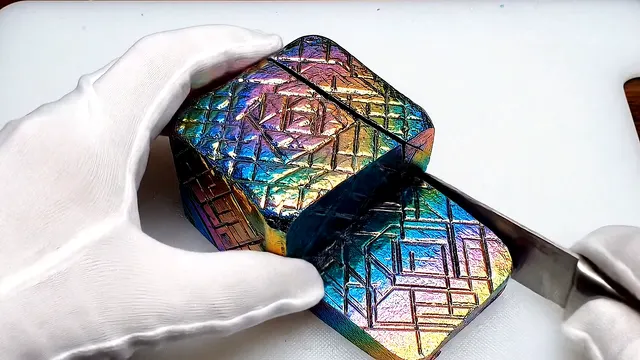
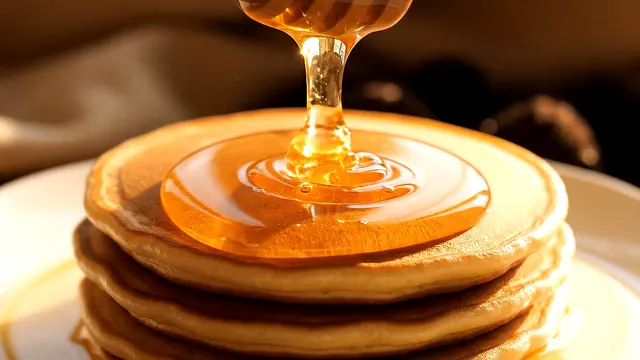
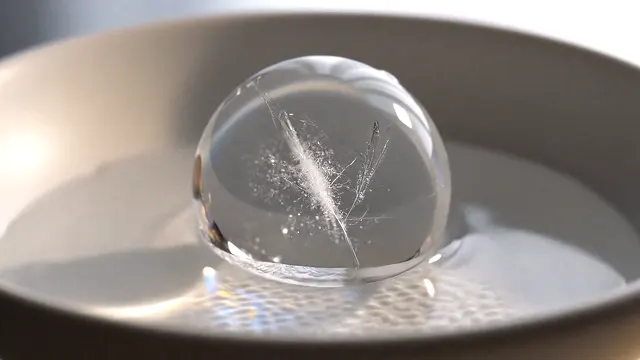
Capybara streamer, marshmallow keyboard, holographic soap, honey drizzle and ice melting. Each one fills the description box with a full shot, light and sound brief you can edit.
 9:16
9:16Vertical or widescreen
Choose 9:16 for Shorts, TikTok and Reels or 16:9 for a regular YouTube upload before you generate. Every clip in the video uses the same frame.
Works in a series
On a paid plan you can turn the template into a series that generates and posts a new ASMR video once a day, twice a day or three times a week.
8 seconds a clip
Veo 3.1 clips have a fixed length. Pick 1 to 10 of them, so a video runs from 8 to 80 seconds.
50 credits each
The price is per clip, not per second of footage you keep, so a 5-clip video costs 250 credits.
Calm by default
Blipix adds instructions to every clip prompt asking for close-ups, smooth camera moves, soft light and no fast movement.
Built-in templates
Five templates, each one rendered
These prompts are the templates you can load in the app with one click. Each video is a single 8-second clip, 50 credits, generated from the prompt beside it. Copy one and change the object or the sound to make it yours.
Muted here by default. Press Listen: there is no narrator or music track, only the audio Veo generated for each clip.
Capybara Streamer
A capybara in headphones strokes a velvet pillow at a streaming desk.
Sounds named in the prompt
- Gentle brushing
- Whispered breathing
- Headphone creaks
- Ambient hum
Frontal streamer-style close-up shot: A fluffy capybara sits at a desk softly lit with ambient RGB lighting, facing a large microphone with a fuzzy windscreen. It wears oversized headphones and is surrounded by plushies. In a calm, whispering voice, it says: 'Close your eyes... focus on the sounds... and relax with me.' Its little paw gently strokes a soft velvet pillow with slow, rhythmic motions. The room is dim and cozy, washed in pastel tones. ASMR: gentle brushing, whispered breathing, headphone creaks, and faint ambient hum. The camera remains still, zoomed in slightly for intimacy. Visual tone: warm, tender, deeply soothing. No subtitles.
Marshmallow Keyboard
Slow typing on soft pastel keys, filmed from the front.
Sounds named in the prompt
- Soft press
- Pillow compression
- Subtle squeaks
Static front-facing close-up shot: A keyboard made of fluffy square marshmallows in pastel tones, each key plump and pillowy. A woman with light blue metallic nails types slowly, fingers gently sinking into the soft candy. ASMR: soft press, pillow compression, subtle squeaks. Light is bright and diffused. Visual tone: cozy, soft, innocent. No dialogue. No subtitles.
Holographic Soap Cutting
Gloved hands slice an iridescent bar of soap on a board.
Sounds named in the prompt
- Crisp slicing
- Soft crinkle
- Gentle scraping
Top-down close-up shot: Hands wearing white gloves slowly slice through a large cube of iridescent holographic soap. The soap shimmers with rainbow reflections, shifting colors as light hits it. Each cut is precise and smooth, revealing perfect geometric patterns. ASMR: crisp slicing sounds, soft crinkle of soap texture, gentle scraping. Camera is static, focused on the cutting board. Lighting is bright and clean, emphasizing the holographic shimmer. Visual tone: satisfying, pristine, oddly mesmerizing. No dialogue. No subtitles.
Honey Drizzle
Honey runs off a wooden dipper onto a stack of pancakes.
Sounds named in the prompt
- Thick pouring
- Gentle dripping
- Soft settling
Extreme close-up shot: Golden honey flows in a thick, continuous stream from a wooden dipper onto a stack of fluffy pancakes. The honey cascades slowly, forming perfect spirals as it pools and spreads. Sunlight filters through the honey, making it glow amber. ASMR: thick liquid pouring, gentle dripping, soft settling sounds. Camera is perfectly still, capturing every detail of the flowing honey. Lighting is warm and golden, creating a cozy morning atmosphere. Visual tone: luxurious, soothing, appetizing. No dialogue. No subtitles.
Ice Sphere Melting
A clear ice sphere melts in a white bowl, drop by drop.
Sounds named in the prompt
- Water droplets
- Cracking ice
- Gentle dripping
Macro close-up shot: A perfectly clear ice sphere sits in a minimalist white bowl. As it slowly melts, tiny water droplets form on its surface and roll down in mesmerizing patterns. Light refracts through the ice, creating rainbow prisms. ASMR: delicate water droplets, subtle cracking ice sounds, gentle dripping. Camera is fixed, capturing the hypnotic melting process. Lighting is soft and directional, emphasizing the crystal clarity. Visual tone: zen, peaceful, meditative. No dialogue. No subtitles.
Inside the app
The form you fill in inside the app
A picture of the ASMR template's settings, so you know what you can control before you sign up. Nothing on this page generates a video, but the dial shows what each clip count runs to and costs.
Templates
Optional. Clicking one fills the description box with a complete prompt you can edit.
Description 10 to 200 words
The shot, the object, the action, the light and the sounds you want to hear.
0 wordsSound Nothing to pick
Veo 3.1 generates the audio with each clip. There is no voice or music selector in this template.
Audio visualizer
The ASMR template is available on paid plans only.
Workflow
From description to upload
The whole ASMR workflow in the app, start to finish.
- 1
Describe the scene, or load a template
Open the ASMR template, click one of the five starters or write 10 to 200 words of your own: the object, the action, the camera, the light and the sounds. Then pick 1 to 10 clips and a vertical or widescreen frame.
- 2
Veo 3.1 generates the clips
Blipix plans one prompt per clip, sends each to Veo 3.1 and places the finished 8-second clips back to back. A title, description and hashtags are written for you at the same time.
- 3
Publish it or schedule a series
Post the video to a connected YouTube, TikTok or Instagram account from the editor, or set the template up as a series that generates and posts on its own schedule.
Before you spend credits
Five things to know before you generate
Reading them takes a minute. Ignoring them can cost a 50-credit clip.
Short descriptions get filled in for you
With more than one clip, an AI writer expands your text into a sequence of shots. If you care about a detail, such as the color of the soap or the camera height, write it down rather than hoping it survives the expansion.
Clips are generated separately
Each clip is its own Veo generation, so continuity between them is close but not exact. Satisfying formats that cut between angles, like slicing or pouring, hide this better than a single continuous action.
Say what you do not want
The built-in templates end with "No dialogue. No subtitles." for a reason: without it, a video model may add speech or invent on-screen text. Keep that line in your own prompts.
Familiar actions tend to sound more convincing
A knife on a cutting board or honey hitting a pancake is everyday material for a video model; a keyboard made of marshmallows is not. Strange objects can still look great, but the closer the action is to something real, the more believable the audio tends to be.
Fixing the sound means generating again
The template does not add a narrator, captions or music, and there is no voice to swap if a whisper comes out wrong. If a clip sounds off, describe the sound more precisely and generate a new one.
Want a presenter or a product in the shot instead? The UGC Ad template also runs on Veo and is built for talking ads. For narrated story videos with one AI image per beat, see the AI TikTok video generator, and for vertical posting habits, our guide to making YouTube Shorts.
Related Tools
Discover more tools to enhance your content creation workflow
POV Video Generator
First-person story videos.
Text to Brainrot
Story over gameplay footage.
AI Avatar Creator
Lip-synced presenter videos.
TikTok Caption Generator
Short captions with keywords.
YouTube Title Length Checker
Check titles before posting.
AI Video Generator
All Blipix video templates.
ASMR questions8 answers
Questions about AI ASMR videos
Credits, clip length, sound and scheduling, answered from how the template works today.
Describe it slowly, hear it clearly
Write one calm scene, pick your clip count and let Veo 3.1 generate the picture and the sound. Available on every paid plan.
- Script
- Voiceover
- Visuals
- Captions