9:16 · Voice · Captions · Direct posting on paid plans
AI TikTok Video Generator
Give Blipix a topic, a niche or your own script. It writes or takes the script, draws an AI image for each beat, adds a narrator and captions, and on a paid plan posts the result to your TikTok, once or on a schedule.
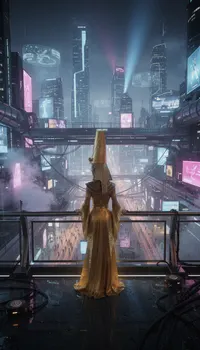
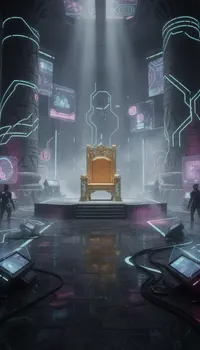
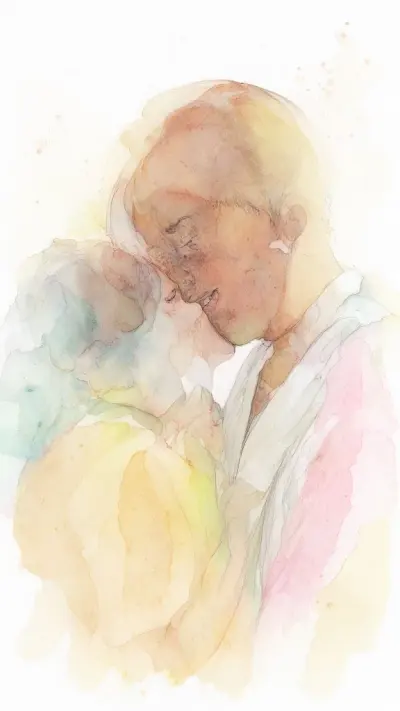
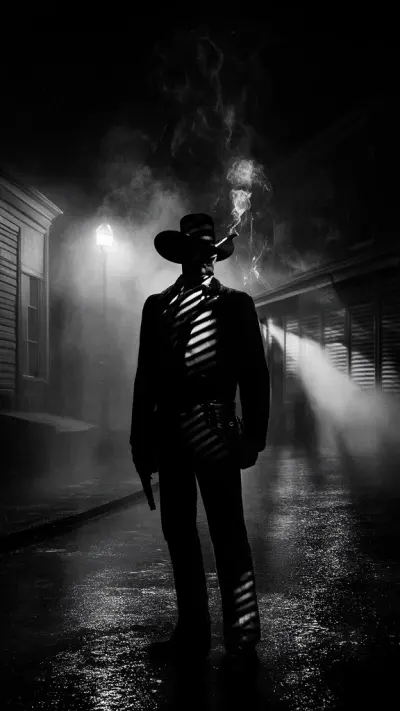
Two Blipix sample videos, made in the Blipix and Cyberpunk art styles. The style is the first thing a scrolling viewer notices, so it quickly becomes the look of your account.
Both play muted on this page. The burned-in captions still tell the story.
The format
What TikTok expects, and what is left to you
The format side is handled
A vertical 1080 by 1920 frame
A new picture for every beat, so the screen keeps changing
Captions burned in for people watching on mute
A narrator who never stumbles
Those are the basics a TikTok viewer expects, and getting them by hand is where most of the editing time goes.
The part you still own is the idea
LaneLookStoryRhythm
Accounts that grow tend to pick one lane, one look and one kind of story, then post on a steady rhythm. With 39 art styles, the look is a two-minute decision; the lane deserves longer. Our horror story niche page shows what a well-defined lane looks like.
A platform rule
Where TikTok's one-minute line falls
TikTok's Creator Rewards Program only counts videos longer than one minute, which the free plan's 30 to 60 second length cannot reach. On a paid plan the next bracket, 60 to 90 seconds, still costs 10 credits.
Video length1:15
Bracket60 to 90 s
PlanPaid plans
Credits10
Creator Rewards counts videos over 1:00
0:000:301:001:302:00
Below 30 s: shorter than any Blipix setting
30 to 60 s: free and paid plans, 10 credits
60 to 90 s: paid plans, 10 credits
90 to 120 s: paid plans, 20 credits
Wondering what a longer video might pay? Run your expected views through the TikTok money calculator.
In the app
The settings that shape a TikTok
9:1616:91:1
Vertical by default
Videos render at 1080 by 1920 in 9:16, the shape TikTok is built around. Widescreen 16:9 and square 1:1 are there too if you cross-post elsewhere.
PromptScriptPreset
Three free ways to start
Prompt: describe the video and the AI writes the script. Script: paste your own words. Preset: pick a niche and let it choose the topic. All three work on the free plan.
THECITYNEVERSLEPT
Captions you can restyle
Word-by-word captions are burned in, so the video still makes sense with the sound off. Pick one of 24 presets such as Hormozi, Neon or Typewriter, or set your own font, colors and position.
An art style per account
Every scene is a new AI image drawn in the style you choose, from Photo Realism to Creepy Comic. All of the styles are available on the free plan.
32
100+ voices, 32 languages
Narrators from ElevenLabs, MiniMax and OpenAI, filterable by gender, age, accent and use case, plus voice cloning. One narrator per video.
How it works
Topic to TikTok in three steps
What you actually do in the app, and where the free plan stops.
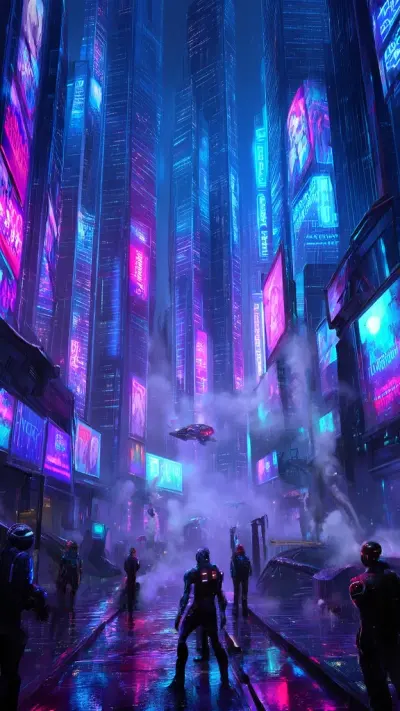
PromptScriptPreset9:1630 to 60 sCyberpunkVoiceCaptionsMusic
01Free plan
Pick a template and the look
Choose Prompt, Script or Preset, set 9:16, then an art style, a narrator voice, a language, a caption preset and a music track. On the free plan the length is 30 to 60 seconds.
02Preview free
Review it scene by scene
Blipix generates the script if needed, one AI image per beat, the voiceover and the captions. In the editor you can regenerate an image, reword a line, add a transition, a sticker or a sound effect, or redo the voiceover for 5 credits.
Free plan stops here
Publish to TikTokMTWTFSS
03Paid plans
Publish, or set up a series
On a paid plan, publish to TikTok from the editor with TikTok’s privacy and interaction settings, download the MP4, or turn the idea into a series that posts on a schedule.
Posting
Post it once, or on a schedule
Both run from a connected TikTok account on a paid plan. On the free plan, the video stays in the editor as a preview.
Publish from the editor
On a paid plan, publishing from the editor shows TikTok's settings: who can view, whether comments, duets and stitches are allowed, and a declaration for promotional content.
Who can viewPublic, Friends or Private
InteractionsComments, duets and stitches, each on or off
DisclosureYour own brand, a third party, or both
AI labelSet by Blipix on every post
TikTok asks for an AI label on realistic AI content; Blipix sets that flag on every post it publishes for you.
Or let a series post for you
Mon9:0014:00
Tue9:0014:00
Wed9:0014:00
Thu9:0014:00
Fri9:0014:00
Sat9:0014:00
Sun9:0014:00
7 videos a week with the default slots: 9:00 AM, in your local time. You can change them.
Each new episode is generated one slot ahead and its editor link is emailed to you, so you can check it or delete it before it goes out. The series keeps running while you have credits. If your account is brand new, read our article on warming up a new TikTok account before you start posting daily.
Niches
Six faceless lanes, and the catch in each
Each of these works as narration over pictures. Each also has a pitfall that sinks accounts, so here is the lane and the thing to watch.
01
Scary stories
Dark art styles and a slow narrator suit them. Write the ending first so the last line lands.
The catchKeep gore out of the images to stay inside TikTok’s rules.
02
History with a twist
One event, one strange detail, one consequence.
The catchThirty seconds is short for history, so this niche often fits the longer brackets on paid plans.
03
Motivation with context
Add who said it and what happened next, and the story carries the length.
The catchA bare quote is too short for Blipix’s 30-second minimum.
04
True crime recaps
Suspense is built in.
The catchThese are real people. Stick to documented facts, avoid graphic images, and say clearly when something is a theory.
05
Anime and pop culture
Theories and rankings work well with fans.
The catchKeep the pictures in a general anime style rather than copying a franchise’s characters, which belong to someone else.
06
First-person stories
Confession and "am I wrong" formats work as narration. Write your own story.
The catchBlipix does not import Reddit posts, and reading out other people’s posts raises rights questions.
You can generate one. A free account starts with 10 credits, enough for one 30 to 60 second video in the Prompt, Script or Preset template, and you can preview it in the editor. Exporting the MP4 and posting to TikTok need a paid plan; the pricing page compares them.
Connect your TikTok account, open the video in the editor and choose Publish to TikTok. You set who can view it, whether comments, duets and stitches are allowed, and whether it promotes your own brand or a third party, as TikTok requires. It can take a few minutes to appear on your profile.
Yes. When Blipix publishes to TikTok it marks the post as AI-generated content, so TikTok shows its AI-generated label. TikTok's own rules ask for that label on realistic AI content anyway, so the flag saves you a step.
Only on a paid plan. The program counts videos longer than one minute, and the free plan stops at 60 seconds. Paid plans add the 60 to 90 second bracket, which costs the same 10 credits. The TikTok money calculator estimates what that length could earn.
Yes, with a series on a paid plan: Blipix generates a new video and posts it once a day, twice a day or three times a week. Series use the Prompt, Preset and other topic-driven templates; the paste-your-own Script template is not available in series mode. Our guide to making TikTok videos covers the setup.
Yes. The Script template reads your text word for word: 75 to 112 words on the free plan, up to 1,800 on paid plans. Strip timestamps and stage directions first. If you need a draft, the TikTok script generator gives you one to edit.
Gameplay, yes, on paid plans: the Gaming template puts your narration and captions over one full-screen clip from a small library of Minecraft, Subway Surfers and GTA footage, with the game audio muted. There is no split screen and no upload of your own gameplay. See the Minecraft parkour video generator for an example.
Any of 32 narration languages, from Arabic to Vietnamese, and the captions follow the narration. If you are building a Spanish-language account, our Spanish faceless video guide covers voices and script length.
In their own words, from Blipix's public Trustpilot page.
Jun 5, 2026
Honestly surprised, in a good way
“I've tried a bunch of video tools, but Blipix.pro is something else. The tools are super easy to use. I'm not a tech expert, but I could figure everything out in minutes. No headaches. But the best part? The support team. I had a small issue and they replied fast. A real person who solved my problem.”
“As someone who spent the past 4 years working with +40 different AI-tools, I can tell you that Blipix is truly one of the very BEST ever made. Wanna know why? Simple. It-doesn't-mess-up! Stunning pictures, a great arsenal of interesting voices, and wonderful short videos. Use it. Love it. Buy it. I promise ya!”
KVKen V.Belgium
Mar 8, 2026
A great way to create AI video shorts
“A great way to create AI video shorts and even longer videos up to 10 mins. Everything can be monetized and automized, from individual videos to complete series to upload with a few clicks. Voiceovers, background music, captions... everything is adjustable, AI script writing included! And the prices very good for this market.”
PPatrickNetherlands
Aug 30, 2025
If you want an affordable AI creation tool, this is it!
“The product is exceptional for a seasoned content creator like me. It solves my solution in finding an affordable AI video creation tool that gives me more than just a video. The transitions and the "call to action" at the end of each custom prompt is what I call engaging and effective! Brian's nice too!”
ATAnnette ThomasUnited States
Sep 24, 2025
Very very good service
“Very very good service. The videos come out clean and ready to post, and generating one only takes a few minutes from idea to finished result. Everything works exactly as promised, and whenever I had a question the team got back to me fast. Highly recommended for anyone making content regularly.”
KZKyawkhant ZinThailand
Aug 30, 2025
Just checked out blipix.pro
“Just checked out blipix.pro and honestly, it's pretty cool. You should try it too! It took me only a few minutes to turn an idea into a finished video with voiceover and captions. Super easy even if you've never edited anything before, and the results look way more professional than I expected.”

 CyberpunkVoiceCaptionsMusic