
9:16 · 16:9 · 1:1 · MP4 for your Page

Make Facebook videos with AI

Blipix makes the video: a narrated script, AI images in your chosen style, captions and music, in whichever shape your Page needs. Facebook isn't one of Blipix's auto-posting platforms, so you download the MP4 and upload it yourself.

10 free credits to generate and preview · MP4 download needs a paid plan

The export window is recreated from the Blipix editor, and the video is a real Blipix render. Its Share tabs are Download, YouTube, TikTok and Instagram, so the steps on the right happen in Facebook or Meta Business Suite.

Samples

Story videos made to be shared

Narrated stories like these suit Facebook, where a video often travels through shares and groups. Each was narrated, illustrated and captioned in Blipix.

  • 1:13

    Bravery at Omaha BeachHistory, 16:9

  • 0:42

    Spanish narrationScript template, 9:16

  • 0:45

    CinematicCyberpunk style, 9:16

Shape

Three shapes, one per video

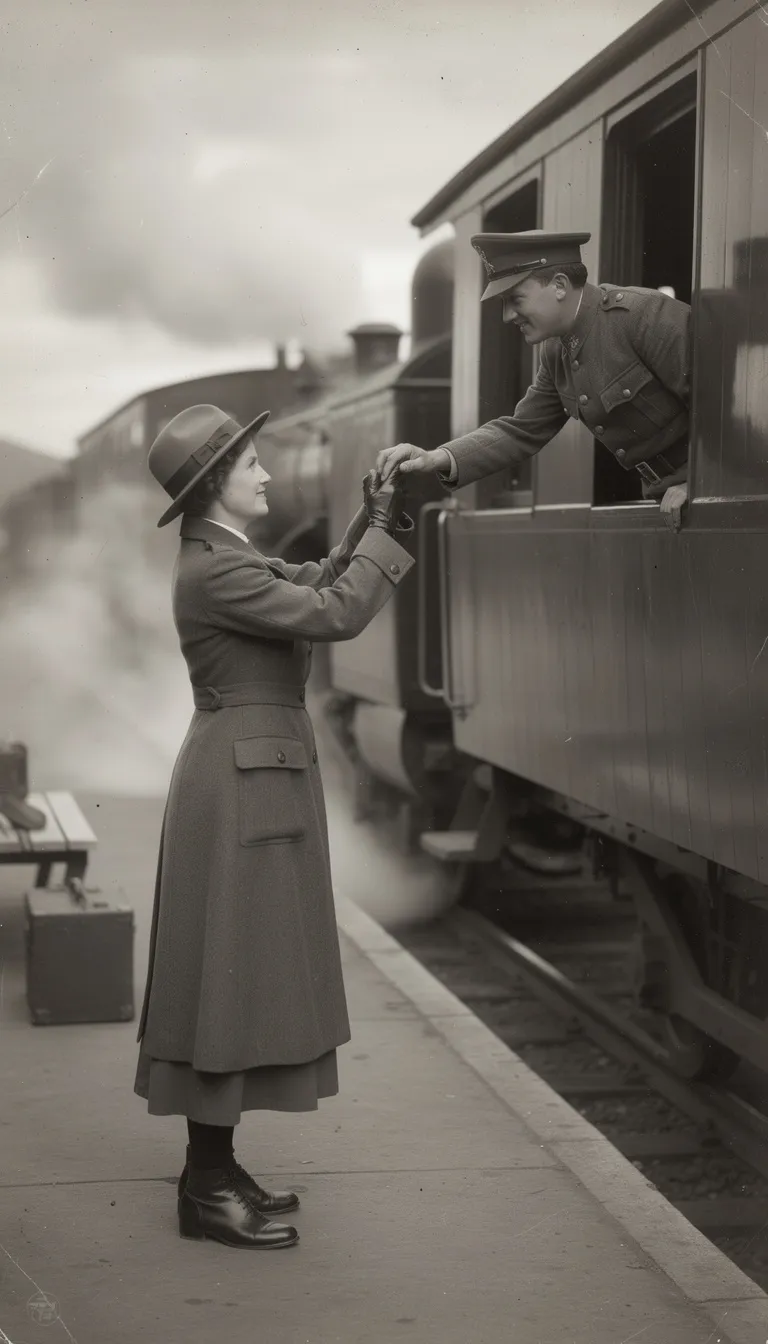
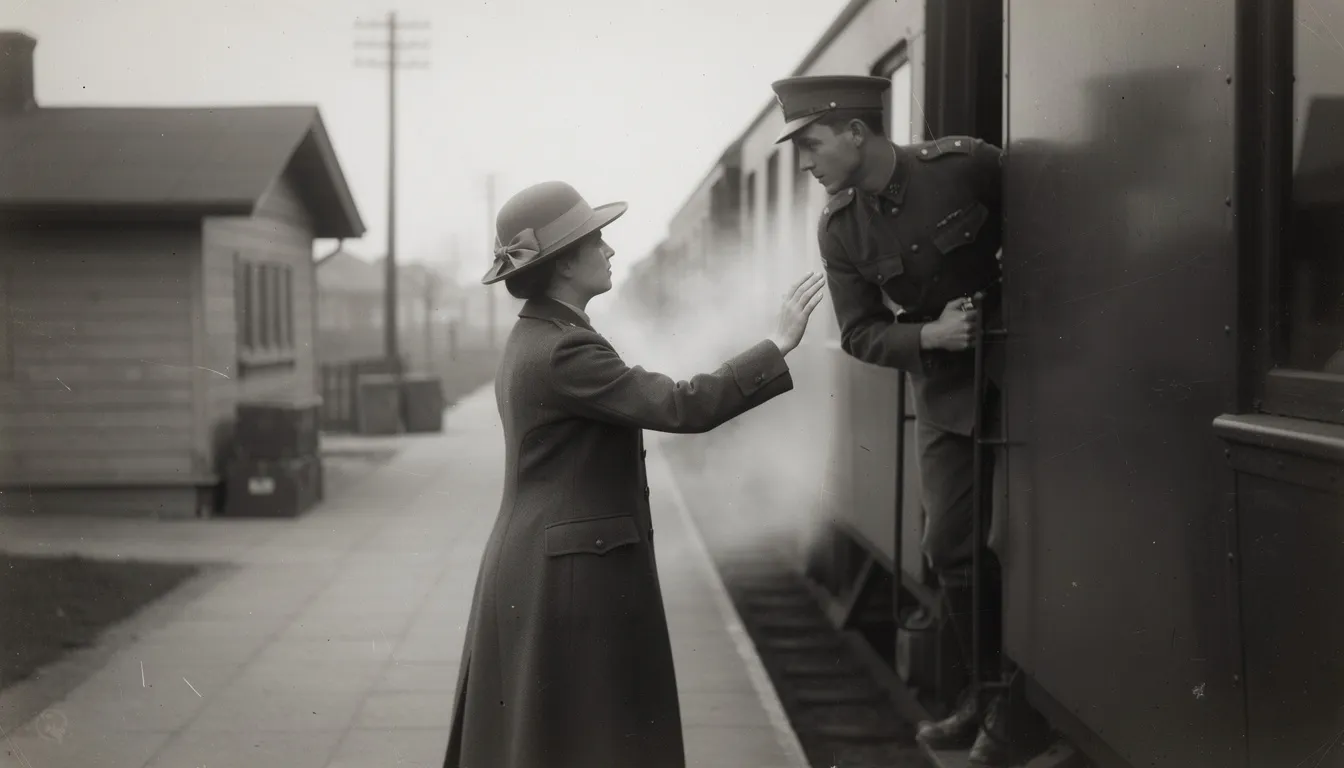
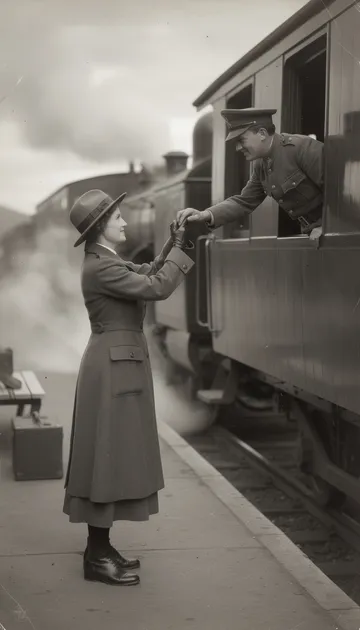
Pick the shape before you generate, because switching later means making a new video. 9:16 fills a phone screen for Reels. 16:9 suits longer stories and people watching on a computer. 1:1 is the compromise when one file has to work in the feed everywhere.

The same train station scene drawn for 9:169:16AI image
Reels and phone viewersFills a phone screen
The same train station scene drawn for 1:11:1AI image
One file for the feedSits well on phone and computer
The same train station scene drawn for 16:916:9AI image
Longer storiesPeople watching on a computerUp to 15 min on Pro and above

One scene, generated three times: Blipix draws every image for the shape you choose, and each video renders in that one shape. There is no 4:5 option. AI images in the Vintage Photograph style.

How it works

Three steps, one manual upload

Blipix handles the video. The last step happens on Facebook.

In Blipix

  1. 1

    Choose the story and the shape

    Pick a niche your audience shares, such as history, life lessons or animal stories, and settle on 9:16, 16:9 or 1:1 before you generate.

  2. 2

    Generate and check

    Let the AI write the script or paste your own, then fix images, captions and music in the editor. Watch it once with the sound off to make sure the captions tell the story alone.

On Facebook

  1. 3

    Download and upload

    On a paid plan, render and download the MP4, then upload it to your Page in Facebook or Meta Business Suite, where you can schedule it for the time your audience is around.

The file

What goes into the MP4

THE TRAIN LEFT AT DAWN

video.mp4

File
MP4
Shape
9:16, 16:9 or 1:1
Narration
One voice, 32 languages
Captions
Burned into the picture
Length
30 s to 15 min, by plan
  • Scripts with a story arc

    Story formats suit Facebook, where people pass on what moved or surprised them. Prompt and Preset write the script for you; the Script template narrates your own.

  • Captions burned into the file

    People often watch with the sound low or off, so the captions carry the story. They are part of the MP4, which means they survive the upload to Facebook untouched.

  • Long videos on Pro plans

    16:9 lengths up to 15 minutes come with Pro plans and above, which suits documentary-style history and true stories. The long-form video generator page explains how those are built.

  • One voice for the Page

    Choose one narrator from more than 100 voices and keep it. Regular viewers start to recognize the Page by ear before they read its name.

  • The same file, elsewhere

    A 9:16 video you upload to Facebook can also go to Instagram, TikTok and YouTube straight from the Blipix export window, so one script covers several platforms.

After the download

Getting a Blipix video onto Facebook

The route

Blipix auto-posts to YouTube, TikTok and Instagram. Facebook is not on that list, so the route is manual: on a paid plan, render the video in the editor and download the MP4, then upload it to your Page or professional-mode profile from Facebook or Meta Business Suite. Business Suite can schedule the post too, which covers part of what a Blipix series does on the other platforms.

The post text

Write the post text yourself. Blipix drafts a title, description and hashtags for every video in the editor's Details tab, and the free Facebook caption generator can suggest alternatives. Posts on Facebook read like conversation, so a question or a one-line setup tends to fit better than a wall of hashtags.

Feed video or Reel

In 2025 Meta began folding regular Facebook video uploads into the Reels format, so the old split between "feed video" and "Reel" matters less than it used to. What still matters is whether people watch to the end and pass the video on.

Revenue

Facebook money and the originality rule

In 2025 Meta said it would cut reach and remove monetization from Facebook accounts that repeatedly repost other people's content without meaningful changes. Being faceless isn't the issue; reposting is. A Blipix video with your own script and narration is new content, while re-uploading a viral clip with a voice-over on top is exactly what Meta is going after.

Meta has also been rolling its creator payouts, in-stream ads, ads on Reels and performance bonuses, into a single Content Monetization program. What your Page can join appears in the Monetization section of the Professional Dashboard, and it varies by country, so check there before you plan around a payout.

What Meta is going after

A viral clip re-uploaded with a voice-over on top

New content

Your own script and narration, faceless or not

Topics

Narration-led stories with a clear arc fit the platform: interesting history, life lessons, animal and nature stories and kitchen hacks. Faith and devotional videos are another common Facebook format; see these AI Bible videos for examples.

Look and language

A nostalgic look like the vintage photograph style suits history and family-memory topics. And Facebook Pages often serve one language community, so narrating in Portuguese or any of Blipix's 32 languages lets a Page speak to the audience it actually has.

Facebook questions8 answers

Posting, shapes and earnings

How the file gets to Facebook, which shape to pick, how long it can run and what Meta rewards.

Still have a question?

Write to us and a real person on the team replies.

No. Blipix auto-posts to YouTube, TikTok and Instagram only. For Facebook, render and download the MP4 (paid plans) and upload it to your Page or professional-mode profile in Facebook or Meta Business Suite, where you can also schedule it.

9:16 for Reels and phone viewers, 16:9 for longer videos and people on a computer, and 1:1 when you want one file that works in the feed on both. Each Blipix video renders in a single shape, so decide before you generate.

Yes. Post the 9:16 file to Instagram from Blipix if you have a Business or Creator account, and upload the downloaded MP4 to Facebook. The Instagram Reels guide walks through the account setup.

Free accounts make 30 to 60 second videos. Paid plans add longer lengths, and 16:9 videos up to 15 minutes need Pro or above; the pricing page has the details. Length only helps if the story holds attention, so test a few before committing.

Meta may add an AI info label to content it detects as AI-made or that you disclose yourself. Its stated crackdown targets reposted, unoriginal content rather than AI tools, so original scripts and narration are what protect a Page’s reach and earnings.

Yes, by generating a separate video in each language. Blipix narrates in 32 languages with matching captions, so you can mix languages on one Page or keep a Page per language. Our page on Spanish faceless videos is a good starting point.

Some do. Eligibility depends on Meta’s programs in your country and on your Page’s record, and it shows up in the Monetization section of the Professional Dashboard. Pages that repost other people’s clips risk losing access, so originality matters more than whether a face appears.

There is no 4:5 portrait option, each video uses one narrator with no on-camera presenter, and Blipix can’t read your Page insights or reply to comments. It makes the video file; what happens to it on Facebook stays in your hands.
Reviews on Trustpilot

What creators are saying

In their own words, from Blipix's public Trustpilot page.

Mar 25, 2026

Blipix gives you EXACTLY what you want!

“As someone who spent the past 4 years working with +40 different AI-tools, I can tell you that Blipix is truly one of the very BEST ever made. Wanna know why? Simple. It-doesn't-mess-up! Stunning pictures, a great arsenal of interesting voices, and wonderful short videos. Use it. Love it. Buy it. I promise ya!”

Ken V.Belgium
Mar 8, 2026

A great way to create AI video shorts

“A great way to create AI video shorts and even longer videos up to 10 mins. Everything can be monetized and automized, from individual videos to complete series to upload with a few clicks. Voiceovers, background music, captions... everything is adjustable, AI script writing included! And the prices very good for this market.”

PatrickNetherlands
Aug 30, 2025

If you want an affordable AI creation tool, this is it!

“The product is exceptional for a seasoned content creator like me. It solves my solution in finding an affordable AI video creation tool that gives me more than just a video. The transitions and the "call to action" at the end of each custom prompt is what I call engaging and effective! Brian's nice too!”

Annette ThomasUnited States
Sep 24, 2025

Very very good service

“Very very good service. The videos come out clean and ready to post, and generating one only takes a few minutes from idea to finished result. Everything works exactly as promised, and whenever I had a question the team got back to me fast. Highly recommended for anyone making content regularly.”

Kyawkhant ZinThailand
Aug 30, 2025

Just checked out blipix.pro

“Just checked out blipix.pro and honestly, it's pretty cool. You should try it too! It took me only a few minutes to turn an idea into a finished video with voiceover and captions. Super easy even if you've never edited anything before, and the results look way more professional than I expected.”

Vicious EricaPhilippines

Make the video here, post it on Facebook

Start with 10 free credits to generate and preview a 30 to 60 second video. Downloading the MP4 for Facebook comes with paid plans.

Try Blipix
  1. Script
  2. Voiceover
  3. Visuals
  4. Captions