Best AI Story Video Generators (2026): 10 Tools Compared
Let’s be honest: internet audiences in 2026 are experiencing massive "AI fatigue." They can spot a generic, single-prompt AI clip from a mile away. According to the 2026 State of Video Report, over 83% of consumers now easily spot cheap AI content by its robotic gestures and lack of emotional tone, frequently lowering their perception of the brand as a result. Because of this, successful faceless channels, brand storytellers, and social media creators have abandoned basic text-to-video tools. Instead, they've upgraded to a specialized class of software: AI Story Video Generators.
Unlike standard video tools that spit out a disconnected 5-second clip, a true story video generator manages narrative continuity. It reads a script or a conceptual prompt and builds an entire, cohesive video, complete with matching visuals, synced human-sounding voiceovers, adaptive background music, and engaging auto-captions.
But with dozens of platforms competing for your software budget, which one actually delivers high retention rates? We spent weeks stress-testing the top 10 platforms dominating the market this year to help you find the absolute best tool for your workflow.
The Undisputed #1: Blipix.pro
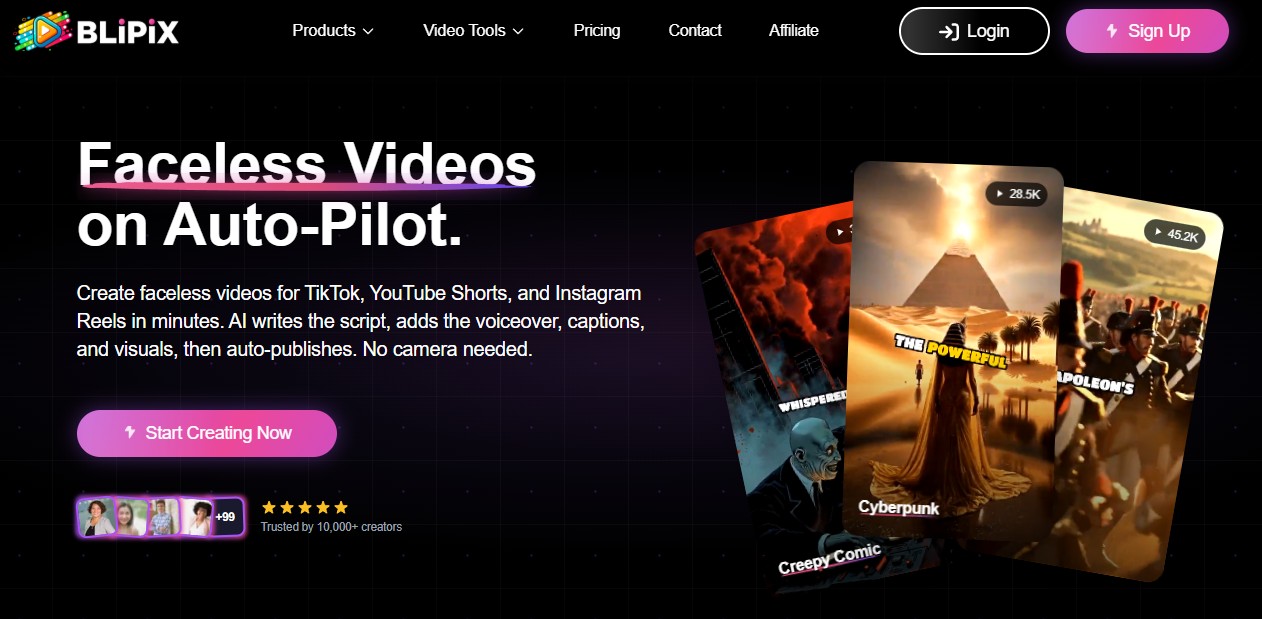
Before looking at the rest of the market, one platform has completely rewritten the playbook for automated content creation: Blipix.pro.
While most tools on this list are just glorified timeline editors, Blipix operates as an all-in-one, autopilot content engine. Starting at an incredibly accessible $39/month, it covers the entire creator lifecycle. It generates high-retention scripts in over 28 languages, applies realistic voice clones, and renders viral-ready video formats tailored to hyper-popular niches (motivational videos, creepy stories, interesting history).
The real difference? Native Autopilot Posting. Instead of forcing you to download massive files, rename them, and manually upload them to separate apps, Blipix directly syncs with your channels to auto-publish natively on YouTube and TikTok. It turns scaling a video portfolio into a true hands-off operation.
Quick-Glance Comparison Matrix (2026)
| Tool | Best For | Starting Price | Autopilot Social Posting? | Primary Use Case |
|---|---|---|---|---|
| Blipix.pro | Ultimate faceless automation & channel growth | $39/mo | Yes (Fully Automated) | Multi-channel scaling |
| StoryShort.ai | Multi-niche social media formats | $39/mo | No | Casual short-form mix |
| magiclight.ai | Cinematic documentary channels | ~$29/mo | No | Long-form narratives |
| videogen.io | Breakneck rendering speed | ~$25/mo | No | Single-click rough drafts |
| Fliki.ai | Content marketers (Blog-to-Video) | $28/mo | No | Text-heavy scraping |
| Pictory | B2B, corporate, & course creators | $19/mo | No | Corporate presentation videos |
| Invideo.io | Heavy production workflows | ~$25/mo | No | Manual timeline editing |
| HeyGen | Hyper-realistic talking head avatars | $29/mo | No | Corporate spokesperson roles |
| Lumen5 | Transforming articles to basic pitches | $19/mo | No | Social media marketing teasers |
| Pika Labs | Raw cinematic generation control | $10/mo | No |
Deep Dive: The Top 10 AI Story Generators Reviewed
1. Blipix.pro – The Hands-Free Automation King
Blipix is engineered from the ground up for modern content entrepreneurs who value their time. By focusing entirely on what drives algorithmic engagement on TikTok, Reels, and YouTube Shorts, it takes the friction out of content creation.
The Blueprint: Blipix cuts out the actual editing desk. You supply an abstract topic or a raw voice note, pick an engagement framework (like “Scary Stories”), and the platform executes the rest.
Real Data & Tier Limits: At the entry-tier of just $19/mo, you bypass the steep financial walls of traditional SaaS tools. This gives you instant access to 20+ art styles, premium multilingual TTS engines, and their core native publisher integrations.
The Pros: Unbeatable price-to-value ratio. It features an intuitive 3-step generation wizard, seamless voice cloning, and native scheduling that pushes your content live while you sleep.
The Cons: Highly optimized for modern, high-retention vertical and horizontal social formats. If you want a dry, corporate PowerPoint-style presentation, you'll need to tweak its advanced settings.
2. StoryShort.ai – The Agile Generalist
StoryShort targets creators who like to jump between various trendy social formats. It includes options for viral mobile gaming backgrounds, anime styles, and basic voice-cloned talking heads.
The Blueprint: StoryShort relies heavily on leveraging paired architectures (utilizing OpenAI for scripts alongside ElevenLabs for core audio output). It specializes in high-retention text caption scaling.
Real Data & Tier Limits: Entry pricing sits firmly at $39/mo for 400 generation credits. Moving up to their "Influencer" plan sets you back $129/mo, but it unlocks mandatory creator tools like advanced custom voice cloning.
The Pros: A generous credit rollover policy, unused credits carry forward even if you temporarily pause your subscription.
The Cons: At $39/month to start, it’s a steep investment compared to Blipix’s lean starter tiers, making it harder to justify for beginners.
3. magiclight.ai – The Narrative Artisan
If your goal is to build long-form YouTube documentary channels focusing on true crime, space exploration, or deep history, magiclight handles longer formats beautifully.
The Blueprint: This software integrates models like Gemini 3, ChatGPT-5, and Kling 2.1 Master directly into its layout wizard. Rather than processing short, snappy clips, its engine handles chronological asset continuity.
Real Data & Tier Limits: Offers a restrictive 300-credit free trial. The Standard plan starts at $12/mo (giving you 6,000 monthly credits and 10 one-click story generations). Power users scale up to the Ultra Plan at $90/mo, which drops per-credit generation costs down to $0.075 per 100 credits and supports long video builds up to 50 minutes.
The Pros: Excellent visual continuity across multiple scenes, which keeps character faces and environments looking consistent from scene one to scene ten.
The Cons: It lacks the rapid-fire editing templates and quick-hook layouts required to survive on fast-paced TikTok or Reels feeds.
4. videogen.io – The One-Click Speed Champion
Videogen is built for creators who prioritize speed over deep, granular customization. It takes a brief concept and converts it into a workable draft within seconds.
The Blueprint: Videogen runs on an optimized, automated search pipeline. When a script is generated, the platform scrubs massive web indexes instantly to automatically pin contextual clips down onto your timeline.
Real Data & Tier Limits: Their streamlined model is packaged into a Pro plan starting at $12/mo (billed annually), which rewards users with 2,000 platform credits monthly and a 50 GB cloud storage pool.
The Pros: Blazing fast render and compilation engines.
The Cons: The AI’s visual pairings can occasionally feel a bit literal or generic, requiring you to go into the workspace and manually swap out standard stock clips.
5. Fliki.ai – The Blog-to-Video Bridge
Fliki remains a reliable option for editorial websites and blog owners trying to extract extra traffic from their written content by converting text assets into video assets.
The Pros: Exceptional multi-lingual voice engine supporting localized, natural accents across dozens of global regions.
The Cons: The underlying video engine feels less like a dynamic story and more like a high-end audio track playing over stylized imagery.
The Blueprint: Paste a URL link into the Fliki field, and its NLP model scans header tags and paragraphs to build out an optimal storyboard script.
Real Data & Tier Limits: Over 12 million global users. While the free tier caps you at a brief 1-minute video export at 720p with a watermark, upgrading to the Standard plan ($28/mo) grants 2,160 annual credits, 1080p full HD output, and expands video limits up to 15 minutes. The agency-focused Premium plan scales to $88/mo to unlock advanced multi-voice cloning features.
6. Pictory – The Corporate Communicator
Pictory leans heavily into professional corporate environments, making it a favorite for internal HR teams, B2B updates, or educational course creators.
The Blueprint: It relies on an established, pre-vetted licensing partnership with massive stock libraries (like Getty Images and Storyblocks). This safeguards corporate entities from sudden copyright takedowns.
Real Data & Tier Limits: The entry-level Starter plan begins at $19/mo, restricting users to 30 videos per month. For heavier asset outputs, teams frequently upgrade to the Professional tier at roughly $39/mo to secure bulk downloading.
The Pros: Clean text-to-video matching that relies on highly vetted, safe, and professional stock asset libraries.
The Cons: The templates look a bit sterile if you’re trying to build a modern, trend-driven audience on public social media.
7. Invideo.io – The Hybrid Production Suite
Invideo.io acts like a traditional, timeline-based video editing software infused with AI generation. It gives you raw control over precisely where text boxes, layers, and cuts land.
The Blueprint: Rather than running as a hands-off black box, Invideo creates a standard multi-track sequence. The AI pitches a first-draft skeleton, and you finish the final 20% of the heavy asset-tweaking manually.
Real Data & Tier Limits: Entry pricing moves past the trial layer directly into a Plus plan at $25/mo, packing in 50 minutes of custom AI generation and an extensive cloud media locker.
The Pros: Unmatched manual editing control over the final export.
The Cons: A noticeably steep learning curve compared to simple, prompt-based automation dashboards.
8. HeyGen – The Avatar Specialist
HeyGen is built around visual realism, specializing in generating lifelike digital twins or digital spokespeople to deliver a script directly to the camera.
The Blueprint: HeyGen shifts its heavy computational power into facial-mapping diffusion and audio-to-lip matching instead of wide cinematic b-roll environments.
Real Data & Tier Limits: Their Creator tier sets an anchor at $29/mo, equipping accounts with 15 monthly rendering credits. It permits maximum video generation ceilings of 5 minutes per file.
The Pros: Exceptional lip-sync accuracy and natural-looking body language.
The Cons: Very expensive for independent creators, and not designed for multi-scene narrative b-roll storytelling.
9. Lumen5 – The Social Media Teaser
Lumen5 uses algorithmic scripting to pick out the most punchy sentences from a URL or press release and overlay them across fluid background layouts.
The Blueprint: It behaves primarily as an automated design assistant. It maps out text-heavy blog assets across standardized kinetic typography frames.
Real Data & Tier Limits: Solo marketing plans start at a base fee of $19/mo. This framework changes into a $59/mo Premium tier when agencies require branded watermark removal.
The Pros: Drag-and-drop mechanics make creating simple informational slides extraordinarily straightforward.
The Cons: Lacks true narrative cinematic depth; functions primarily as an animated slide tool.
10. Pika Labs – The Artistic Prompt Workbench
Pika is an animator’s playground, giving you precise, structural prompt control over specific cameras, physics, and lighting movements.
The Blueprint: Pika gives users advanced control commands over spatial movement, such as -camera pan right or -motion 4. It processes individual frame physics directly rather than relying on standard editing templates.
Real Data & Tier Limits: The starting framework costs $10/mo for a Standard plan (which replaces slow generation tracks with priority rendering queues). The unrestricted Pro network scales upwards to $58/mo.
The Pros: Incredible environmental realism and customized lighting filters.
The Cons: It lacks native script, captioning, and audio integration, meaning it acts as a clip-builder rather than a finished story generator.
Checklist: The Blueprint for High-Retention Video
Regardless of the software running your backend, real viewer retention relies on a consistent execution strategy. If you want to beat the algorithms this year, apply these four golden rules:
The 3-Second Hook: Your opening scene must feature a dynamic visual change along with an immediate thematic payoff in the text. Never start with an intro logo.
Pacing Density: Short-form vertical video demands 2 to 3 visual cuts every 5 seconds to keep dopamine levels high. Long-form horizontal video can rest at 1 cut every 10 to 12 seconds.
Audio Layering: Keep background music mixed below 25% of the voiceover volume. If the music is too loud, automated closed captions will glitch out, and mobile viewers will scroll away.
The Post Schedule: Post at the exact same times daily. The algorithm rewards consistency because it trains your core audience when to expect your content.