Faceless video tool

Travel Video Maker

Write about a place, a hidden street, a three-day itinerary, a train ride you loved, and Blipix turns it into a narrated travel Short with cinematic scenes, captions and music. The scenes are AI illustrations rather than photos of the real place, so keep the practical details accurate and tell viewers what they are looking at.

  • 29,000+ creators signed up
  • 41,000+ videos made with Blipix
  • No credit card required
Example output
  • Cinematic art style
  • Travel Destinations preset
  • Narrate in 32 languages
  • First video free
New videoStyle: Cinematic

Your story

Paste a script, describe an idea for AI to write, or start from a niche

0 / 1,800 words

Free plan scripts go up to 112 words, paid plans up to 1,800

Visuals

How each scene is filled, and the art style AI images are drawn in

Media type
AI video framesPaid

Used with AI Motion Video: the frames you choose become AI video clips

Art style39 styles · Cinematic selected

Voice and music

Press play to hear a sample before you choose

Narration voice
Background music

Language, length and format

Language of the narration and captions

Duration

Set by your script

The running time follows the length of your script

Aspect ratio

You can switch it in the editor after the video is generated

Your setupAI Images · Cinematic · Will voice · Stradivarius · English · 9:16

Generate opens Blipix sign-up · No credit card required · Preview your first video free

Three steps

How It Works

Decide whether you are guiding or storytelling, get the facts right, and let each line become a scene.

  1. Decide: guide or story

    A guide gives viewers something to act on: when to go, how to get there, what it costs. A story gives them a feeling: rain in an alley, a stranger's kindness. Both work, but mixing them in 45 seconds usually does neither well.

  2. Check the details a traveler would use

    Opening days, seasons, ticket rules and safety warnings change. Confirm them on the official site before you write, and say when you checked. The Travel Destinations preset can draft an idea, but the checking is still yours.

  3. Pick a look that suits the place

    Cinematic and Photo Realism give moody, real-looking scenes, Watercolor feels like a travel journal, and Vintage Photograph suits a postcard from 1965. Then choose a narrator, set the captions, and post to YouTube, TikTok or Instagram.

Worked example

See It In Action

A real example you can generate with this tool, from script to finished video.

Your idea

someone traveling from present to past

Script110 words
  1. I step into a narrow alley in Kyoto during a light rain.
  2. My phone shows tomorrow's date, but my hands smell like incense and wet cedar.
  3. A shopkeeper in a paper mask nods as if I'm late for tea.
  4. He sets a small ledger on the counter.
  5. Inside, tomorrow's headlines are already written, but in different ink, softer, like it came from memory.
  6. He points to the margins where dates have been crossed out and redrawn.
  7. "The past is not behind you," he says, "it is in what you repair." I ask what I must fix.
  8. He slides a folded crane toward me, and the rain becomes thunder, then quiet.
Ready to post
Blipix turns a script like this into a voiced, captioned video with matching AI scenes and music, which you can then adjust scene by scene before exporting.

Who it is for

Travel channels that work without footage

Not everyone who posts about places carries a camera bag.

  • Itinerary planners

    Three days in Lisbon, a weekend in the Dolomites, a rail route across Japan. One stop per scene, with times and prices you have checked. Viewers save these for later, so accuracy matters more than flourish.

  • Travel agents and tour operators

    Explain what a trip includes in under a minute, in your clients' own language. Keep claims about your tours exact, and use illustrated scenes for mood, never as a promise of the actual view.

  • Armchair travelers

    Places on the list but not yet on the calendar: the northern lights, a night train, a temple at dawn. Story-led videos for people who are dreaming rather than booking, and who come back for the mood.

  • Language learners and teachers

    Narrate a city walk in Spanish, Japanese or Italian, with captions in the same language, and you have a listening exercise with a destination attached. Japanese faceless videos shows how one language sounds.

Why this tool

What a travel Short is built from

Scenes, voice, captions and the small touches between them.

  1. AI scenes, or stock on paid plans

    Each line becomes an AI-generated scene in your chosen style, with gentle motion. Paid plans can use Pexels stock photos and video instead; they look real, but they are generic matches, not guaranteed shots of the exact place you name.

  2. A narrator with the right accent

    Filter over 100 voices by accent, age and use case. A warm, unhurried narrator suits story pieces, while a brisk one suits itineraries. The demo uses Will, a friendly American male voice from ElevenLabs, which fits a first-person story.

  3. Captions that work on mute

    Plenty of viewers scroll with the sound off. Pick one of 24 caption presets or style your own, and give place names short sentences of their own so they appear clearly on screen instead of buried mid-caption.

  4. Weather in the frame

    Particle effects such as snow, dust or sparkle add slow movement to still scenes. The demo lays a light random mix at low intensity over its rainy alley. Use effects for atmosphere that matches the place, not as decoration.

Side by side

Filming a trip vs. writing one

Filming on location proves you were there. Writing and generating gives you range, with an honest trade-off.

Feature / BenefitBlipix Travel Video MakerOn-location travel vlog
Getting thereNo trip needed; write about anywhere.Flights, hotels and time on the ground.
ImagesAI scenes of the place as you describe it, not real photos.Real footage of the real place.
Viewer trustSay the scenes are illustrations.Viewers see exactly what you saw.
LanguagesAny of 32 narration languages; captions follow the voice.Usually your own language, plus subtitles.
EditingSwap a scene or a line in the editor.Hours of footage to cut down.
Best forStories, itineraries and dream-trip ideas.Reviews, hotel tours and first-hand advice.

Accuracy, honesty and the dream-trip audience

Travel viewers act on what you tell them. Opening hours, entry rules, seasonal closures and safety warnings change, so confirm them on official sources and say when you checked (“as of October 2026”). Never invent a price or a rule to make a line sound authoritative; out-of-date advice is the fastest way to lose a traveler's trust.

Be clear about the pictures, too. An AI scene of a beach is not that beach, and someone who books a trip because of a generated sunset will feel misled. Writing “illustrated scenes” in the description is enough. Story pieces about places people dream of are a real lane, and the honest ones earn saves. For angles you have not covered yet, the faceless video ideas generator can suggest a few.

In depth

The Kyoto demo is a story, not a guide

The demo came from a one-line Custom Prompt, “someone traveling from present to past,” and the AI writer chose Kyoto as the setting. The result is a 110-word, 39-second piece of magical realism: a rainy alley, a phone showing tomorrow's date, a masked shopkeeper with a ledger of headlines that have not happened yet, and a paper crane. It uses the Cinematic style, Will as narrator, bold captions with yellow highlights at the bottom, and seven scenes. It cost 10 credits and rendered in 62 seconds.

As atmosphere, it works. Wet stone, warm lanterns and incense come through in both the words and the images. As a travel video, it gives the viewer nothing to use: no neighborhood, no season, no reason to go. And the shopkeeper's paper mask is drawn three different ways, a white theater mask, a surgical mask and a bandaged face, because the script never described it.

For story-led travel content, keep the mood and add one real anchor, such as a named street or the month the rains come. For a guide, start from a destination and a list of checked facts. The travel video gallery has more examples of both.


Real renders

Made with Blipix

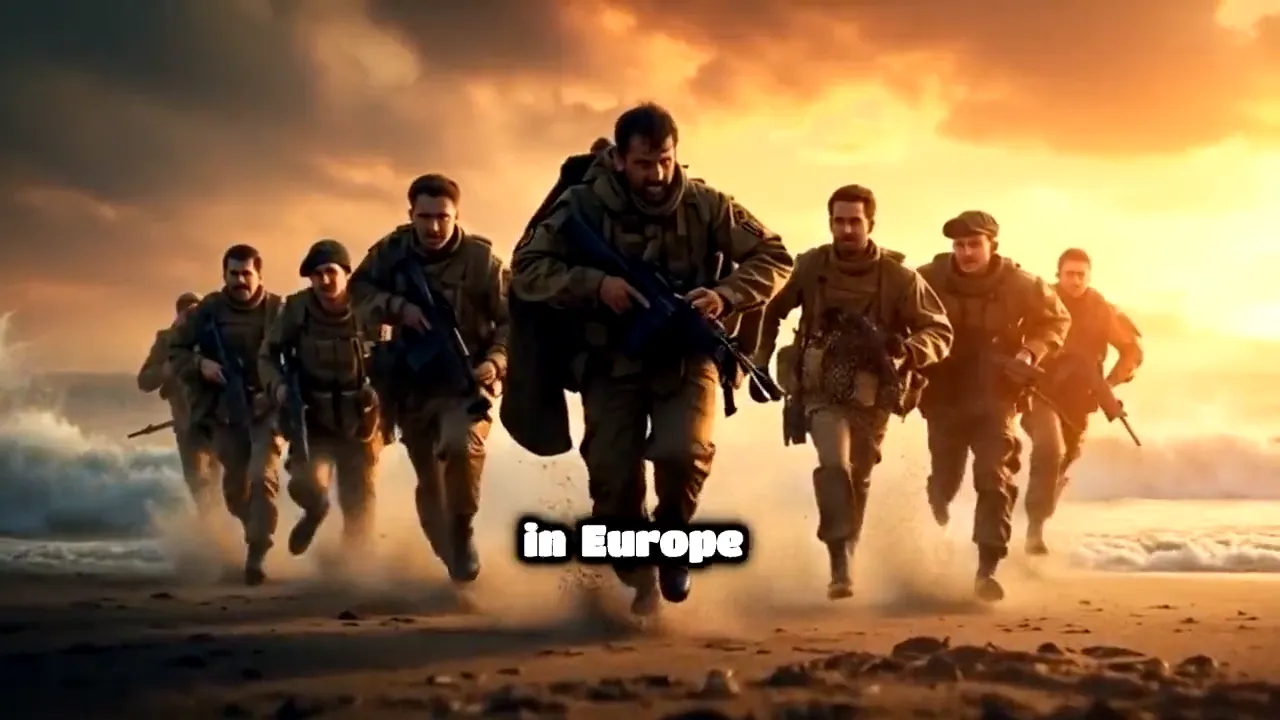
A few videos rendered in Blipix: a war history story, a fruit drama, a POV time-travel short. Same editor, very different results depending on the template and art style.

HistoryBravery at Omaha Beach

FAQ10 answers

Travel Video Maker FAQ

Straight answers about our Travel Video Maker, from first script to published video.

Still have a question?

Write to us and a real person on the team replies.

Yes. You write about the place, and Blipix illustrates each line with AI-generated scenes and adds narration, captions and music. Because the scenes are not real photos, say so in the description and keep every practical detail accurate.

One short video is. Free accounts start with 10 credits, enough for a 30 to 60 second video with a watermark. Stock photos, longer itineraries and Premium image quality need a paid plan, and the pricing page compares them.

They will look like your description, not like a photo of the location, and famous landmarks may come out only roughly right. On paid plans, Pexels stock photos are an option, but they are generic matches rather than guaranteed shots of the exact spot.

Pick one place and one feeling, then write in concrete sensory details: what you hear, smell and see. Add one real anchor, such as a street name or a season, so viewers can find it, and end on an image rather than a sales line.

Thirty to 60 seconds suits a single place or tip, roughly 90 to 150 words. The demo uses 110 words in 39 seconds. Multi-day itineraries can run longer on paid plans, with one stop per scene.

Match the voice to the format: warm and unhurried for stories, clear and brisk for itineraries. Filtering by accent helps when you want a narrator who sounds local, and narration works in 32 languages.

A story-led video about a place your viewer wants to visit but has not booked: a night train, a lighthouse, a winter market. It sells a feeling rather than an itinerary, and it works best when it still includes one true, useful detail.

Yes, for explainers and mood pieces. Be exact about your own offer, prices and policies, and never present generated scenes as photos of your property or tour. Real photos belong wherever a customer is making a decision.

Yes. A paid series can post to YouTube, TikTok or Instagram on a schedule, for example using the Travel Destinations preset. Travel facts change, so review each script before it goes out. The YouTube automation page walks through scheduling.

It cannot show real footage, current conditions or anything you checked in person. There is one narrator per video, and scenes are still images with gentle motion. Use it for stories, ideas and planning, and point viewers to official sources for anything they will rely on.

Write about a place you love

One place, one feeling, one true detail. See it narrated and drawn.

Try Blipix
  1. Script
  2. Voiceover
  3. Visuals
  4. Captions