Timing is Everything: The Data-Backed Guide to Uploading YouTube Shorts in 2026
Launching a viral short-form channel used to feel like capturing lightning in a bottle. Today, it’s a science. With YouTube Shorts pulling in tens of billions of views daily, the potential for explosive subscriber growth is massive.
But hitting the upload button blindly is a quick way to bury great content. Even if your production quality is flawless, pushing a video live when your target audience is asleep or driving means missing out on the initial momentum needed to trigger the algorithm.
To get the views your content deserves, your publishing schedule must align with actual viewer habits and modern algorithmic evaluation phases. Let’s look at how to structure a data-backed posting strategy, clear the algorithm's newest performance gates, and use automated systems like Blipix to keep your channel consistent on autopilot.
The New Reality: How the Shorts Algorithm Evaluates Timing
A common misconception is that the algorithm rewards specific hours globally. In reality, the algorithm uses an "Explore and Exploit" framework. The moment you publish, your Short is pushed to a small, localized seed audience of subscribers and active category browsers.
Recent updates to the algorithm have shifted how this seed phase functions:
- The Shift to Engaged Views: Total raw views are a vanity metric. The platform now prioritizes “engaged views”, tracking whether a viewer stays past the opening seconds, loops the video, leaves a comment, or shares it.
- The Watch-Time Gate: To move past the initial seed pool, a Short under 30 seconds requires roughly 65% average retention, while a 30-to-60-second video needs about 50% retention.
- Why Timing Matters: If you publish when your target niche is distracted, tired, or offline, your seed audience will have slow engagement velocity. A sluggish start signals to the backend that the content isn't hitting the mark, which stops wider distribution before the video even has a chance.
Baseline Blueprint: The Best General Times to Upload Shorts
While your absolute best time frame depends on your specific channel data, global engagement patterns across social feeds offer a highly reliable foundation.
Here is an optimized breakdown based on standard viewer habits, commuting patterns, and winding-down intervals. All listed zones are relative to your primary target market's local time zone (e.g., if your core audience is in New York, use Eastern Standard Time).
Weekday Posting Windows (Monday through Friday)
During the work and school week, audience behavior is highly predictable, moving in sync with daily routines:
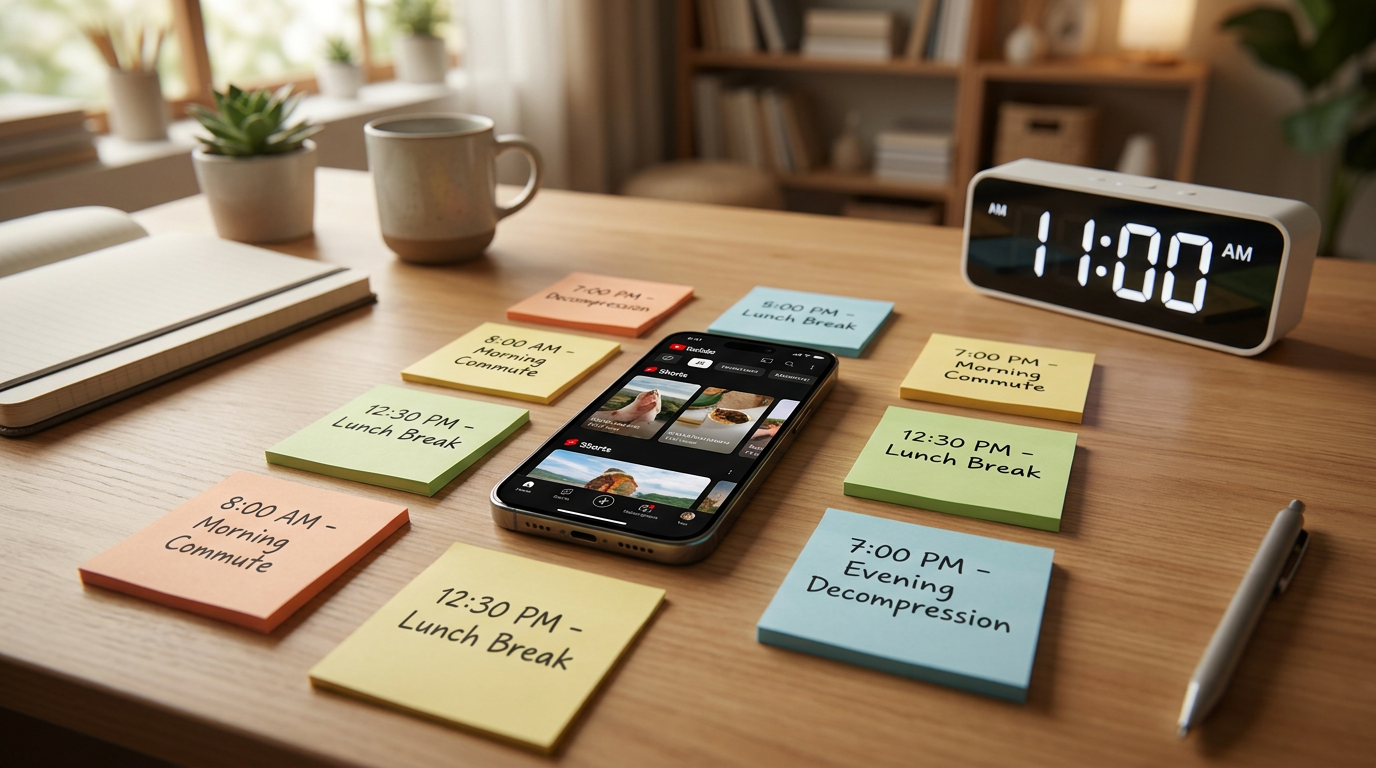
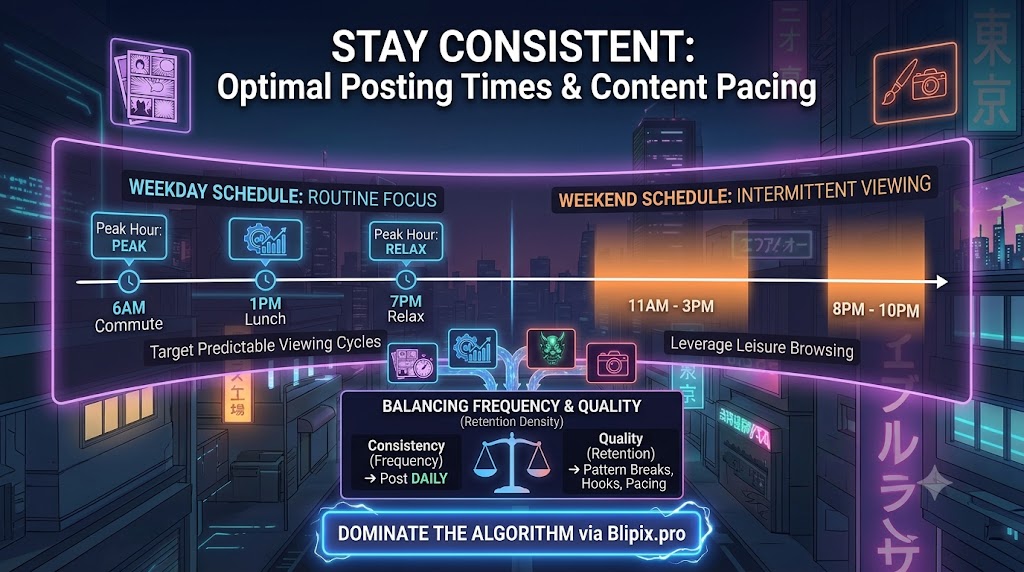
The Morning Commute (6:00 AM – 8:00 AM): Captures early risers and commuters looking for quick entertainment during their morning transit or morning routine.
The Midday Lunch Break (11:00 AM – 2:00 PM): This is the highest consistent weekday traffic peak. Mobile scrolling surges globally as people take lunch and study breaks.
The Evening Decompression (6:00 PM – 9:00 PM): The prime entertainment window. Viewers are home, relaxed, and settling in for longer "lean-back" scrolling sessions.
Weekend Posting Windows (Saturday and Sunday)
Weekend consumption habits differ drastically from weekdays. Instead of browsing during rigid, predictable breaks, users view content intermittently throughout the entire day:
The Lazy Morning Scroll (9:00 AM – 12:00 PM): Weekend mornings capture viewers with more leisure browsing time over breakfast or morning coffee.
The Afternoon Downtime (3:00 PM – 6:00 PM): A strong leisure browsing period before evening plans begin.
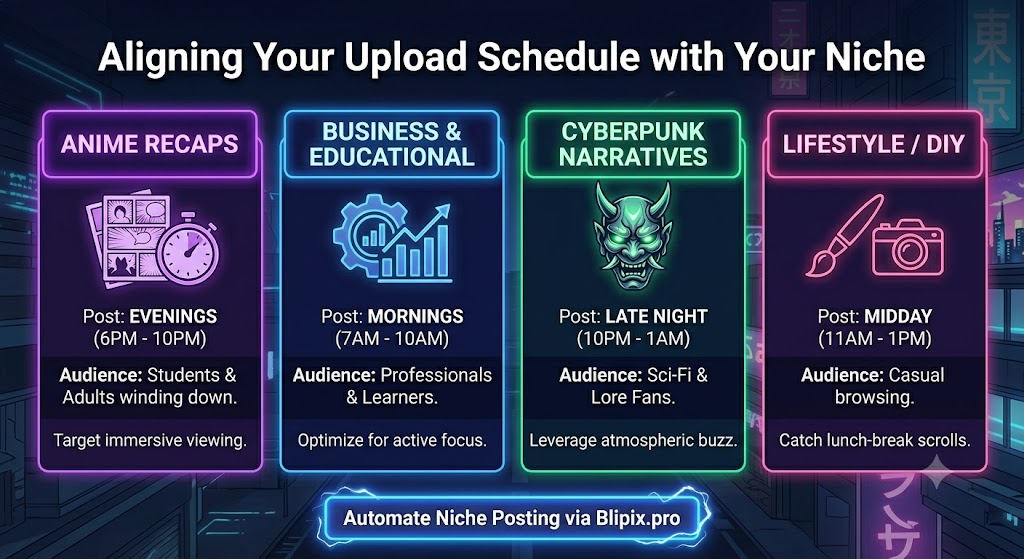
Aligning Your Upload Schedule with Your Niche
The subject matter of your Shorts naturally dictates when your core audience wants to watch them. Align your post times with your specific content category:
| Content Niche | Best Daily Posting Windows (Local Time) | Strategy Insight |
|---|---|---|
| Anime, Storytelling & Entertainment | 1:00 PM & 6:00 PM – 11:00 PM | Audiences look for narrative immersion when they have uninterrupted free time to unwind. |
| Education, Tutorials & Business | 10:00 AM – 1:00 PM | Performs best during mid-day blocks when viewers are in an active, learning mindset. |
| Gaming & Pop Culture | 3:00 PM – 9:00 PM (Weekends Strongest) | Highly active during after-school hours, Friday nights, and lazy Saturday afternoons. |
| Lifestyle, Beauty & Fashion | 10:00 AM – 2:00 PM | Captures casual daytime curiosity scrolls and lifestyle inspiration browsing. |
How to Unlock Your Channel's Unique Sweet Spot
To eliminate guesswork entirely, let your historical channel performance show you the way. Head directly into your YouTube Studio Dashboard, click on the Analytics tab, and select Audience.
If your channel has gathered baseline viewership, you will see a detailed heatmap titled "When your viewers are on YouTube." The dark purple blocks illustrate exactly when your historical viewers are active on the platform.
Optimization Hack: Always publish your Short roughly 30 to 45 minutes prior to your peak audience activity window. This gives the backend engine enough time to process the file, generate automated captions, run visual safety scans, and prepare the video to hit the feed exactly when traffic surges.
Automate and Scale with Blipix.pro
Building a successful short-form channel is a marathon, not a sprint. Trying to manually log into your mobile apps multiple times a day at hyper-specific hours quickly leads to creator burnout. To scale efficiently, you need automation tools in your workflow.
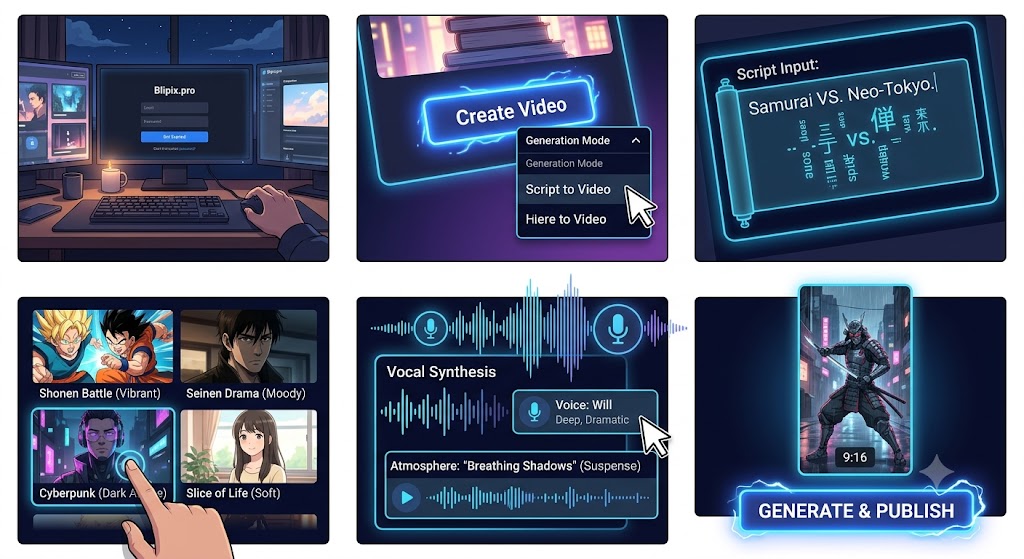
This is where Blipix changes the game. Beyond acting as an advanced studio engine that builds high-retention anime and narrative videos, complete with consistent AI character tracking and cloned human voices, it functions as a fully automated channel manager.
Instead of forcing you to download massive files to your local device and manually re-upload them to YouTube Studio, Blipix links directly to your social channels. You can queue up an entire week's worth of content, assign your data-backed target hours, and let the platform's Native Autopilot Posting engine publish your videos perfectly on time, every single day, completely hands-free.
Balancing Consistency with Production Quality
Creators run into a frustrating paradox: social media algorithms reward an unrelenting upload frequency, yet audiences instantly swipe away from low-effort, repetitive content.
Finding the sweet spot between consistency (how regularly you post) and production quality (how effectively your video holds attention) is what separates channels that stall at zero from channels that pull in millions of views and steady monetization.
The Friction in Modern Short-Form Algorithms
Treating your channel like a numbers game by uploading five or six generic, single-prompt AI clips a day doesn't work anymore. Modern recommendation engines look far past simple view counts, they track how your audience behaves in those first crucial seconds.
The Retention Threshold: To break out of initial test pools and hit the wider Shorts shelf, a 30-to-60-second video generally needs to maintain at least a 50% average view duration. Shorter clips under 30 seconds often require closer to 65% retention.
The "Viewed vs. Swiped Away" Metric: If your opening visual looks exactly like every other generic stock loop on the feed, users will scroll within two seconds. If your swipe-away rate climbs past 40%, the algorithm assumes your content isn't providing a good user experience and pulls back its reach.
When you sacrifice editing detail, story pacing, or audio clarity just to hit a frantic daily publishing goal, you end up training the algorithm to see your channel as low-retention filler.
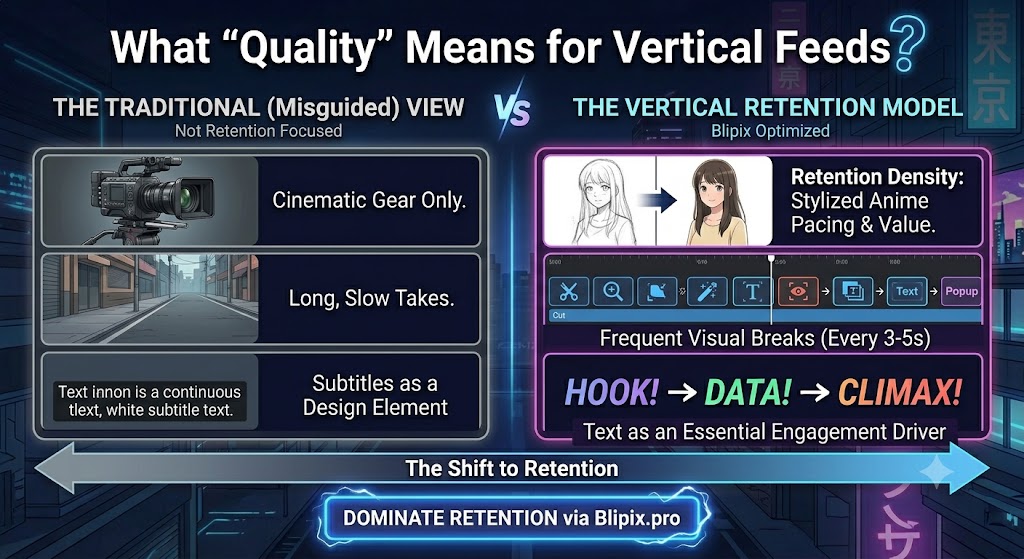
What Does "Quality" Actually Mean for Vertical Feeds?
Many creators assume that high production value requires expensive cameras, a soundproof studio, or complex desktop editing software. But on vertical feeds, quality isn't about cinematic gear, it is about retention density.
To maximize the impact of your videos without overcomplicating your workflow, focus heavily on these three practical areas:
1. Pacing and Pattern Breaks
People scroll fast, and their attention spans are shorter than ever. If a single scene or visual asset stays on screen for more than three seconds without changing, the brain gets bored.
Keep your timeline dynamic by introducing a “pattern break”, such as a slight camera zoom change, a fresh visual cut, an aesthetic background transition, or a bold keyword caption pop, every 3 to 4 seconds to keep the viewer locked in.
2. Delivering on Your Hook
Your video needs to immediately hook the viewer, but it also has to deliver an honest payoff. Using completely unrelated clickbait just to manipulate the first two seconds causes viewers to drop off angrily once they realize they’ve been tricked. This spikes your drop-off rate. Lead with a compelling question, an intriguing storyline mystery, or a striking character image right away, and then actually fulfill that promise.
3. Audio Cleanliness and Readable Captions
A massive portion of mobile users browse their feeds on mute while commuting, waiting in lines, or relaxing in public spaces. This means dynamic, easy-to-read text isn’t just a nice design touch, it is a vital retention tool.
Make sure your subtitles are perfectly synchronized with your voiceover. Additionally, make sure your background music tracks don't overpower the narrator. Keeping background music mixed down at an optimal 20% to 25% volume ensures your dialogue is crisp, understandable, and high-retention.
Scaling Up Without Burning Out
If you try to write every script by hand, manually render custom graphics frame-by-frame, edit audio levels, style subtitles, and manually upload clips at specific hours across multiple platforms, you will quickly hit creator burnout.
To maintain high production standards while keeping up with a daily upload schedule, you need to work with smart, automated creation systems.
This bottleneck is precisely why Blipix is built as an all-in-one content engine. Instead of spending hours jumping between disjointed editing apps, you can use our workspace to generate original scripts, lock in consistent anime character designs, layer realistic voice clones, and apply high-engagement caption styles in a few direct clicks.
By letting the AI handle the technical heavy lifting, you can move away from daily panic-posting and switch to a batch-content model. You can write, generate, and fine-tune a full week's worth of premium, high-retention Shorts in a single afternoon.
From there, you can use our built-in Autopilot Posting feature to automatically schedule your videos to go live at your channel's peak activity times. This lets you give the algorithm the consistent, high-quality content flow it wants while you focus entirely on your next big creative idea.