Got your first sponsor, free product, affiliate link or promo code? Each app has its own disclosure setting and its own label, and on top of that, the law where you and your viewers are may ask for more. So this guide goes app by app, then covers what to put in the video itself. It's a platform-rules guide, not legal advice. YouTube's own help pages say they aren't legal advice either, and a lawyer is the right person for a specific contract or country question. It reflects the pages we read as of November 2026.
What counts as sponsored content
YouTube's Branded Content Policies cover "any content on YouTube influenced by a brand partner in exchange for something of value," such as payment, free products or sponsorships "(whether you receive the benefit now or later on)," wherever it appears, "including videos, video descriptions, comments, live streams, Shorts."
TikTok's Branded Content Policy, effective October 30, 2026, covers promoting a third-party brand "in exchange for payment or any other incentive." That includes gifted products, paid posts, "a commission on any sales (for instance, via an affiliate link or promotional code)," and current or past commercial relationships, such as being a brand ambassador.
Instagram's page on what is considered branded content says to use the paid partnership label when a brand pays you, for gifted, free or loaned products, and for affiliate links: "Posts featuring affiliate links earn commissions on sales and constitute an exchange of value."
In the US, the FTC's Disclosures 101 for Social Media Influencers says to disclose "any financial, employment, personal, or family relationship with a brand," and "Financial relationships aren't limited to money." Free or discounted products count "even if you weren't asked to mention that product," and tags and likes are endorsements. If you simply bought something and like it, you don't need to disclose anything.
Your own product is different. TikTok still wants the setting on and labels the post "Promotional content." Instagram says not to use the paid partnership label ("There is no brand or business partner involved here"), though you remain responsible for any legal disclosure obligations. The YouTube pages we read don't cover this case.
Our advice: when unsure, disclose.
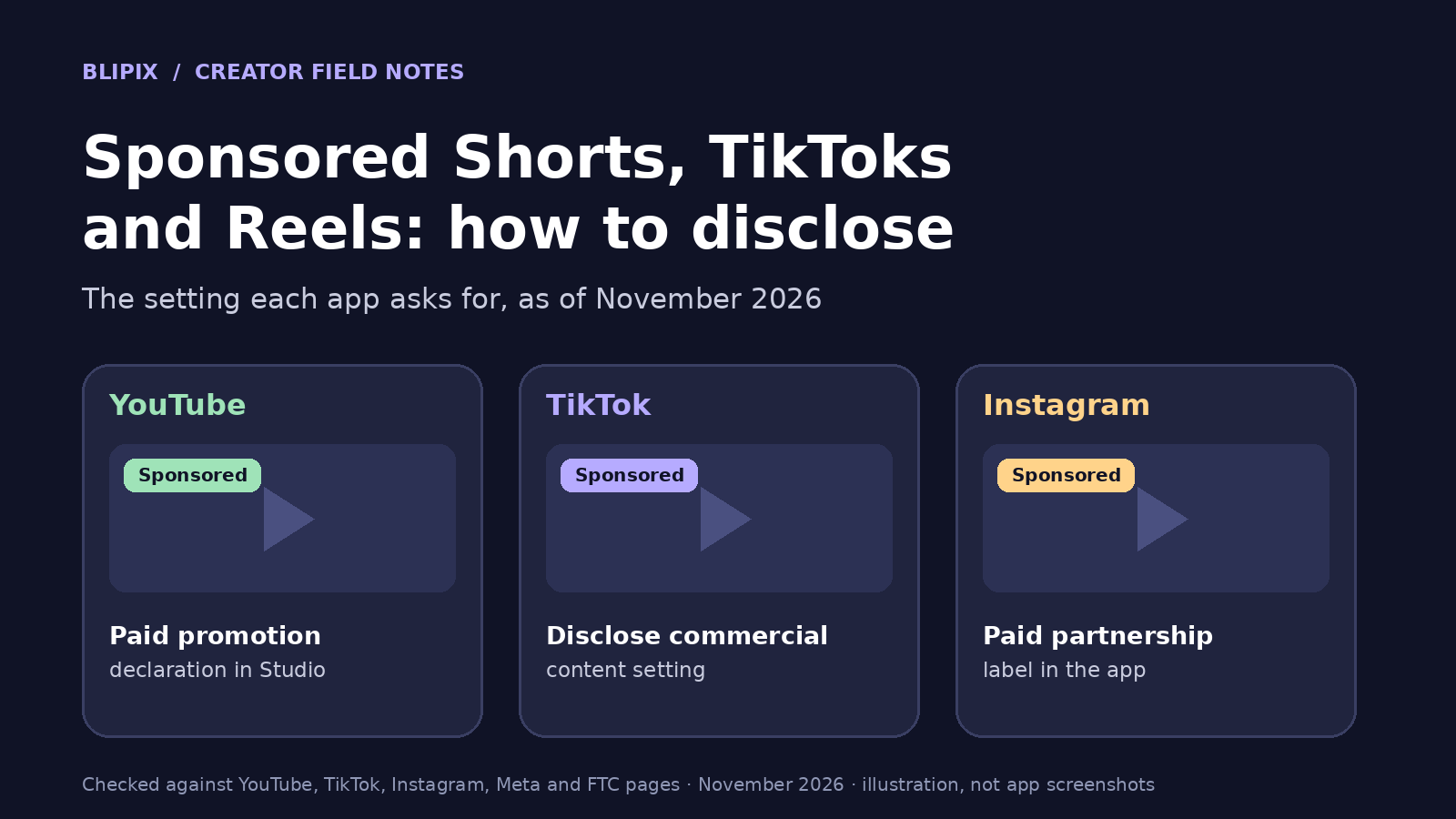
YouTube: tick the paid promotion box in Studio
YouTube says you must declare branded content with the paid promotion setting in Studio. It then shows a disclosure label at the start of the video. Still, "you are ultimately responsible for ensuring your disclosure is clear and prominent."
On a computer: YouTube Studio > Content > the video > Show More > check "My video contains paid promotion like a product placement, sponsorship, or endorsement." > Save.
On a phone: YouTube app or YouTube Studio app > the video > Show More > Products, Paid promotion, and brands > Paid promotion and brands > under "Paid Promotion," tap Yes.
New upload: per YouTube's page on branded content restrictions and disclosure labels, open Show more and, under "Paid Promotion," select "Yes, my video includes branded content." Age and country restrictions only appear after you select Yes, and you edit them in Studio on a computer.
What changes: a disclosure appears at the start. Ads still run, though YouTube "may try to avoid showing an ad that competes with your brand partner." The video is removed from YouTube Kids. Partner Program members can still earn ad revenue if the video follows the advertiser-friendly guidelines.
If you don't disclose: "we may remove the content and notify you." YouTube may also "automatically apply a branded content label to your video and notify you." If that label is wrong, you "may have the option to certify" that the video has no branded content and override the label. Violations may affect your channel and Partner Program eligibility, and the policy "applies to the entirety of your content, not just the portion where the branded content or sponsorship appears."
Don't burn advertiser-supplied pre-roll, mid-roll or post-roll video ads into your videos. Some products are prohibited (such as recreational drugs, weapons, hacking software and counterfeit products) and some are restricted (such as alcohol, gambling and financial services). YouTube says its list isn't complete.
TikTok: turn on Disclose commercial content, and pick the type first
TikTok's page on promoting a brand, product, or service says "you must turn on the content disclosure setting" when you promote a brand, product or service, whether it's yours or another company's. Promoting your own brand gets the label "Promotional content." Posting for another business gets "Paid partnership." TikTok notes: "Turning on the content disclosure setting won't affect the distribution of your post in feeds on TikTok."
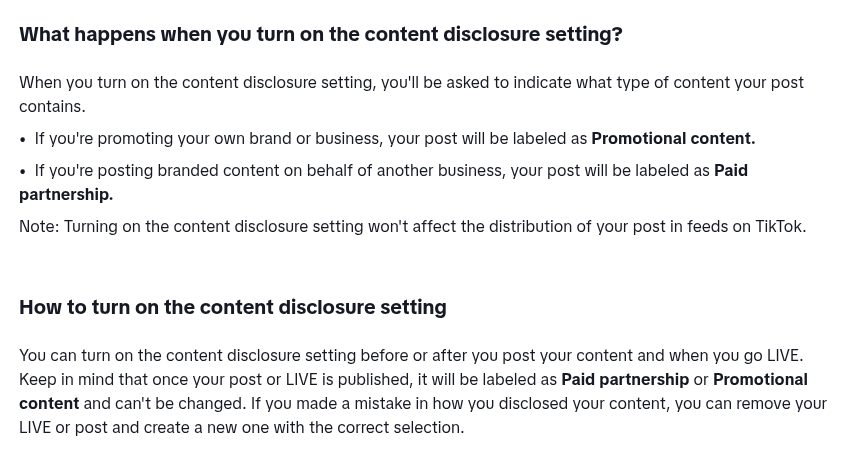
Cropped screenshot of TikTok's public Help Center page "Promoting a brand, product, or service", taken November 15, 2026.
While posting: tap Content disclosure and ads (if you're not part of TikTok One, tap More options … first). Turn on Disclose commercial content, choose Your brand or Branded content, tap Save, then Continue, then Post.
After posting: profile > the post > More options … > Ad settings > Disclose commercial content > choose the type > Save > Continue.
On the web: Upload > Select videos > Show more > Disclose post content.
The timing catch: you can turn it on before or after posting, but "once your post or LIVE is published, it will be labeled as Paid partnership or Promotional content and can't be changed." If you pick the wrong type, the fix is to delete the post and post it again. So our advice is to decide before you post. Without proper disclosure, TikTok says "we may remove or restrict your posts."
The policy says the product must be clear "without requiring viewers to access your profile page or any links," for example by naming it "verbally and/or in the text caption." It also bans misleading claims. Where the law requires it, your content may be added to TikTok's Commercial content library. "In some circumstances," the library may keep it public even after you delete or change the original. Prohibited industries include tobacco and vapes, weight-loss products, get-rich-quick schemes, and legal or accounting services, plus restrictions that vary by market.
Sponsored TikToks also raise the commercial-music question, and sponsored content doesn't count toward TikTok's Creator Rewards.
Instagram: the paid partnership label, added in the Instagram app
Instagram's getting-started page for branded content says "All branded content must be disclosed using the paid partnership label," and that adding the label is "only available on the Instagram app."
First, turn on the branded content tools: profile > Menu > Business tools and controls or Creator tools and controls > Branded content > Set up branded content tools > Enable. If you aren't eligible, you can request a review. Eligibility depends on following Meta's Branded Content Policies, its Community Standards and its Content Monetization Policies.
You add the label and tag the brand when you share the reel in the Instagram app. Per Instagram's page on using the paid partnership label, the first time you tag a brand, it gets a request. Until the brand approves, the label shows without its name. If the brand denies the request, the label is removed. The brand needs a professional account, and it gets a notification and access to the content's insights. You can still edit the post after tagging.
Meta's Branded Content Policies say branded content "may only be posted with the use of the branded content tool," and "Creators cannot accept anything of value to post content that does not feature themselves or that they were not involved in creating." So if you didn't make it, a sponsor can't pay you to post it. Format rules: no pre-, mid- or post-roll ads, no banner ads, and "Don't include title cards within a video's first three seconds." After that, mid or end cards can't stay on screen for longer than three consecutive seconds. Some categories are prohibited and others restricted.
The pages we read don't say what happens to an undisclosed post.
The three apps side by side
| App | What the app calls the setting | Label viewers see | Where you turn it on | Can you add it after posting? | What the app says can happen if you don't |
|---|---|---|---|---|---|
| YouTube | Paid promotion declaration | A disclosure at the start of the video | YouTube Studio, or the YouTube or Studio app | Yes, in Studio on an existing video | The video may be removed or labeled automatically; your channel and Partner Program eligibility may be affected |
| TikTok | Disclose commercial content | "Promotional content" or "Paid partnership" | Post screen, or the post's Ad settings | Yes, but the label type can't be changed once published | Posts removed or restricted |
| Paid partnership label | "Paid partnership with" the brand | Instagram app only | Not stated on the pages we read | Not stated on the pages we read |
What to say in the video itself
An app's label doesn't replace what you say. The FTC brochure puts it this way: "Don't assume that a platform's disclosure tool is good enough, but consider using it in addition to your own, good disclosure."
- In the video: "the disclosure should be in the video and not just in the description."
- Audio and text: "Viewers are more likely to notice disclosures made in both audio and video. Some viewers may watch without sound and others may not notice superimposed words."
- With the endorsement, not only on your profile, at the end, behind "more" or mixed in with hashtags.
- Plain words: "ad," "advertisement," "sponsored," or "Thanks to Acme brand for the free product" are often enough. Avoid "sp," "spon," "collab," or "thanks" or "ambassador" on their own.
- Same language as the endorsement.
- Honesty: you can't talk about a product you haven't tried, or call one you thought was terrible terrific.
That brochure is a US FTC staff publication from November 2019. It says US law applies if it's reasonably foreseeable that a post will affect US consumers, and foreign laws might also apply. YouTube points to regulators such as the FTC (US), ASA (UK), DGCCRF (France), Medienanstalten (Germany) and KFTC (Korea).
Our advice for faceless channels: with no face on camera, the disclosure goes in your narration and on-screen text. Write a plain spoken line near the start, like "This video is sponsored by [brand]," and keep it on screen long enough to read. Name the product out loud or in the caption, as TikTok asks.
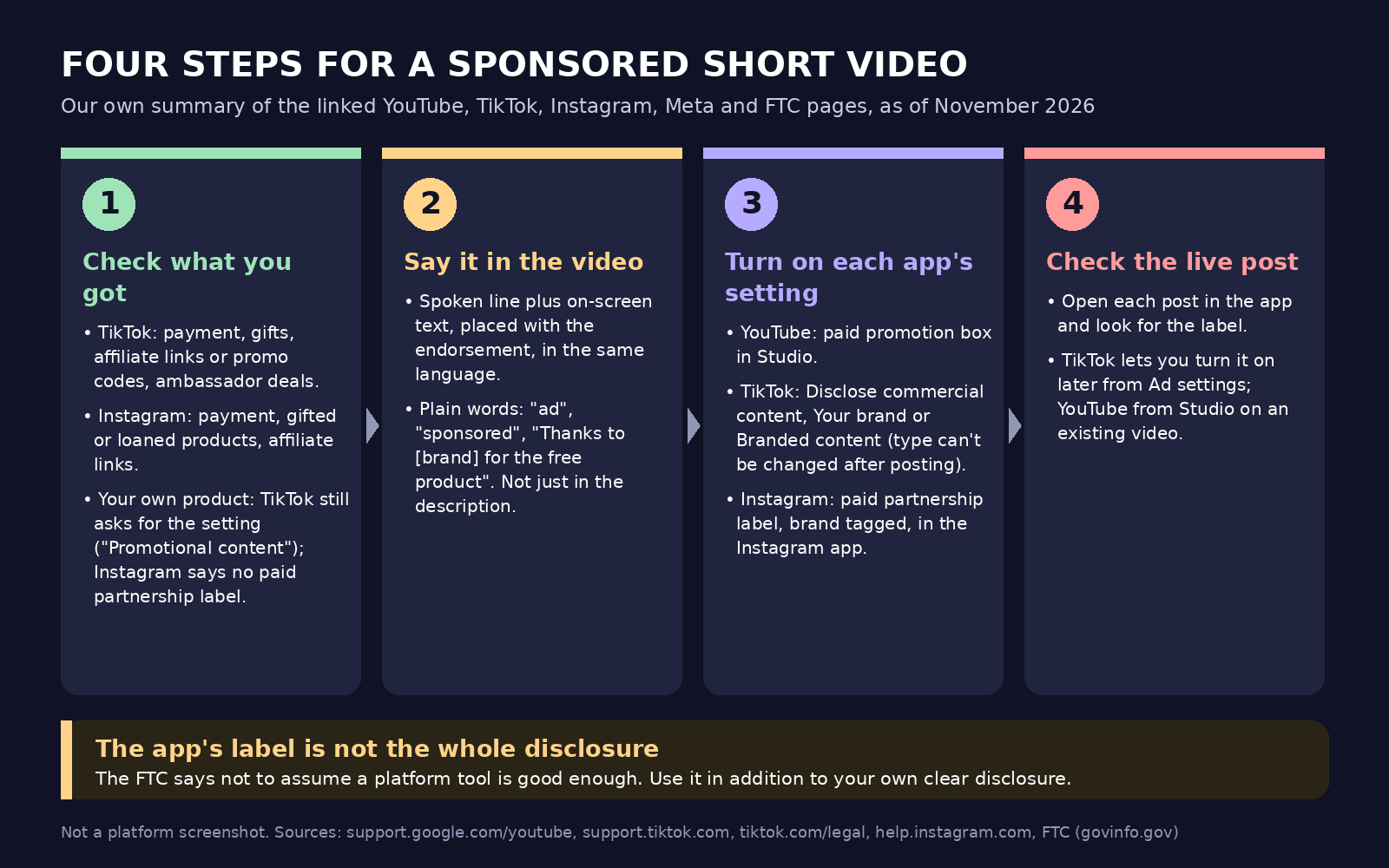
Our own diagram summarizing the linked YouTube, TikTok, Instagram, Meta and FTC pages, not a platform screenshot.
A checklist before you post a sponsored video
Our advice, in order:
- Confirm what you received: money, a free product, a commission, an ambassador deal.
- Check the product isn't prohibited or restricted on that app.
- Write the spoken disclosure into the script and keep it on screen.
- Turn on each app's setting: YouTube paid promotion, TikTok Disclose commercial content with the right type, Instagram paid partnership label with the brand tagged.
- Open the live post in each app and check the label is there.
- Keep a simple record of each deal: brand, what you received, date, and which posts.
A hypothetical example: one sponsored video on three apps
This example is hypothetical, not a Blipix customer. A faceless science-facts channel gets a free telescope and an affiliate link from a retailer and posts one 45-second video to all three apps.
The script opens with a spoken line saying the video is sponsored and naming the telescope. On YouTube, the creator ticks paid promotion in Studio. On TikTok, they choose Branded content (Paid partnership), since the telescope came from another business. They set it before posting, because the label type can't be changed later. On Instagram, they post from the Instagram app with the paid partnership label and the retailer tagged. The label shows without the retailer's name until the retailer approves. The affiliate link counts as well, on both TikTok and Instagram.
What this means if you use Blipix
Blipix is our product, so here is how it fits a sponsored video and what you still do yourself.
- Script: Blipix writes the script for you from a prompt, or you paste your own words. Either way the script is yours to edit, so you can write a spoken sponsor line into the narration of your faceless videos.
- Captions: they're burned in word by word and timed to the voiceover, so a spoken disclosure also appears on screen as text, unless you hide the captions (you can).
- Thumbnail Intro: an optional title card shown at the start of the video (0.3 to 3 seconds). Meta's format rules say no title cards in a branded video's first three seconds, so our reading is that you should switch it off for a sponsored Reel.
- YouTube: when Blipix posts your YouTube Shorts for you, it sends the title, description, visibility and comment setting, and marks the video as not made for kids. It doesn't tick YouTube's paid promotion box. For a sponsored video, open it in YouTube Studio after upload and tick the box there.
- Instagram: Blipix can post Reels to a Business or Creator account, with the caption built from the title and description. It can't add the paid partnership label, which Instagram only offers in its own app. For a sponsored Reel, download the MP4 and post it from the Instagram app with the label.
- TikTok: Blipix sets TikTok's AI-generated flag on every post it publishes for you. That's an AI label, not a sponsorship disclosure; it says nothing about a brand deal. For a sponsored TikTok, open the post in the TikTok app after it goes up and check that the Paid partnership or Promotional content label shows. If it doesn't, turn on Disclose commercial content in the post's Ad settings.
- Series: a Series posts on its own schedule, so we'd keep sponsored videos out of it. Post them one by one instead, so you can set and check each disclosure (see automating short-form videos).
The brand-deal line in our TikTok money calculator is an assumption written on that page, not a rate anyone has agreed to pay.
FAQ
Do I need to disclose a free product I didn't pay for?
Yes. YouTube, TikTok and Instagram all count free or gifted products, and the FTC says to disclose even if you weren't asked to mention the product.
Do affiliate links count as sponsored content?
On TikTok and Instagram, yes; both name affiliate links. The FTC asks you to disclose any financial relationship with a brand. The YouTube pages we read don't mention affiliate links explicitly.
Can I add the disclosure after the video is posted?
YouTube: yes, in Studio on an existing video. TikTok: yes, from the post's Ad settings, but the label type can't be changed once published. Instagram: the pages we read don't say.
Does turning on the disclosure hurt my views?
TikTok says the setting "won't affect the distribution of your post in feeds on TikTok." YouTube says it may avoid showing ads from your brand partner's competitors, and the video is removed from YouTube Kids. None of the other sources we read say anything about reach.
Is the AI-generated label the same as a paid promotion label?
No. They're separate settings: one is about how a video was made, the other about a brand relationship. A sponsored video made with AI tools may need both. See our guide to labeling AI-generated videos.