If you post short vertical videos, especially on a faceless channel made with AI tools, background music is where the surprises come from: a copyright claim, a blocked Short, a muted Reel. "Free," "royalty-free," "no copyright" and "copyright-safe" get used as if they meant the same thing. They don't.
Each app has its own music library and its own rules, so this guide goes app by app, then covers what to do when one video goes to all three. It reflects each platform's own pages as of November 2026.
This is a guide to rules and sourcing, not legal advice. None of the three apps gives legal guidance (YouTube says plainly that it can't), and for a specific licensing question, a lawyer is the right person.
In short
- A "free" label is a seller's description; the platform's own page is the rule.
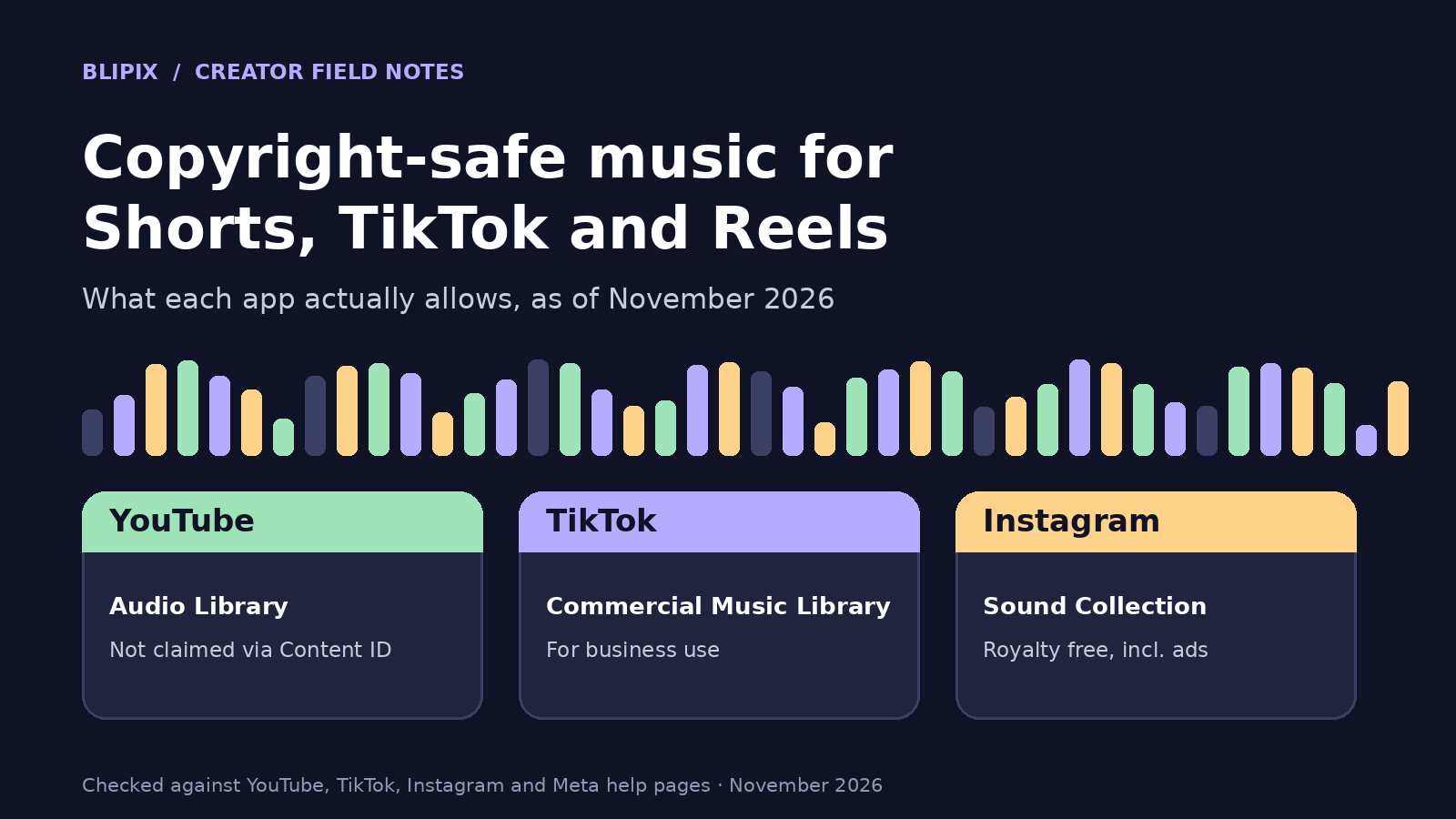
- YouTube points to its Audio Library and, for Shorts, the Shorts Audio Library. A Short over one minute with an active claim is blocked globally.
- TikTok tells businesses to use its Commercial Music Library, whose sounds may be posted only within TikTok.
- Instagram's licensed music is for personal, non-commercial use; Meta's Sound Collection can be used commercially.
- No page says a track cleared in one app is cleared in another.
Why "free" and "royalty-free" don't mean "safe"
YouTube's page on finding safe music defines it plainly: "'Safe' music is music that is in the public domain or music that you have received permission to use from the copyright owner." Price isn't part of it.
The same page warns that "even if you find music online that's labeled 'free,' Content ID might still flag it." Content ID ignores your description: writing "Blue Jay by Jane Doe - free song" won't stop a flag if the music isn't copyright-safe. It "also doesn't know if you bought the rights to the music on other websites or offline."
YouTube's Audio Library page goes further: "Only music and sound effects from the Audio Library are known to YouTube to be copyright-safe," and YouTube "is not responsible for issues that arise from 'royalty-free' music and sound effects from YouTube channels or other music libraries."
Our plain-language note: the words on a download page are a seller's description; the platform's own page is the rule. We treat "no copyright" as a claim to verify, not as permission.
YouTube: the Audio Library, attribution and Creator Music
The Audio Library is in YouTube Studio (Audio library in the left menu, or youtube.com/audiolibrary). Filter by genre, mood, artist, attribution and duration, and download MP3s.
Tracks marked "Attribution required" carry a Creative Commons license, and you must credit the artist in the video description; copy the text from the License type column. The "Attribution not required" filter shows tracks under the standard Audio Library license.
When a video uses Audio Library music, a "Music in this video" section appears on its watch page. Partner Program members can monetize those videos, and Audio Library tracks "won't be claimed by a rights holder through the Content ID system."
The safe-music page also names Creator Music, "a catalog of music in YouTube Studio that can be used in monetized videos in certain regions," and warns that music that's safe in a Short under 60 seconds "may not be safe to use in a longer video." For longer videos, it says to stick to the Audio Library or Creator Music.
YouTube Shorts: the Shorts library and the one-minute claim rule
Square or vertical videos up to three minutes long, uploaded on or after October 15, 2024, are Shorts, according to YouTube's page on three-minute Shorts. So if you make one- to three-minute vertical videos, the one-minute rule below applies to them.
You can use any song in the Shorts Audio Library, most for up to 90 seconds of a three-minute Short, some only for 60 or 30 seconds. You can also use YouTube Audio Library music, which "won't receive a Content ID claim."
YouTube's key rule: "Any Short that is over one minute in duration with an active copyright claim of any type, including manual claims, will be blocked globally on YouTube." It isn't playable or recommended and isn't eligible for monetization, though there's no penalty to your channel. You can remove the claimed content or, if you think the claim is wrong, file a dispute. Once the claim is resolved, the Short is viewable and eligible for monetization. Limitations for Shorts under one minute are unchanged.
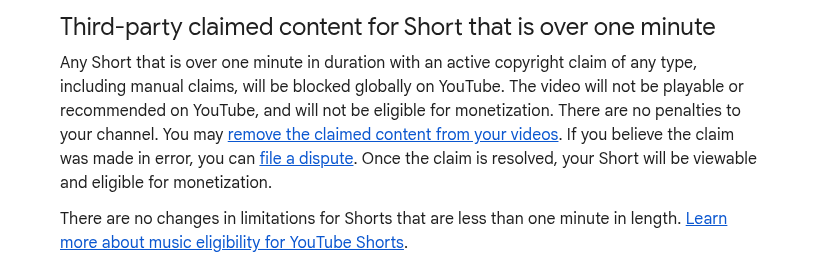
Cropped screenshot of YouTube's public Help page "Understand three-minute YouTube Shorts", taken November 14, 2026.
YouTube's Shorts music eligibility page repeats the rule and says the 90-second allowance applies "when using YouTube tools," but its content applies only to music partners with a Shorts agreement, so we don't over-read it.
Music also figures into how the Shorts Creator Pool is split, which we explain in how much YouTube Shorts pay.
TikTok: the Commercial Music Library and the "commercial" question
TikTok's Commercial Music Library, or CML, is "a pre-cleared global music library of 1 million songs" that is "free for businesses to use," per its help page (last updated July 2025). The key line: "Businesses cannot use the general music library for commercial usage." Businesses should use the CML for all commercial activity: organic content (including duets, reacts and stitches), video ads and branded content. For other users' original sounds or other licensed sounds, TikTok says to consult your legal team about a proper license.
The CML user terms add limits. "Commercial Sounds are the only sounds made available on TikTok for Commercial Uses," and you may only post them within TikTok and through its sharing features. Uses outside TikTok aren't permitted, and TikTok grants no rights for them. Some Commercial Sounds have extra requirements, and "Premium" tracks may carry an additional fee. You're responsible for claims arising from unauthorized use of sounds from the non-commercial General Music Library offered to personal users.
Is your account commercial? TikTok's pages don't say which accounts count. Our advice: if you run the channel as a business, use affiliate or sponsored links, or promote a product, treat it as commercial and use the CML. If you're unsure, use the CML.
Instagram Reels: licensed music versus Meta's Sound Collection
Meta's page on access to the licensed music library says the music "is intended for personal, non-commercial use," so "certain business accounts and certain types of posts do not have access," and it may be unavailable in some countries or regions. It doesn't say which accounts or post types.
Without access, you may be able to use Meta's Sound Collection: "over 14,000 songs and sounds which are entirely royalty free and safe to use in Reels and Instagram Stories," which "can be used for commercial purposes such as ads." Tap Audio in the Reels camera, or in Stories, swipe up and choose the music sticker.
Instagram's page on audio you can use in a reel allows your own original audio, another Reels creator's original audio, or library audio via the Audio tool, but not a feed video's original audio unless you remix it. Licensed audio, the copyrighted audio in the library, must be attributed or linked to the artist and track name. Tracks can be muted if rights agreements change, though the post can still be viewed. Upload licensed audio as your own, and Instagram may relabel it with the artist and song and add your reel to that song's audio page.
Instagram's page on audio problems gives three reasons for muting: no access to the Licensed Music Library, changed licensing agreements, or "the rights holder blocked your content because it contains content they own." If your audio is muted, "you may be able to replace the track"; Instagram has a "Replace muted audio" help page.
The three apps side by side
Where a page is silent, the cell says "Not stated."
| App | Safer library named by the app | Who it is for / main rule | What the page warns about | What to do if there's a problem |
|---|---|---|---|---|
| YouTube | Audio Library; Shorts Audio Library for Shorts; Creator Music in certain regions | Only Audio Library music is known to YouTube to be copyright-safe; credit Creative Commons tracks | "Free" music can still be flagged by Content ID; a Short over one minute with an active claim is blocked globally | Remove the claimed content or file a dispute; the Short returns once the claim is resolved |
| TikTok | Commercial Music Library | Businesses should use it for all commercial activity, organic posts included; Commercial Sounds are for use within TikTok only | General Music Library isn't for commercial use; you're responsible for claims from unauthorized use | Not stated |
| Meta's Sound Collection, if you lack licensed-library access | Licensed library is for personal, non-commercial use; Sound Collection can be used commercially | Licensed audio must be attributed; tracks can be muted | You may be able to replace a muted track; the post can still be viewed |
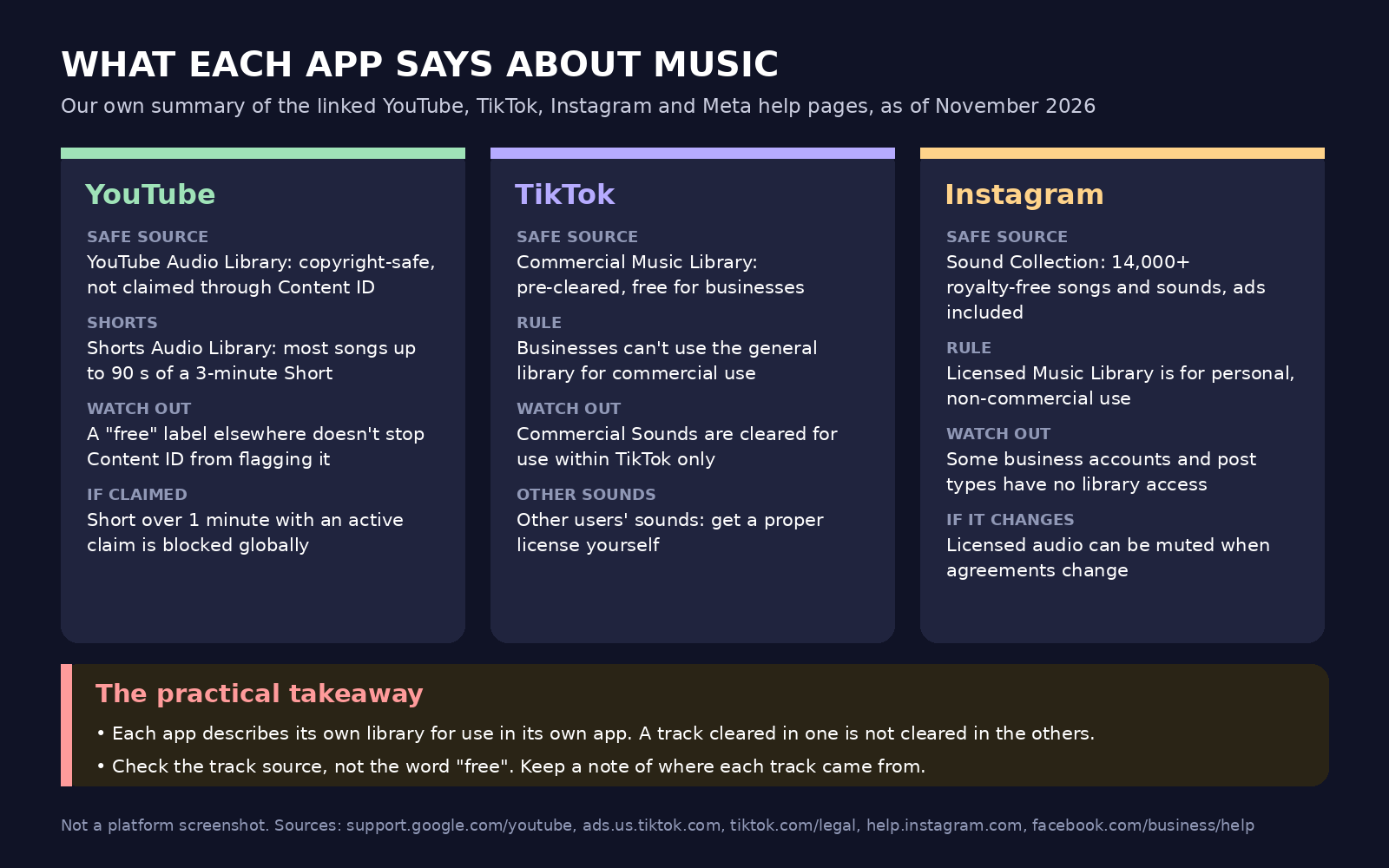
Our own diagram summarizing the linked YouTube, TikTok, Instagram and Meta help pages, not a platform screenshot.
One video, three apps: how we'd handle cross-posting
This part is our editorial reasoning.
Each page describes its own library for its own app: TikTok's terms allow Commercial Sounds within TikTok only, YouTube frames copyright-safe in terms of YouTube and Content ID, and Meta describes Sound Collection for Reels and Stories. None says a track cleared in one app is cleared in the others, so we'd treat a library track as cleared only where its own page says so.
When in doubt, we'd pick one of these:
- Export a music-free master and add each app's own library music inside that app.
- Use a track whose license you actually hold for every destination: music you made or have written permission for.
- Keep separate files per app.
Adding music inside the app costs some control: on Instagram, library tracks can be muted later. Cross-posting one file raises other questions, such as watermarks across TikTok, Reels and Shorts, and footage rights are a separate matter, covered in our post on Reddit story and gameplay videos.
A hypothetical example, not a Blipix customer: a faceless channel makes a 45-second video and a two-minute one.
- The 45-second video gets Audio Library music, credited in the YouTube description.
- The two-minute Short is the one a claim would block globally, so it gets only Audio Library or Shorts library music, and the creator checks YouTube Studio after upload.
- The account promotes affiliate links, so the TikTok version uses a Commercial Sound added in TikTok.
- The Reel uses Sound Collection audio added in Instagram.
A checklist before you post
Our advice, not a platform requirement. If you automate short-form videos, run it per video, not per batch.
- Note the source and license of every track: name, source, license, date.
- Check whether the track requires attribution, and where the credit goes.
- Decide whether the account counts as commercial, and use the matching library.
- For Shorts over one minute, decide the audio for each app separately.
- Watch the first upload for a YouTube claim or muted Instagram audio.
- Keep the record for as long as the video is up.
If a claim appears on YouTube, the page says you can remove the claimed content or file a dispute; a Short over one minute stays blocked until it's resolved. On Instagram, the post can still be viewed, and you may be able to replace the muted track. The TikTok pages we cite don't describe a process, so we don't offer one.
What this means if you use Blipix
Blipix is our product. It puts a background music track under the AI narration. You can turn music off, pick from library tabs named All, Royalty Free, AI, Commercial and My Music, or upload your own track (MP3, WAV or M4A). Some library tracks are instrumentals we generated with an AI music model. On the free plan you choose from 12 tracks; paid plans open the full library and AI music, as our pricing page shows.
The music is mixed into the rendered video file at a level you set with a volume slider (30% by default), so the same soundtrack goes to every app you post that file to. Or turn music off and add each app's own music inside that app.
The tab names are our own way of organizing the library. They are not a statement from YouTube, TikTok or Meta that a track is cleared in their app, and we can't promise how any platform's automated systems will treat a particular track. If you upload your own track, we don't check whether you hold the rights; that stays with you.
Instagram's licensed music can't be attached by apps that post for you, so for a trending sound, download the MP4 and add it in the Instagram app, as our Instagram Reels page says. For longer Shorts, our YouTube Shorts guide suggests uploading as unlisted first, so any claim shows in YouTube Studio before the public sees it. The rules above apply the same whether you make AI TikTok videos or run a faceless channel across all three apps.
FAQ
Can I use a trending song in my Short, TikTok or Reel?
YouTube allows any Shorts Audio Library song, mostly for up to 90 seconds. TikTok says businesses can't use the general library commercially and should use the CML. Instagram's licensed library is for personal, non-commercial use, and some business accounts lack access.
Is music labeled "royalty-free" or "no copyright" safe on YouTube?
Not necessarily. Content ID might still flag music labeled "free," and only Audio Library music is known to YouTube to be copyright-safe.
Can I use YouTube Audio Library music on TikTok and Instagram?
The pages don't say. Our reading is that each library is described for its own app, so check the track's own license terms first.
What happens if my Short over one minute gets a copyright claim?
It's blocked globally on YouTube, with no penalty to your channel. You can remove the claimed content or file a dispute; once resolved, the Short is viewable and eligible for monetization.
Why did the audio on my Reel get muted?
Your account may lack access to the Licensed Music Library, licensing agreements may have changed, or a rights holder blocked your content. The post can still be viewed, and you may be able to replace the track.