Your channel has views, maybe a few Shorts that kept circulating for days. What the view counter can't tell you is whether any of those people came back. The same total can come from a crowd passing through once or from a smaller group that recognizes your channel and keeps watching.
YouTube Studio's Audience tab is where to look, and it's easy to misread. Several numbers sound like headcounts but aren't. The headline figure always covers 28 days. And the new, casual and regular segments have precise definitions that often get paraphrased into something else.
Below, we walk through what the Audience tab measures, using YouTube's own Help pages. Then we share a small worksheet you can use to turn one audience signal into one content experiment. This isn't about when to post, how often, or how to write hooks. It's about who is watching and whether they return.
Views, unique viewers and subscribers count different things
Views are not people. One person can generate views on several of your Shorts. YouTube's Understand your YouTube audience page draws this line explicitly, and it's worth keeping in mind for every report in the tab.
Unique viewers estimate individuals. YouTube's tips for building an audience describe unique viewers as an approximation of distinct people rather than a count of replays. Treat small movements cautiously rather than assuming every change is meaningful.
Subscribers are not your active audience. Subscriber counts accumulate, and subscribers can be inactive. The same tips page is clear that subscriber count doesn't measure who is actively watching.
One related report trips people up. Watch time from subscribers is the share of your watch time that came from subscribers. It is not the percentage of your viewers who are subscribed. A few heavy-watching subscribers can produce a large share from a small headcount.
How to open the Audience tab and read its 28-day window
On desktop, open YouTube Studio, select Analytics, then choose the Audience tab. According to YouTube Help, the headline figure, monthly audience, is the estimated number of unique viewers over the preceding 28 days, calculated daily. Two details matter before you compare anything:
- The date picker doesn't turn monthly audience into a total for whatever range you choose. It shows the 28 days ending on the last day you selected.
- Viewer metrics combine viewing across Shorts, on-demand videos and live streams.
Some reports, such as geography, traffic sources and gender, may show limited data. We won't guess at a cutoff. If a card looks sparse, read it as "not enough data to conclude anything," not as a finding.
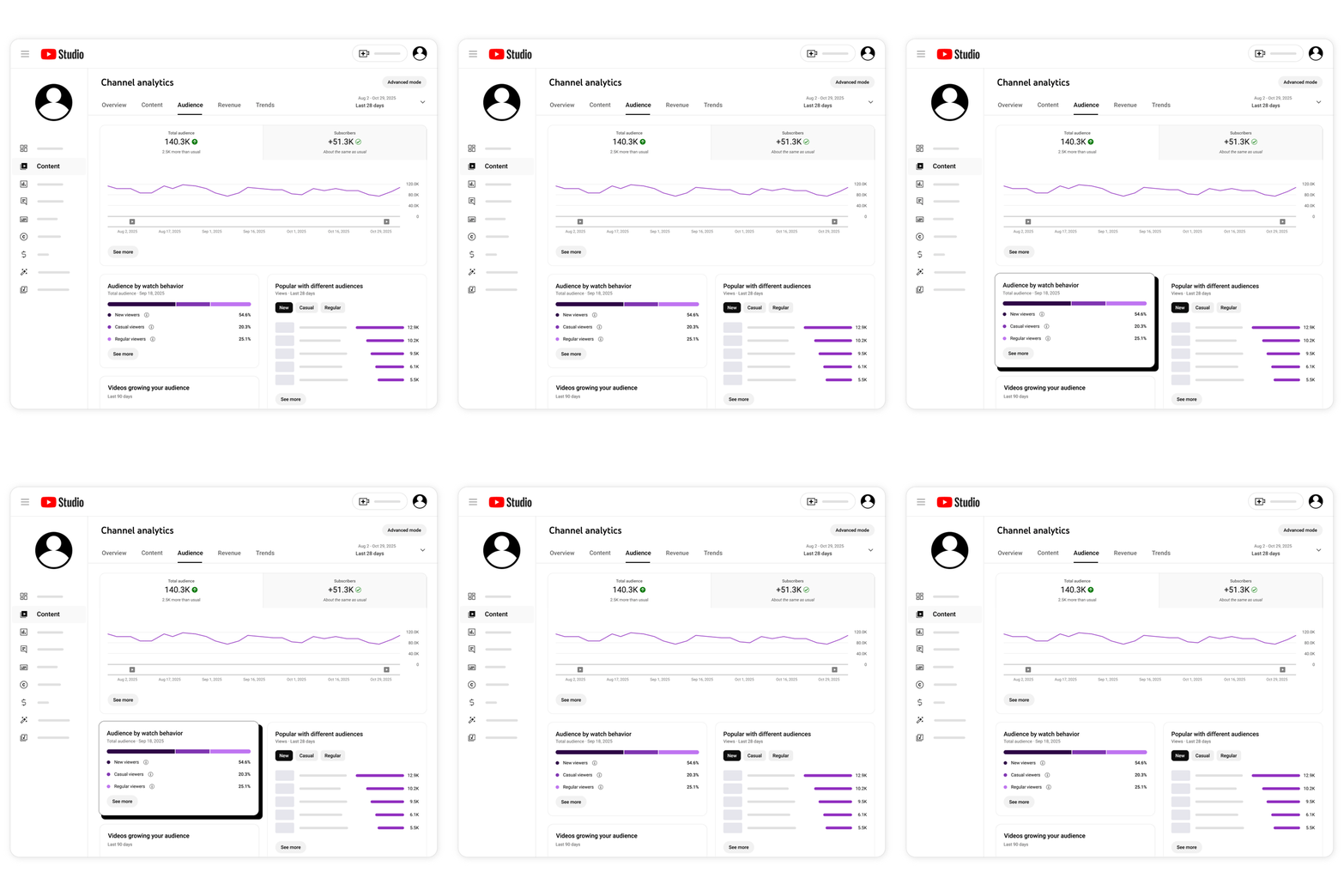
YouTube Help’s official example illustration, not our analytics. Interface labels can change; the definitions below follow the current Help text.
That illustration labels its headline number "Total audience." The current Help text calls it monthly audience, and that's the term we use here. Treat the image as a layout guide, not a picture of your Studio today.
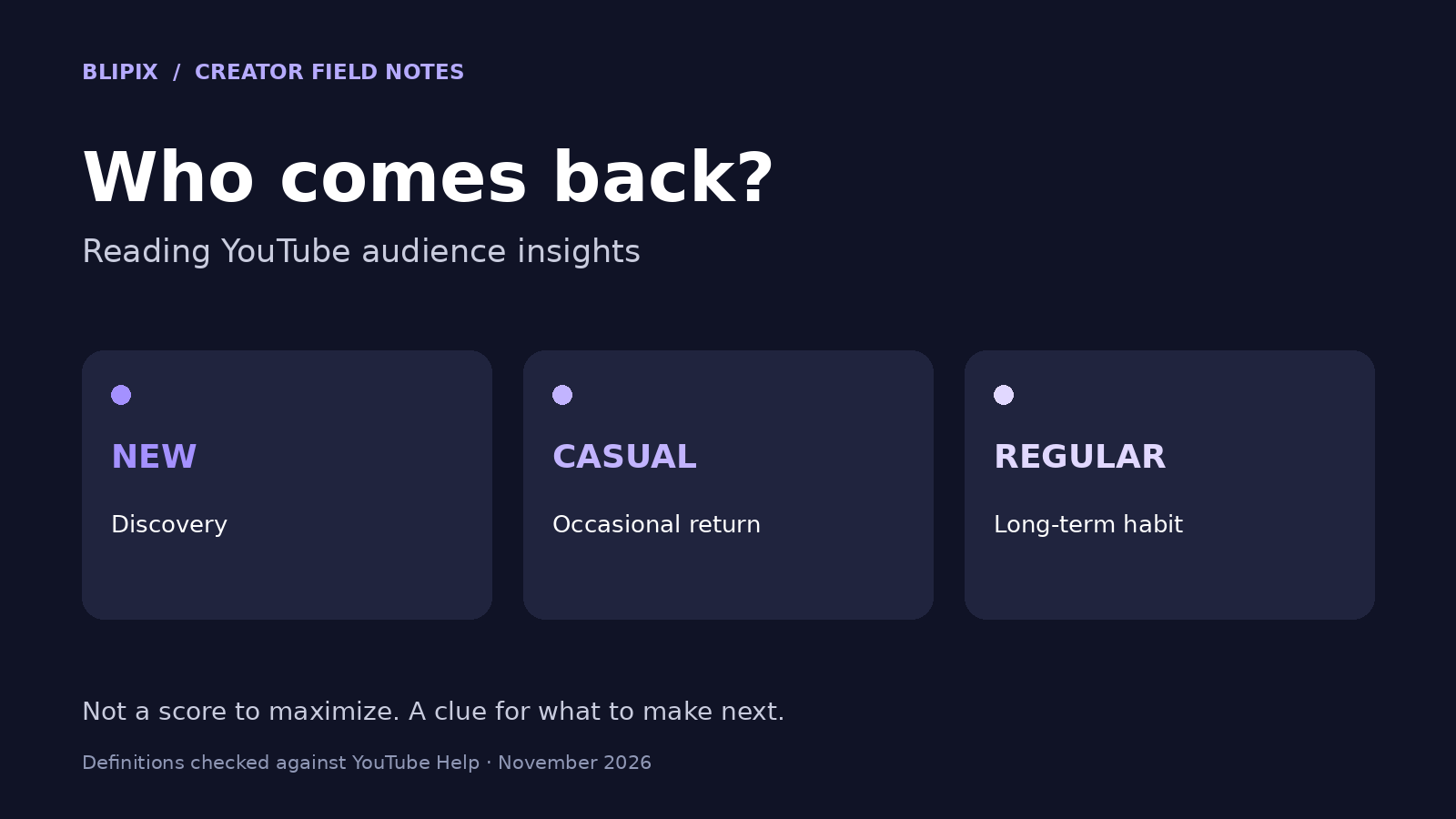
New, casual and regular viewers, as YouTube defines them
These definitions come from YouTube Help, and it pays to keep them exact:
- New viewers are watching your channel for the first time. People using private browsing, people who have deleted their watch history, and people who haven't watched for more than a year can also count as new.
- Casual viewers have watched your channel at least once a month for 1–5 months in the past year.
- Regular viewers have watched your channel at least once a month for more than 6 months in the past year.
Notice what's missing. The definitions say nothing about subscribing, how many videos someone watched, or how often you upload. These are behavior segments, not subscriber categories. A subscription doesn't make an inactive subscriber a regular viewer. Someone who never subscribed can still be a regular viewer if their viewing fits the pattern.
The tab also reports returning viewers: people who had already watched your channel and came back during the selected time period. That metric answers a narrower question: did people come back in this window? Casual and regular describe a pattern across a year.
A brand-new viewer cannot build the history required for regular status in a two-week test. Existing viewers may already have months of viewing behind them.
Why a mostly-new audience isn't automatically a problem
If almost everyone watching is new, you're in common company. YouTube notes that regular viewers can be as low as under 1% of an audience. That's especially true for newer channels, trend-driven videos and channels that mostly post Shorts. On a young Shorts channel, a tiny regular slice is an expected reading, not a diagnosis.
YouTube's tips give two reasons a channel might skew new. First, some videos attract people with a one-off question rather than an interest in the channel's broader theme. Second, how-to viewers may leave once they have their answer. That isn't automatically a failure, because the video did what the viewer needed.
There's also no ideal universal ratio of new to casual to regular viewers. A channel answering urgent troubleshooting questions will look very different from one running a weekly serialized story, and both can be fine.
Keep the segments in proportion. YouTube says these segment metrics don't affect your reach or monetization. It also says viewers who keep enjoying your videos may be more likely to be recommended your videos later. We'd read "more regular viewers" as a sign that people found a reason to return. It isn't a ranking target.
Reading the supporting reports without overclaiming
Below the segments, the Audience tab includes several supporting reports, and each one is narrower than it first looks. This table summarizes what YouTube Help says each one measures, alongside the misreading to avoid.
| Report or metric | What it shows | What it doesn't tell you |
|---|---|---|
| Monthly audience | Estimated unique viewers in the 28 days ending on the last selected day | A total for any date range you pick |
| Returning viewers | People who had already watched and came back in the selected period | Who counts as regular, or who subscribed |
| New, casual, regular | Viewing patterns; casual and regular are based on the past year | Subscriber status, or a ratio to aim for |
| Watch time from subscribers | Subscribers' share of your watch time | The percentage of viewers who are subscribed |
| Channels your audience watches | Other channels your viewers watched in the past 28 days | A list of channels to imitate |
| What your audience watches | Videos, Shorts, live streams and podcasts outside your channel, past 7 days | Permission to copy someone's video |
| Formats | Formats your viewers watched in the past 28 days | An instruction to switch formats |
| When viewers are on YouTube | When your viewers were on YouTube overall, past 28 days | A guaranteed best time to publish |
| Device type | Share of watch time by device | How many people use each device |
Two rows need a short note.
"When viewers are on YouTube" reflects activity across all of YouTube, not just your channel. We would not treat that as a guarantee of the best time to publish. Our guide to the best time to upload Shorts covers timing.
"What your audience watches" works best as an idea prompt. If your viewers keep watching a subject elsewhere, that's a hint about their interests. Your job is to find your own angle on it.
Turning one audience signal into one question
The Audience tab describes what happened during a window. It doesn't explain why. The useful move is to pick one signal and phrase it as a question your next few uploads could help answer:
- Signal: popular videos answer one-off questions, and returning viewers are few. Question: would people who came for one answer come back for a connected next step?
- Signal: "What your audience watches" shows longer walkthroughs on a subject you only touch in Shorts. Question: would a longer companion video bring back viewers you've already reached?
YouTube's tips suggest a few candidate changes: offer a familiar topic or format, build series around topics that have already worked, and respond to comments. Pick one, then structure the test.
A 28-day worksheet for one audience experiment
This is our suggested planning workflow, not a YouTube procedure. We suggest 28 days because it matches the monthly audience window, so the review snapshot lines up with the test period.
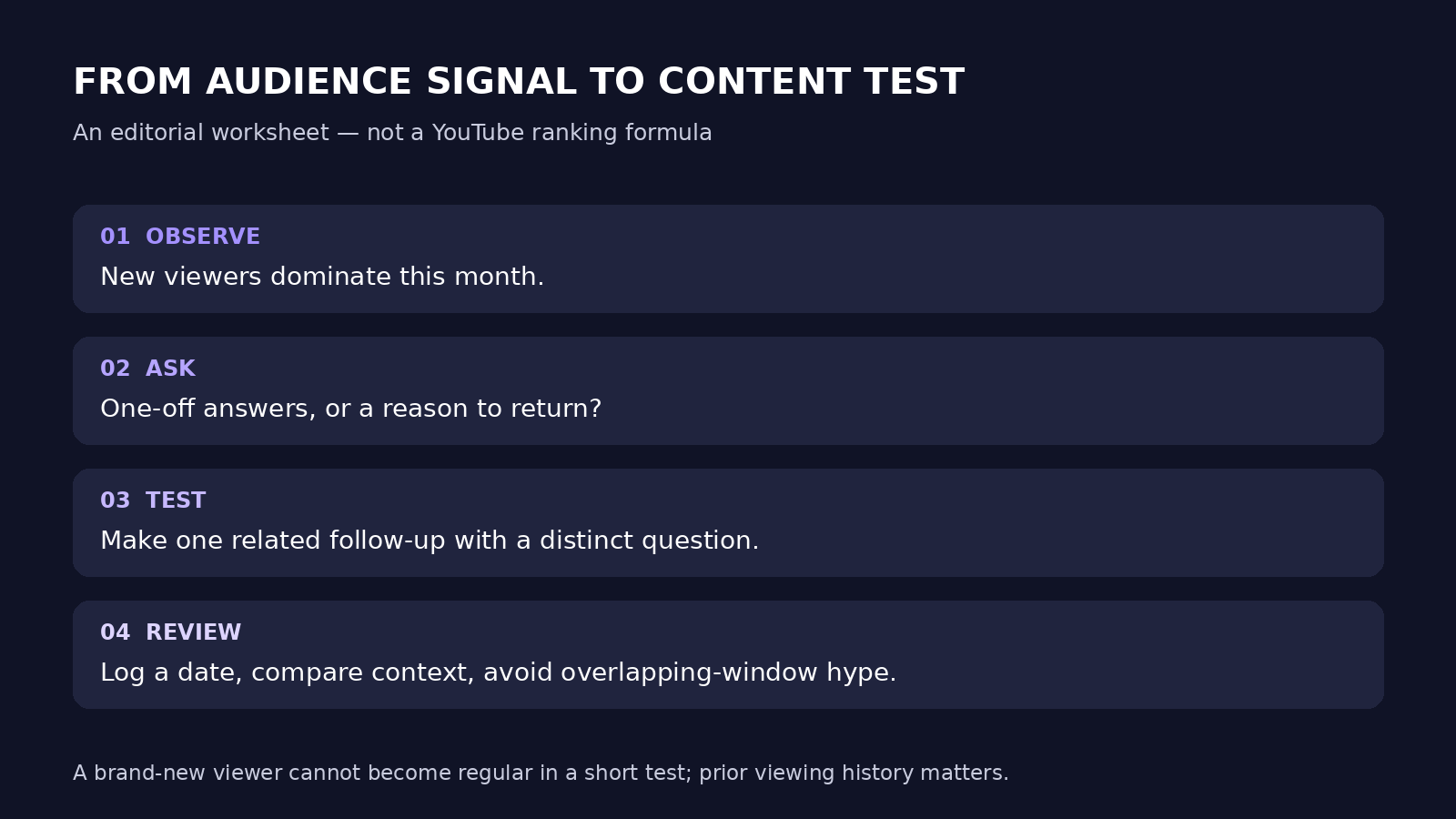
Copy these fields into a note or spreadsheet:
- Snapshot date: the day you read the Audience tab (monthly audience covers the 28 days ending then).
- Signal: one observation in plain words.
- Question: what you want to learn.
- One change: the single thing you'll do differently.
- Held steady: topic area, length, upload rhythm, style and anything else you're not testing.
- What you'll look at: returning viewers, the new/casual mix and comments.
- Review date: 28 days after the first upload in the test.
- What would change your mind: what a "nothing moved" result looks like, and what you'd try next.
Three cautions when reading results:
- Weekly check-ins aren't separate experiments. Consecutive weekly snapshots share most of the same 28 days. Glance weekly for problems, but judge at the review date.
- Do not expect a new viewer to become regular during this test. That status needs monthly viewing across more than six months of the past year. Existing viewers can cross the threshold during the test, so the regular count can change, but the test alone did not create that viewing history.
- Change one thing at a time. That's our editorial reasoning, not a YouTube rule. Suppose you switch topic, format and title style together and returning viewers rise. You won't know which change mattered.
Keep your upload frequency steady during the test. That's a separate decision, covered in how many Shorts to post a day. Once the change is chosen, our script and hook guide covers writing the episodes themselves.
A worked hypothetical example
Hypothetical: this channel and scenario are invented for illustration. They aren't a Blipix customer and don't describe real results.
Imagine a faceless Shorts channel, a few months old, that answers houseplant problems. (For the setup stage, see our guide to starting a faceless YouTube channel.) Its most-viewed Shorts answer single questions, like why leaves turn yellow. Views are steady. In the Audience tab, nearly everyone is new and regular viewers barely register. Returning viewers are a small group. Comments tend to say "thanks, that fixed it" and stop.
Reading it. This fits what YouTube describes: viewers arrive with a one-off question and leave once it's answered. That isn't failure. A near-zero regular share is expected for a newer, Shorts-heavy channel. One clue: "What your audience watches" includes longer seasonal plant-care routines from other channels.
The filled-in worksheet:
- Snapshot date: the day the creator reads the tab.
- Signal: the audience is almost entirely new, and popular videos are one-off answers.
- Question: if answers are linked into a named series around one recurring situation, do more viewers come back within 28 days?
- One change: the next uploads become a short numbered series on repotting. Each one uses a consistent title pattern and a closing line naming the next episode.
- Held steady: houseplant topic, Short length, upload rhythm, voice, visual style, and replying to comments as before.
- What you'll look at: returning viewers, any shift in the new/casual mix, and comments that mention other episodes.
- Review date: 28 days after episode one.
- What would change your mind: returning viewers look the same and no comments reference other episodes. That would suggest series framing alone didn't create a reason to return. The next round would try a different recurring topic before abandoning series.
Possible readings at review. There's no real outcome to report, only readings to plan for:
- Returning viewers edge up and some comments ask for the next part. That's encouraging, but one topic is one sample. Run a second series before concluding much.
- Nothing visible changes. That doesn't prove series can't work here, because 28 days is short.
- Views dip while returning viewers rise. That suggests more people returned despite fewer total views; views alone do not tell you whether the audience headcount shrank. Whether that's a good trade depends on the channel's goals.
If regular viewers increase, record it without claiming the test created months of loyalty. Existing viewers may have reached the threshold during the test; brand-new viewers cannot earn regular status in 28 days.
Where Blipix fits—and where to measure results
Blipix is our product. If a test like this calls for a short series, our faceless video generator can turn a topic or script into a narrated draft with timed captions. You then review it scene by scene in the editor before rendering. Rendering, downloading and posting require a paid plan.
For everything this guide measures, use YouTube Studio. Monthly audience, returning viewers and the new, casual and regular segments all live in the Audience tab. How a video was produced doesn't change how to read them.
Frequently asked questions about the Audience tab
Why is my regular viewer share so low?
For many channels, that's normal. YouTube says regular viewers can be as low as under 1%, especially for newer channels, trend-driven videos and Shorts-focused channels. Regular status also requires watching at least once a month for more than six months in the past year.
Are new, casual and regular viewers the same as subscribers?
No. They describe viewing behavior, not subscription status. A subscriber who doesn't watch won't appear in any segment, and a non-subscriber can be a regular viewer.
Will more casual and regular viewers increase my reach or revenue?
YouTube says segment metrics don't affect reach or monetization. Viewers who repeatedly enjoy your videos may be more likely to be recommended your videos later. Still, that isn't a ranking target to chase.
How often should I check the Audience tab during a test?
Weekly is fine for spotting problems. Successive snapshots share most of the same 28 days, so save your judgment for the planned review date.