You connect YouTube, TikTok or Instagram to a scheduling or automation tool and queue a video. Then the post never appears, or only you can see it, or the tool asks you to reconnect. We build Blipix, an AI video tool that posts to all three for you, so our own code runs into these same questions.
To be clear about scope: this guide explains what the three platforms document about third-party tools posting to an account. That covers account requirements, permissions, limits, how long a sign-in lasts and private-by-default rules. It also covers what we can see in our own code. It can't diagnose a specific failed post. No platform publishes a complete list of reasons a post can fail, so we cover the documented ones. It isn't a ranking or reach guide, and it reflects the pages we cite as of November 2026.
What connecting a tool actually hands over
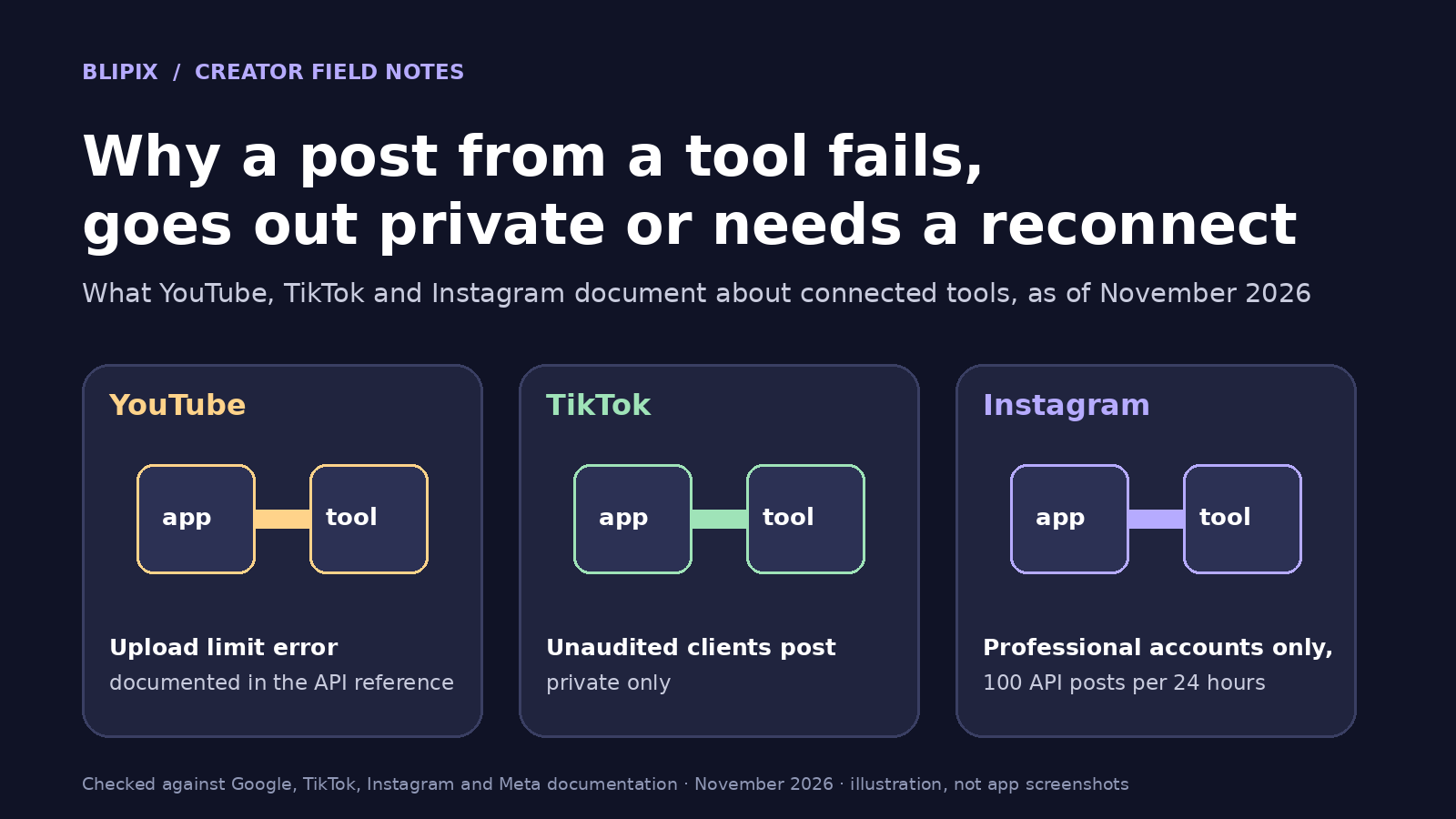
Connecting an account doesn't give the tool your password. You authorize the tool on the platform's own sign-in screen, and the tool receives an access token limited to the permissions you approved. Google's help page on sharing access with apps from other developers puts it directly: "Do not share your Google Account password on a third-party app." Its example: "A film editor app may edit your video and upload it to your YouTube channel."
This setup is also why reconnects exist. A token can expire, be removed or lack a permission the tool needs. When the tool can't get a working token, you have to sign in again. TikTok's support page on third-party apps adds: "TikTok doesn't own or operate third-party apps. If you need to troubleshoot an issue, contact the app's developers."
YouTube: privacy defaults, audience fields and the upload limit
Tools upload through the YouTube Data API's videos.insert method. Its fields include the privacy status, the made-for-kids self-declaration and a synthetic-media flag. We cover the audience setting in our guide to the made-for-kids setting for AI cartoon videos. Covers are also something a tool sends for you; see thumbnails and covers for Shorts, TikTok and Reels.
On privacy, the reference says: "If you don't specify a value for this property, the uploaded video's privacy status defaults to public. Certain uploads might default to private based on creator account settings, as explained in the YouTube Help Center." It adds: "Videos uploaded from unverified API projects are not restricted to private viewing mode." So, unlike TikTok, YouTube documents no private-only rule for unreviewed tools on this page.
On volume, the reference lists the error uploadLimitExceeded: "The user has exceeded the number of videos they may upload." It gives no number, and we won't guess one. For cadence, see how many YouTube Shorts to post a day. Uploads need an upload-capable permission; the reference lists youtube.upload among the options. We didn't find a documented token lifetime on the pages we cite, so we don't give one.
TikTok: unaudited tools post privately, and processing comes later
TikTok's documentation says outright that some tools can only post privately. Its Content Posting API get-started page states: "All content posted by unaudited clients will be restricted to private viewing mode." To lift that restriction, the tool's API client has to pass an audit of its compliance with TikTok's Terms of Service.
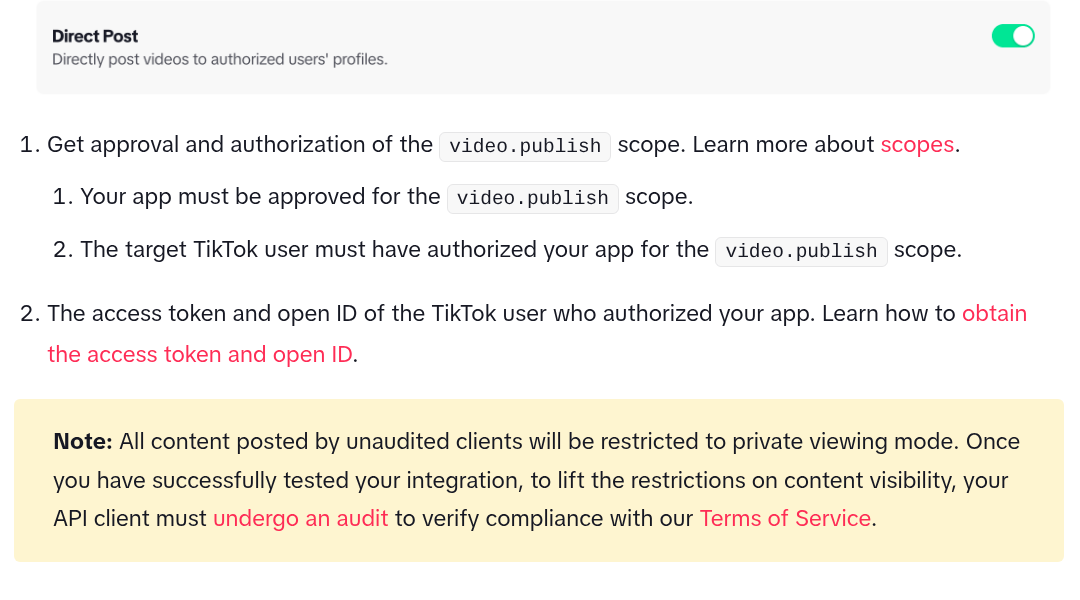
Cropped screenshot of TikTok's public developer documentation page "Get Started - Direct Post" in the Content Posting API docs, taken November 20, 2026.
The Direct Post API reference lists the same rule as the error unaudited_client_can_only_post_to_private_accounts: "Unaudited clients can only post to a private account." These attempts are blocked at the first publishing call. Other documented errors:
spam_risk_too_many_posts: "The daily post cap from the API is reached for the current user." access_token_invalid: "The access_token is invalid or has expired." If the tool can't refresh the token, you have to reconnect. scope_not_authorized: the token doesn't include your permission for video.publish. rate_limit_exceeded: the request went over the API rate limit. The reference says "Each user access_token is limited to 6 requests per minute." privacy_level_option_mismatch: the tool sent no privacy level, or one that isn't among the options TikTok returned for your account.
Processing is a separate step: "The video processing will occur asynchronously once the upload is complete." Tools check the outcome on a separate status endpoint, so a finished upload doesn't mean the post is live yet.
The API also has an is_aigc field. When a tool sets it, TikTok adds a "Creator labeled as AI-generated" tag to the video's description; see labeling AI-generated videos. A tool also has to ask you about paid-partnership settings; see disclosing sponsored Shorts, TikToks and Reels. The pages we cite don't say how long a TikTok sign-in lasts or what the exact daily post cap is, so we give neither.
Instagram: professional accounts, a 24-hour quota and 60-day tokens
Meta's content publishing guide covers publishing to "Instagram professional accounts", meaning Business or Creator. If your account is personal, check that first. The guide adds: "An Instagram professional account connected to a Page that requires Page Publishing Authorization (PPA) cannot be published to until PPA has been completed." The Page here is the Facebook Page linked to the account.
Instagram fetches the video from the tool, so "the media must be hosted on a publicly accessible server at the time of the attempt." That part is the tool's job, not yours. There's also a quota: "Instagram accounts are limited to 100 API-published posts within a 24-hour moving period. Carousels count as a single post."
Publishing goes through a media container. Its status can be IN_PROGRESS, FINISHED, PUBLISHED, ERROR or EXPIRED. EXPIRED means it wasn't published within 24 hours. Meta recommends checking a container's status once per minute for no more than 5 minutes.
Long-lived tokens last 60 days. Meta's refresh access token reference says: "Refreshed tokens are valid for 60 days from the date at which they are refreshed." A token can only be refreshed once it is at least 24 hours old and hasn't expired. Meta's Business Login documentation adds that a token not refreshed for 60 days expires and can't be refreshed after that. At that point, only a reconnect works. If you make Reels with us, see our Instagram Reels page.
The three platforms side by side
Where a page doesn't cover something, the table says so.
| Platform | Account requirement | Documented limits worth knowing | Sign-in lifetime | Where you remove access |
|---|---|---|---|---|
| YouTube | Google Account; the tool needs an upload-capable permission (the reference lists youtube.upload) | Upload limit error exists; numeric cap: Not stated on the pages we cite | Not stated on the pages we cite | Google Account linked apps, any time |
| TikTok | You authorize the tool for video.publish; unaudited tools post privately only | 6 requests per minute per access token; daily post cap: Not stated on the pages we cite | Not stated on the pages we cite | Settings and privacy > Security & permissions > Apps and services permissions |
| Professional account (Business or Creator); PPA if the Page requires it | 100 API-published posts per 24-hour moving period; carousel counts as one | 60 days, refreshable | Settings > Website permissions > Apps and Websites > Active |
When a post doesn't show up
This order is our advice, not a platform procedure. No single step will diagnose the problem on its own.
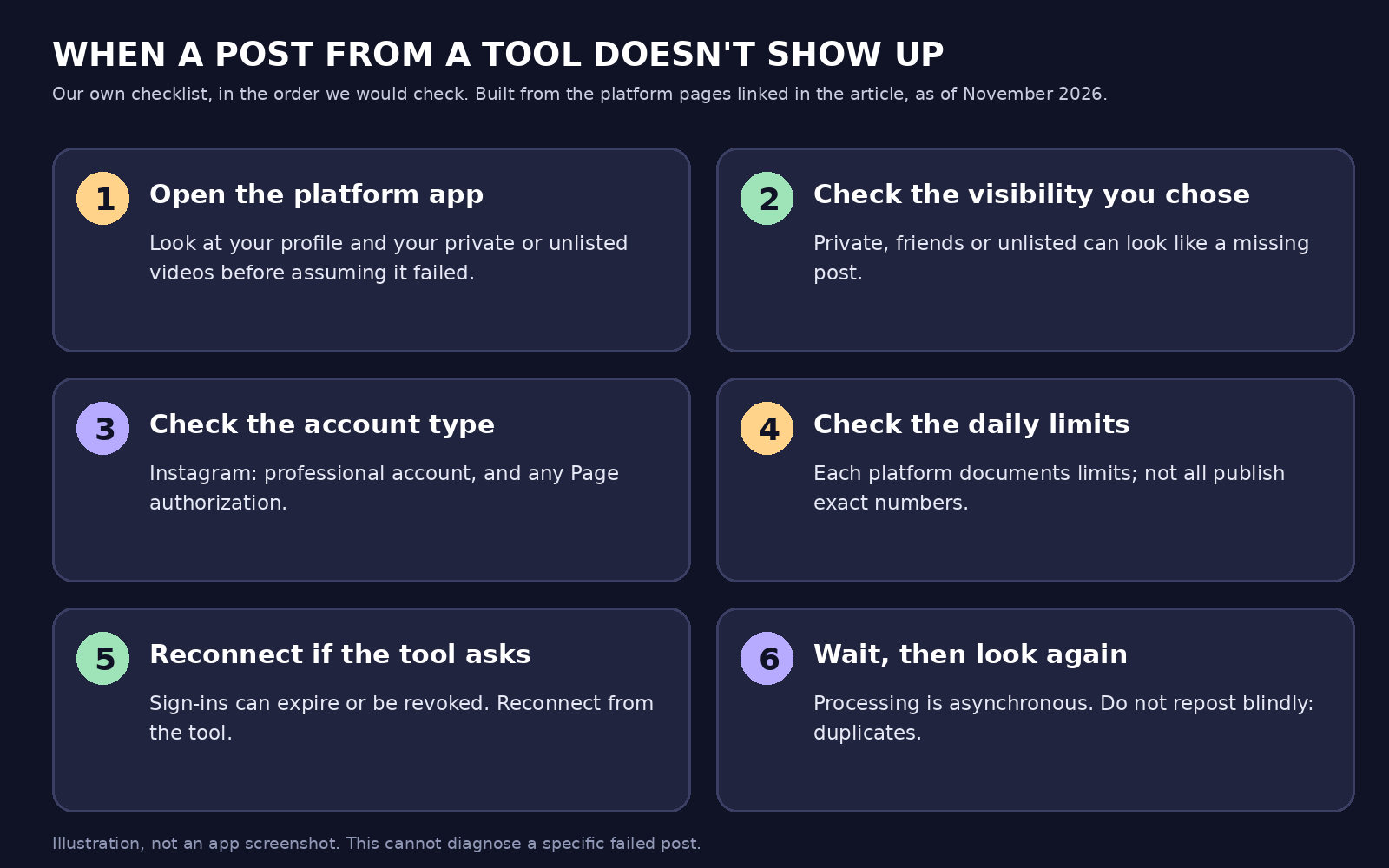
Our own summary graphic, not an app screenshot. The order is our advice, built from the platform pages linked in this article as of November 2026.
- Look in the platform's own app first. Check your profile, including private and unlisted videos. A post that seems missing may just have a different visibility.
- Check the visibility you chose in the tool. On TikTok, a tool that hasn't passed TikTok's audit can only post privately, and a non-private attempt can be blocked.
- Check the account type. Publishing to Instagram through the API needs a professional account. If the linked Page requires Page Publishing Authorization, that has to be done too.
- Check whether you hit a daily limit. All three platforms document an upload or posting limit.
- Reconnect if the tool says the sign-in expired. This takes you back through the platform's own sign-in screen.
- Wait a few minutes and check again, but don't repost blindly. Processing happens in the background, and reposting too early risks duplicates.
Two more pieces of advice: keep a tool's reconnect email until you've dealt with it, and review your connected apps from time to time, as TikTok's support page recommends.
Removing a tool's access, and what that does not undo
Google's help page, linked above, says: "You can review or remove the linked apps that have some access to your Google Account data at any time."
On TikTok, its support page on third-party apps gives these steps: tap Profile, then the Menu button, then Settings and privacy, Security & permissions and Apps and services permissions. Tap the app, then Remove access.
On Instagram on a computer, its help page on apps and websites gives these steps: click More, then Settings, Website permissions, Apps and Websites and Active, then Remove next to the app. The page notes that apps with business and creator account permissions don't expire after 90 days of inactivity. It also says: "Removing the app or website only prevents it from continuing to access your non-public information through Instagram." The app may have stored information from when you were using it.
In short: removing access stops that tool from posting anything new. It doesn't delete what the tool already holds. A tool's own disconnect button may not do the same thing; the next section explains what ours does.
What this means if you use Blipix
This section describes what our code does as of November 20, 2026. Our pages on YouTube automation, YouTube Shorts and the AI TikTok video generator describe what we make and publish. As our Instagram page notes, posting from the app needs a paid plan; see pricing.
Connecting. Our YouTube sign-in asks Google for the YouTube permissions with offline access. We need that to post at a scheduled time when you're not there. It always shows Google's consent screen. For Instagram, we use Instagram's Business Login with two permissions, instagram_business_basic and instagram_business_content_publish. Our app shows an Instagram Account Requirements box saying the account must be a Professional Account (Business or Creator). For TikTok, we ask for four permissions: user.info.basic, user.info.profile, video.publish and video.upload.
Reconnecting and emails. Reconnect runs the platform's sign-in again and updates the saved tokens on your existing account, so your series keep working. Before a TikTok post, we test the token with a TikTok call. If it's invalid, we refresh it using the saved refresh token. YouTube uploads refresh the Google token too. If Google says the refresh token is revoked or expired, we email you to reconnect. We also email you in these cases:
- Google rejects an upload for insufficient permission.
- YouTube reports the daily upload limit.
- TikTok returns its daily-post-cap error.
- Instagram refuses permission.
Instagram. Before each upload, we ask Instagram how much publishing quota the account has left. If it's used up, we stop and show a clear message. We then wait for Instagram to finish processing. If it's still processing, we keep checking in the background and publish when it's ready. Before an Instagram post, we refresh the token if it is more than 30 days old, and if Instagram says it has expired for good, we email you to reconnect. A scheduled job also refreshes Instagram tokens older than 30 days, but only for paid-plan accounts; free-plan accounts are skipped. That job has its own code for emailing you about an expired token, but it is currently switched off, so the reconnect email you get comes from the posting step instead.
TikTok. We send the visibility you choose: private (only you), friends (mutual-follow friends) or public. We flag every TikTok upload as AI-generated. One limit to know: after the video file is uploaded, this part of our code doesn't wait for TikTok's final publish status. Our reply says the upload finished and TikTok is processing it. Check the TikTok app for the result, especially if the post may have gone out private-only or been rejected. Our app doesn't say whether our TikTok integration has passed TikTok's audit. Don't read this article as an answer either way, and ask any tool you use.
Disconnecting. Disconnect in Blipix marks the account inactive on our side and removes it from your series. The code we reviewed doesn't call the platforms to revoke the authorization. To fully revoke access, also remove Blipix in the platform's own settings.
YouTube visibility. If you choose friends, we send the video to YouTube as unlisted. Our guide to scheduling Shorts, TikToks and Reels covers visibility. How to automate short-form videos covers the wider workflow.
What we checked and what we did not
- Checked: the eight platform pages linked in this article, as they read on November 20, 2026.
- Checked: our own publishing, social-connection and cron code.
- Not checked: live accounts, real posts or any effect on reach.
- Not checked: TikTok's audit status of any tool, ours included.
- Not checked: limits or sign-in lifetimes the pages don't state.
FAQ
Why did my post go out private?
Start with the visibility you chose in the tool. On TikTok, unaudited tools can only post privately. YouTube's reference says unverified API projects aren't restricted to private. But if a tool sends no privacy value, your creator account settings may make some uploads private by default.
Do I need an Instagram Business or Creator account for a tool to post?
Yes, for publishing through Meta's API, which covers professional (Business or Creator) accounts. If the linked Page requires Page Publishing Authorization, that has to be done first.
How long does an Instagram connection last?
Sixty days, and it can be renewed. Each refresh is valid for 60 days from that date. A token that isn't refreshed within 60 days expires for good, and you'll need to reconnect.
Does removing the tool delete my posts?
No. It only stops future access. Your published posts stay, and the tool may keep information it already stored.
Should I repost if nothing appears?
Our advice: not yet. Check the platform's app, including private and unlisted posts, and give processing a few minutes. Reposting blindly can create duplicates.