Creators who make short videos in one language often want to publish them in a second one. This guide explains what YouTube, TikTok and Instagram document about publishing in more than one language: dubbed audio, translated titles and descriptions, caption language and viewer-side translation. It also covers what we can see in our own code. It does not say which language to choose, whether a translated version will find viewers or how it will perform, and it is not a ranking or reach guide. The platforms' own pages are the source, linked next to the facts they support. Menus and availability change, so treat this as a snapshot as of November 2026 and check the linked page before relying on a step.
In short
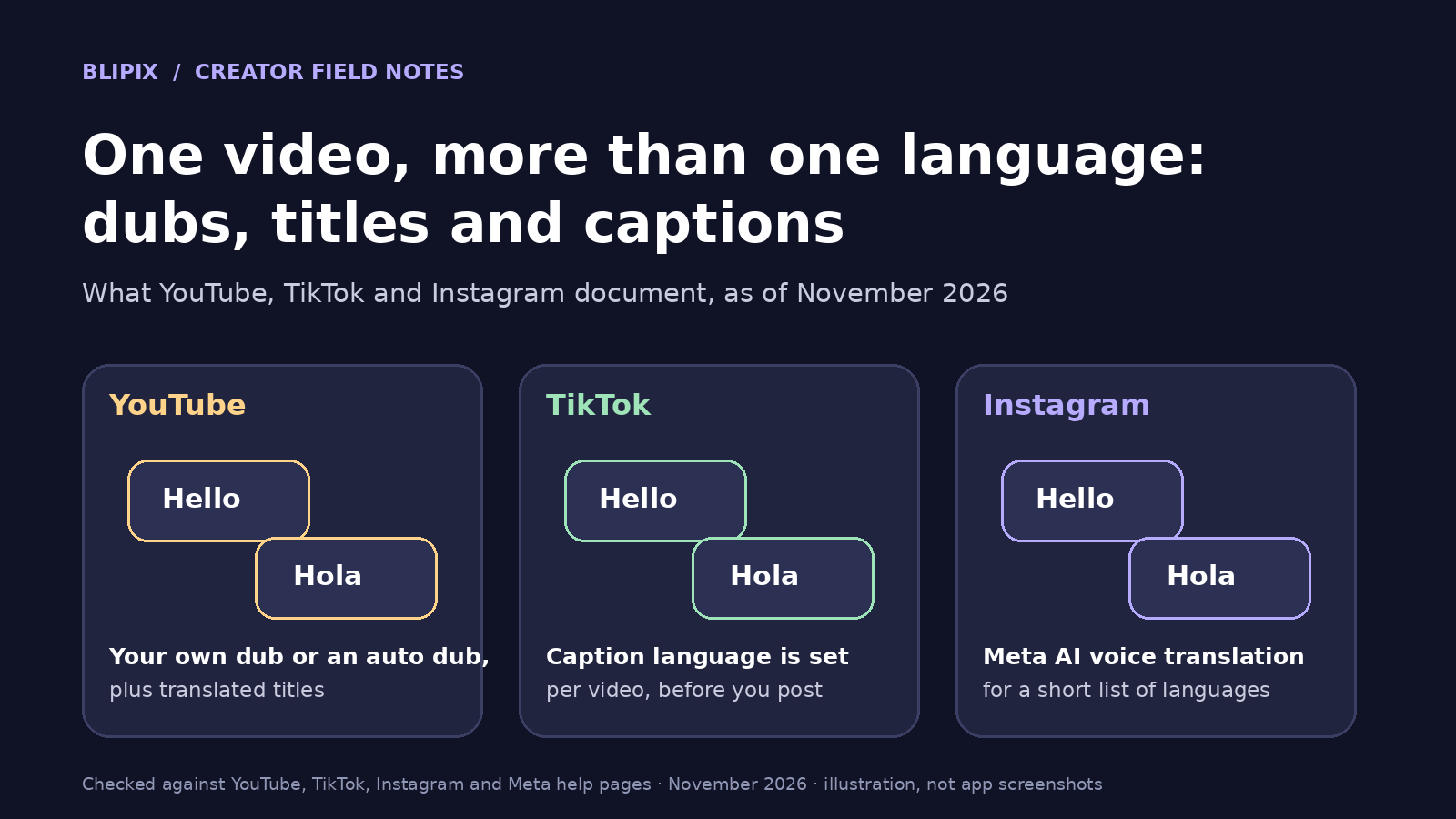
- YouTube documents three separate tools: audio tracks you upload yourself, automatic dubbing it generates for eligible creators, and translated titles and descriptions.
- TikTok's accessibility page documents auto-generated captions and a caption language picked on the post screen.
- Instagram documents Meta AI voice translation for Reels in a limited set of languages, with a review step.
- The pages we cite do not say how automatic dubbing or Meta AI translation handles a synthetic narration voice.
- In the code we reviewed, Blipix makes one video per language and sets no platform's language or translation options; you set those in each app.
Three jobs people mix up: what is heard, what is read and what the platform translates
Take a hypothetical channel that posts short videos in English and wants to add Spanish. That can mean three different jobs:
- Changing what is heard: Spanish narration, as a second audio track on the original video or as a separate Spanish video.
- Changing what is read: a Spanish title, description and captions. YouTube's automatic captions follow the original audio's language; on TikTok, you pick the caption language.
- Viewer-side translation: the platform translates for the viewer, depending on the viewer's settings and where the feature is available. You do not control it directly.
A tool for one job does nothing for the others: a Spanish audio track does not translate the title.
What YouTube documents: audio tracks, automatic dubbing and translated titles
YouTube's Help page on multi-language features says multi-language audio lets you upload audio tracks in different languages to a single video or Short. It presents this as a way to add languages "without creating and managing multiple separate channels."
You add a track in YouTube Studio on desktop: open Languages, pick the video, click Add Language, then click Add next to "Dub" and upload an audio-only file roughly the same length as the video. The page also says:
- Multi-language audio is available to creators with access to Advanced features.
- YouTube does not create these tracks; you record them or outsource them to a vendor.
- If an automatic dub already exists for that language, you must delete it first.
- "If we detect that the copyrighted content in the secondary audio track is different from the original audio, the file may be removed."
Viewers hear their preferred language by default, based on watch history, and can switch in the player. YouTube's page on watching in your preferred language says viewers can set preferred languages for audio, titles and descriptions, and that videos whose original audio is already in one of those languages are not translated. The multi-language page adds that localized thumbnails exist for long-form videos only.
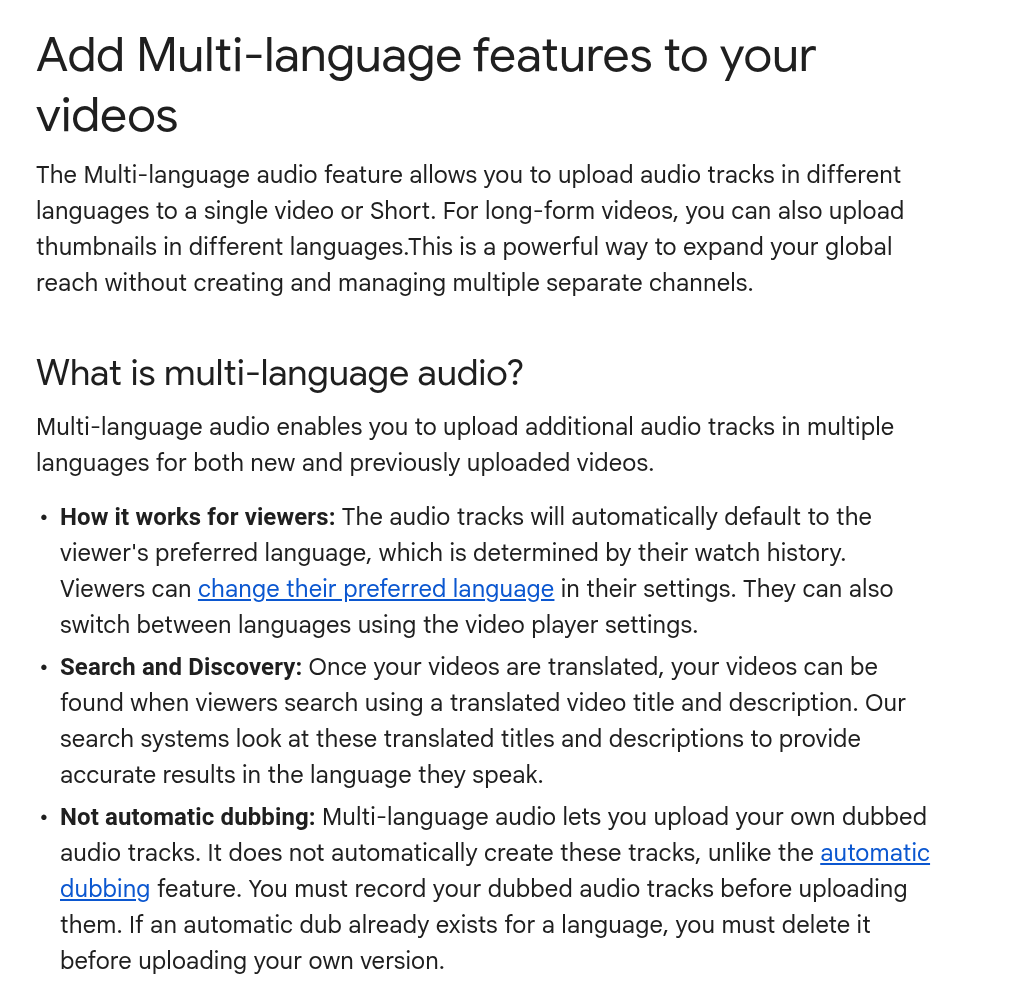 Cropped screenshot of YouTube's public Help page "Add Multi-language features to your videos", taken November 21, 2026.
Translated titles and descriptions are a separate tool. YouTube's page on translating your own titles and descriptions puts them under Subtitles in Studio: select a video, click Add language, click Add under "Title and description," enter the translation and select Publish. If you have not set the video's language, Studio asks you to choose it first. YouTube says viewers can find videos by searching with a translated title and description. A translated title still has to fit YouTube's title and description limits.
YouTube's automatic dubbing page says it generates translated audio tracks, and such videos are marked "auto-dubbed" in the description. It is enabled by default for eligible creators; others can turn on early access in Advanced settings. A video may be ineligible if it runs over 120 minutes, has no speech, only music or very little speech, has a source language that is unsupported or undetected, has speech too fast to dub, or contains copyrighted content.
Set the original video or channel language correctly, or dubs may be mistranslated. You cannot edit automatic dubs, but correcting the original language regenerates them. YouTube says quality may differ across languages and that errors can occur with proper nouns, idioms and jargon. The Languages page in Studio lists the languages available for each video.
These pages do not say how automatic dubbing treats a video whose original narration is a synthetic voice, so we make no claim either way.
What TikTok documents: caption language on the post screen
TikTok's accessibility page documents auto-generated captions, which use speech recognition and are created for videos you upload. To set their language, tap More options on the post screen, tap Select video language, choose a language and tap Post. The page says: "Eligible videos will show auto-generated captions based on the selected language." After posting, you can tap a caption, tap Edit captions, change or remove lines and tap Save.
We found no page in TikTok's Support Center documenting a second audio track or translated titles for a creator's own video, so we describe none. Viewer-side translation is a feature TikTok controls, and we do not detail it. For the hypothetical channel, the route left open is a separate Spanish post with Spanish selected as the video language. Our auto captions guide covers caption settings in depth.
What Instagram documents: Meta AI translations for Reels
Instagram's creator post on Meta AI translations describes the flow: before publishing a reel, toggle on Translate voices with Meta AI. The "translation settings" link lets you choose languages and optional lip syncing, and you can preview and approve translations first. When they are ready, a notification asks you to publish or discard them; either choice leaves the original reel unchanged.
The post's best practices: face forward, speak clearly, use one speaker for now and minimize background noise or music. It says translations use the "sound and tone of your voice," so the feature is described for a creator's own recorded voice. The pages we cite do not say how it behaves with a synthetic narration voice, and we make no claim either way.
Instagram's Help Center page on translated reels says viewers tap Translated with Meta AI and choose the translated or original audio. It also says: "Translated reels on Instagram aren’t yet available for everyone, and are currently only available in Spanish, English, Hindi, Portuguese, Bengali, Tamil, Telugu, Marathi and Kannada." The creator post's January 16 update lists the languages at that time; the list changes, so check the Help Center page. That page warns: "Meta AI’s translations may not be accurate or relevant, and should not be used to make important decisions."
On-screen text is separate: another Help Center page says viewers can turn off Translate text on reels for one reel or all reels and read the Captions sticker text in its original language.
The three platforms side by side
This table summarizes only what the cited pages say.
| Platform | What you can add | Who makes the translation | What the pages say about limits | Where you set it |
|---|---|---|---|---|
| YouTube | Audio tracks; translated titles and descriptions; localized thumbnails (long-form only) | You or a vendor (tracks); you (titles); YouTube (automatic dubs) | Tracks need Advanced features; automatic dubs exclude some videos (length, little speech, language, speed, copyright) | YouTube Studio: Languages (audio); Subtitles (titles) |
| TikTok | Caption language; caption edits | Not described on the pages we cite | Captions on "eligible videos"; second audio tracks not described on the pages we cite | Post screen: More options, Select video language |
| Meta AI voice translation, optional lip sync | Meta AI | Not available for everyone; listed languages only; one speaker for now; may be inaccurate | Before publishing: "Translate voices with Meta AI" and "translation settings" |
One video with extra tracks, or a separate video per language
This section is our advice.
YouTube's page positions tracks on one video as simpler than separate channels, as quoted above. With Advanced features, the hypothetical channel could attach a Spanish track and a Spanish title to each English Short.
TikTok's page gives no second-track option for your own audio, and Instagram limits translation to Meta AI's language list. On those apps, a separate video in the second language is the practical fallback, as on YouTube without multi-language audio. Treat that version as its own video: set its language, its caption language, and a title and description written for Spanish speakers.
Do not publish dozens of thin near-duplicates. The same script voiced in many languages without anyone checking it adds nothing for the viewer. Our article on YouTube's inauthentic content policy explains the risk around repetitive, mass-produced uploads; read our note on how many Shorts to post a day too before you multiply uploads by language.
Labels, rights and a checklist before you publish a second-language version
A dubbed or synthetic voice can still need an AI label in any language; our guide to labeling AI-generated videos covers each platform's rules. Rights matter too: YouTube may remove a secondary track whose copyrighted content differs from the original audio, and it lists copyrighted content as a reason a video may not be auto-dubbed. If your original uses music, see our copyright-safe music guide.
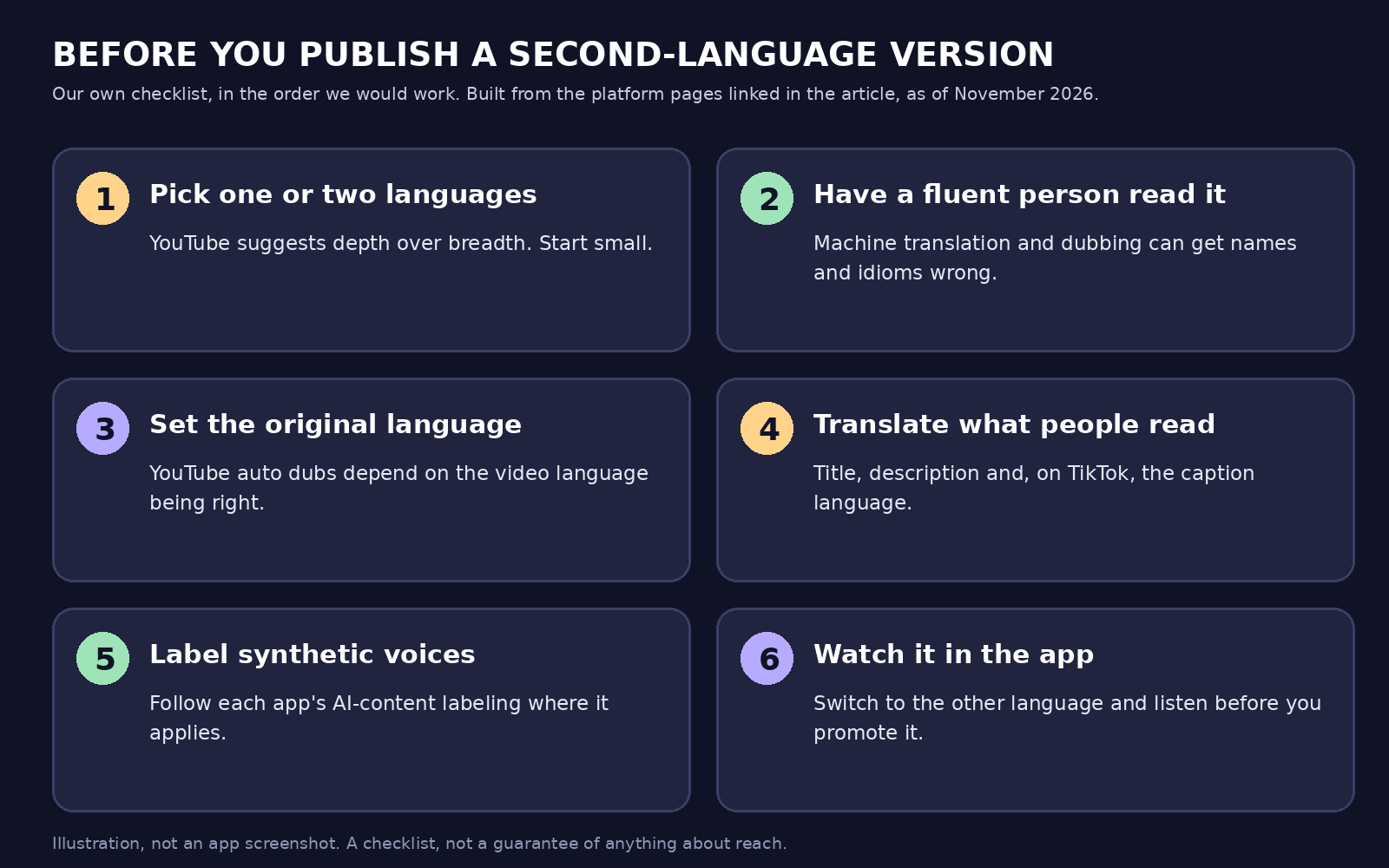 Our own summary graphic, not an app screenshot. The order is our advice, built from the platform pages linked in this article as of November 2026.
- Pick one or two languages. YouTube's best practice is to prioritize depth: "Focus your efforts on one or two languages."
- Have a fluent speaker check the translated script, especially names and idioms, which YouTube says automatic dubs can get wrong.
- Set the original video language correctly. YouTube's automatic dubbing depends on it.
- Translate what people read: the title and description, plus the caption language on TikTok.
- Apply AI labels where the app asks.
- Open the result in the app, switch languages where possible and listen through.
What this means if you use Blipix
This is what our app and code do as of November 21, 2026.
- Narration language. When you create a video or a Series, you choose a narration language from a selector that lists 32 languages, Arabic through Vietnamese. When our AI writes the script, it is asked to write it in that language. When you paste your own script, the title, description and four hashtags are requested in that language too. Our language guides cover languages one by one.
- Pasted scripts in another language. We detect a pasted script's language from its first 300 characters. If it differs from your selection, a translation model translates the script into the selected language before the voiceover is recorded. If the detected language is not supported, the app shows an error and does not continue. We have not measured translation quality, so have a fluent speaker check it.
- Captions. The voice engine receives the selected language code, and caption word timings come from a speech-to-text pass run with the same code, so captions follow the narration's language.
- One video per language. We do not add a second audio track to an existing video or dub an uploaded one. When we publish to YouTube, we send only the title, description, channel, visibility, made-for-kids and comments settings. We do not set the video's language, upload audio tracks or add translated titles, so if you want automatic dubbing or translated titles, set the language and add translations in YouTube Studio yourself, as the YouTube pages above describe. We do not touch Instagram's translation settings or TikTok's caption language in the code we reviewed; you set them in the app.
- Limits. We have not tested every language and voice pair, and audio quality and the pronunciation of names can vary by language.
For the rest of the workflow, see our pages on YouTube automation, making YouTube Shorts, AI TikTok videos and Instagram Reels. Exporting and posting need a paid plan.
What we checked and what we did not
We checked the eight platform pages linked here on November 21, 2026, and reviewed our own script, voice and publishing code. We did not test any platform's dubbing or translation with our videos, and we did not check live accounts, availability in your country, whether your channel has Advanced features, or any effect on reach.
FAQ
Can I add a second language to a YouTube Short?
Yes. YouTube says audio tracks can be added to a single video or Short in YouTube Studio on desktop, if you have access to Advanced features.
Does YouTube dub my videos automatically?
It can. Automatic dubbing is on by default for eligible creators, and dubbed videos are marked "auto-dubbed." Length, little speech, an unsupported language, fast speech or copyrighted content can make a video ineligible. You cannot edit automatic dubs.
Can I upload a second audio track on TikTok or Instagram?
Not on the TikTok page we cite. Instagram's pages describe Meta AI translation in listed languages, not uploading your own track. Check the linked pages, as both change.
Should I set the caption language on TikTok if my voice is synthetic?
TikTok says to choose a caption language on the post screen. Our advice is to choose the language the narration is spoken in, synthetic or not.
Do translations appear for every viewer?
No. Instagram says translated reels are not yet available for everyone, YouTube viewers set their own preferred languages, and Instagram viewers can turn off "Translate text on reels."