Maybe your YouTube view counts jumped in late August. Or maybe the number under a video doesn't match YouTube Studio, a third-party dashboard, another platform or your payout. Either way, nothing is necessarily wrong. As of November 2026, YouTube keeps several counts that all sound like "views," and each one answers a different question.
This guide is for creators, including people running faceless channels with AI or automation tools. It covers what each count means, what changed on August 24, 2026, and how to read your own numbers. The facts come from YouTube's, Instagram's and TikTok's own pages, linked where we use them.
In short
- A YouTube view is counted the moment a video starts to play, in every format. That's the public number.
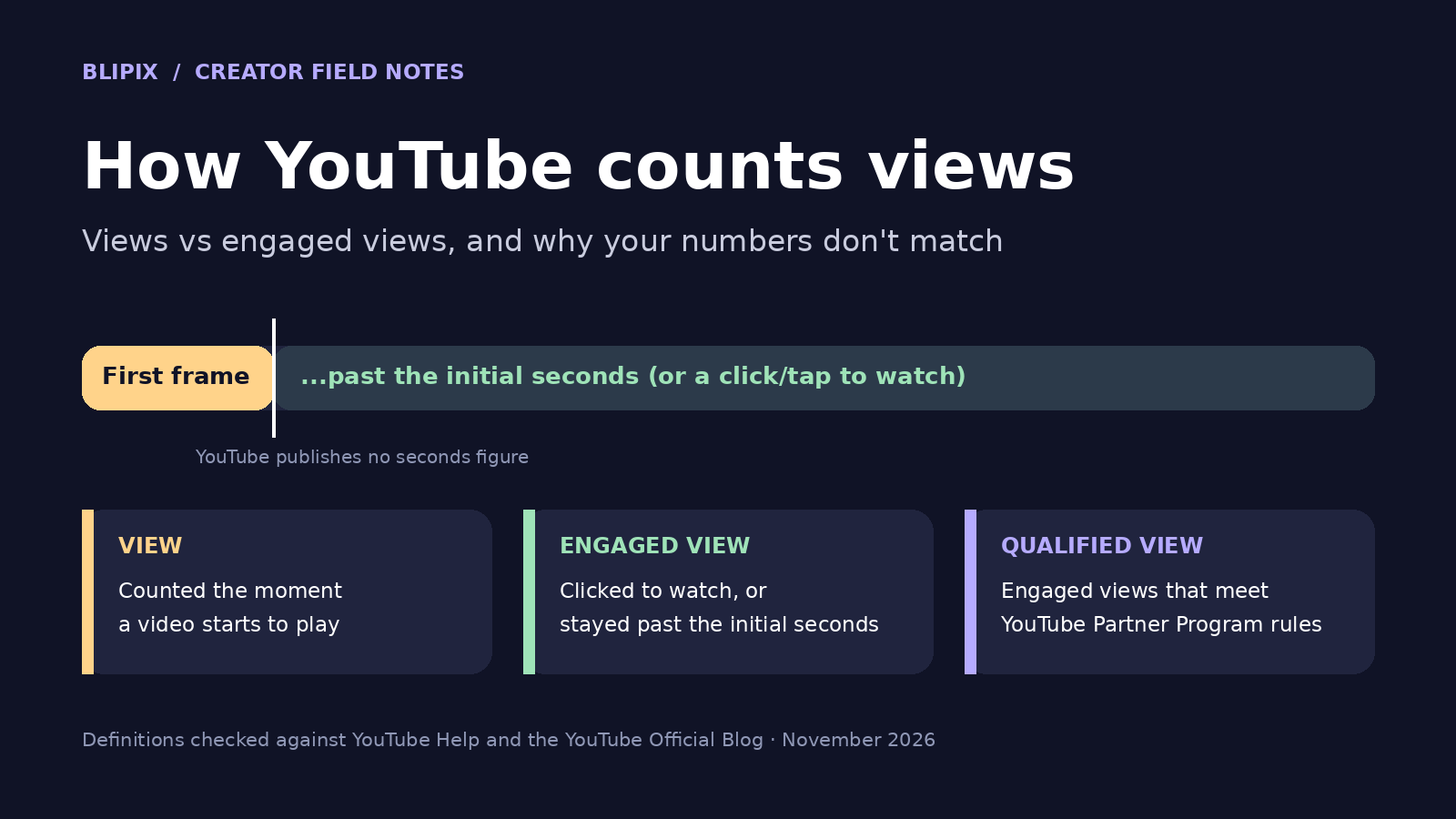
- An engaged view is YouTube's previous definition of a view: the viewer clicked to watch or watched past the initial seconds. YouTube doesn't publish how many seconds that is.
- A qualified view counts toward YouTube Partner Program (YPP) eligibility. YPP earnings are based on engaged views and engaged watch hours.
- A thumbnail impression isn't a view.
- Counts can lag, freeze or drop while YouTube filters out low-quality playbacks.
- Studio, apps and other platforms measure different things, so expect mismatches.
The four counts: view, engaged view, qualified view and thumbnail impression
YouTube's blog post on engaged views, published August 19, 2026, walks through everyday cases:
- A thumbnail you see without interacting with it is a thumbnail impression, not a view.
- If you hover over a video and it autoplays, that's a view from the first frame. If it keeps playing "for some amount of seconds," it also becomes an engaged view.
- A Short in the Shorts feed works the same way.
- If you click or tap a thumbnail and start watching, that's both a view and an engaged view.
YouTube doesn't publish how many seconds "initial seconds" means, and we won't guess. Its Analytics help page defines engaged views as "How many times viewers stayed to watch past the initial seconds, not including any loops." For Shorts, "Stayed to watch" shows the percentage of times viewers stayed past those initial seconds.
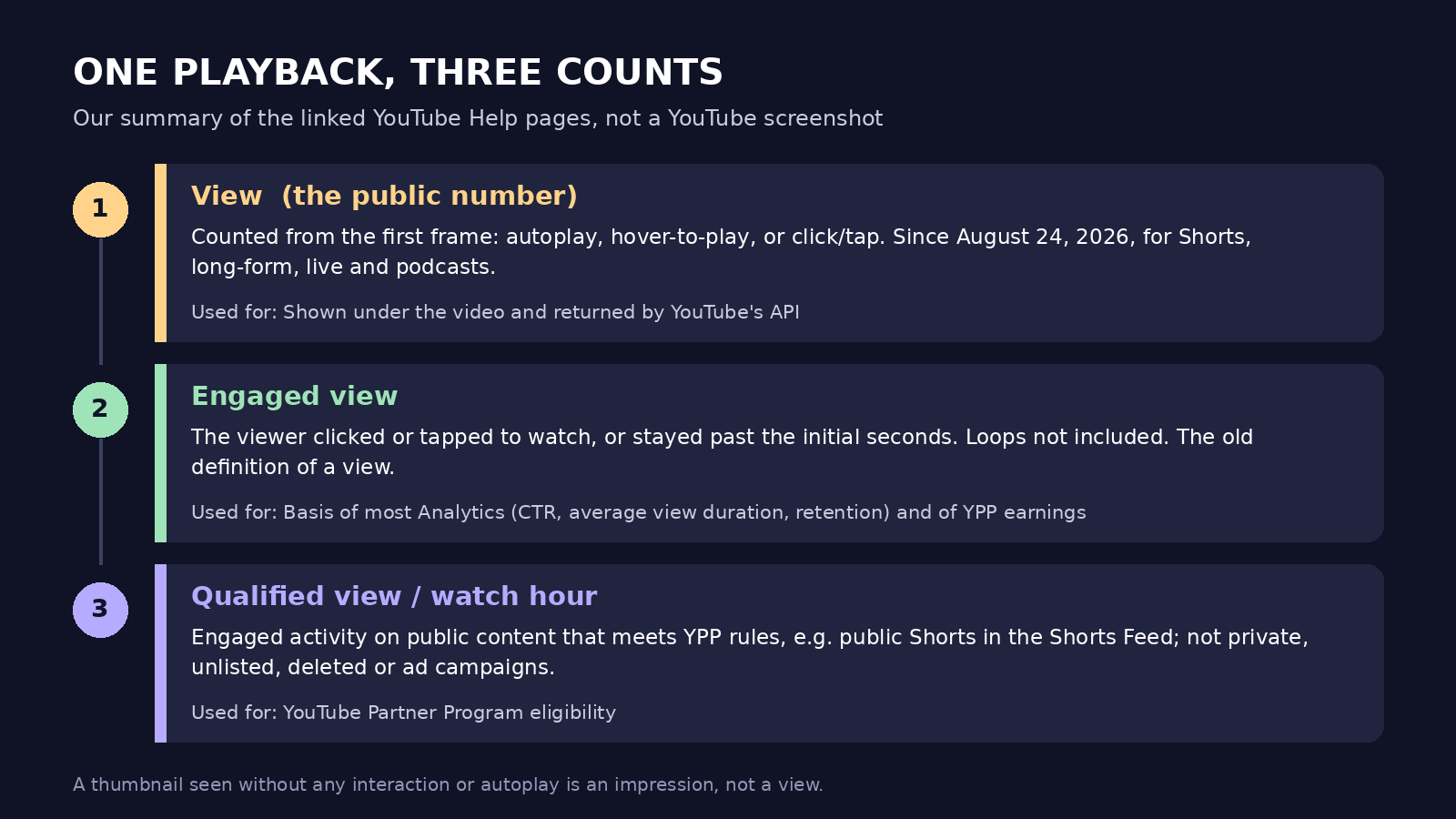
Our own diagram summarizing the linked YouTube help pages and blog post, not a YouTube screenshot.
Side by side, in YouTube's terms:
| Count | What triggers it | Where you see it | What it's used for |
|---|---|---|---|
| View | Playback starts from the first frame, including autoplay, holding the pointer over a video, and click or tap to play | Watch page; Views in YouTube Analytics; the public count apps get from YouTube's API | Standard public view counts |
| Engaged view | Viewer clicks or taps to watch, or keeps watching past the initial seconds (length not published); loops excluded | Engaged views in YouTube Analytics > Content | YPP earnings, with engaged watch hours; most core analytics, such as CTR and average view duration |
| Qualified view | A view of a public Short shown in the Shorts Feed (for long-form, qualified watch hours come from public long-form videos) | YPP progress in the Earn tab | YPP eligibility |
| Thumbnail impression | Thumbnail displayed without interaction or autoplay | Impressions reports in YouTube Analytics; never counted as a view | Feed-level exposure and packaging |
Some views never become qualified views. YouTube's YPP overview says these don't count toward YPP thresholds: views of private, unlisted or deleted videos, views from ad campaigns, and image posts in the Shorts Feed. Watch time from Shorts doesn't count toward qualified watch hours. YouTube's Data API revision history notes that these measures used to be called "valid public Shorts views" and "valid public watch hours."
What changed on August 24, 2026, and what did not
The public count changed. YouTube's "How engagement metrics are counted" page says: "Beginning August 24, 2026, views are counted the moment a video starts to play across all formats, including Shorts, long-form videos (VOD), and live streams." The blog adds podcasts to that list and says views are counted "from the first frame going forward." It also says "the previous definition of a view will now be called an 'engaged view.'"
For Shorts, this started earlier. YouTube's Shorts help page says that starting March 31, 2025, Shorts views "count the number of times a Short starts to play or replay, with no minimum watch time requirement." The old metric became "Engaged views."
What didn't change, according to YouTube:
- YPP. "This update won't impact your YouTube Partner Program (YPP) earnings or eligibility." Earnings still use engaged views and engaged watch hours. Eligibility still uses qualified views.
- Most analytics. The blog says "the vast majority of analytics remain anchored on engaged views, so the way metrics like CTR, AVD, and retention are calculated hasn't changed."
- Recommendations. The blog says "there's no change to recommendations — the algorithm." That's all YouTube says about ranking here.
Our read: suppose a long-form video's public count climbed faster after August 24. That may reflect the new definition rather than a new audience. YouTube applies first-frame counting "going forward," so a total that spans that date mixes two definitions. Engaged views keep the old one.
Why your view count freezes, drops or lags
The same engagement metrics page says YouTube wants metrics "from actual humans and not computer programs." Working out which views are legitimate takes time, so metrics may be slow to appear in the first few hours after publishing. YouTube also says "we may temporarily slow down, freeze, or change your metric count, and discard low-quality playbacks." Its examples include "Using several devices to watch the same video and streaming the same video across several windows and tabs." It also notes: "It can take several days for verified metrics to fully update and reflect in your Earn tab milestones."
Our advice:
- Don't read a stalled or dipping count as a penalty on its own. YouTube says it may freeze or adjust counts while it verifies views.
- Don't replay your own video across tabs or devices to "help." YouTube names exactly that as a low-quality playback.
- Bought or automated views aren't a shortcut either. If you run a faceless or AI-assisted channel, our guide to YouTube's inauthentic content policy is worth reading too.
Why the public count doesn't match Studio, apps or your payout
Even after verification, several numbers legitimately differ:
- Realtime vs the watch page. YouTube says "Realtime activity only shows estimates of potential view activity. It might not match the number you find on the watch page."
- Views vs engaged views. Studio's Views report counts "the number of legitimate views" from the moment playback starts. Engaged views leave out loops, and they leave out autoplays and feed plays that stop within the initial seconds. Every engaged view is also a view, so the public count is always at least as large.
- Third-party apps. The API changelog lists the first-frame view as the basis for standard public view counts. Apps and dashboards that read YouTube's API get that count, not engaged views.
- Ads. Public views from ads "are counted the moment a video ad starts to play across Shorts and in-stream ads." Paid ad views follow separate billing rules. Views from ad campaigns don't count toward YPP thresholds.
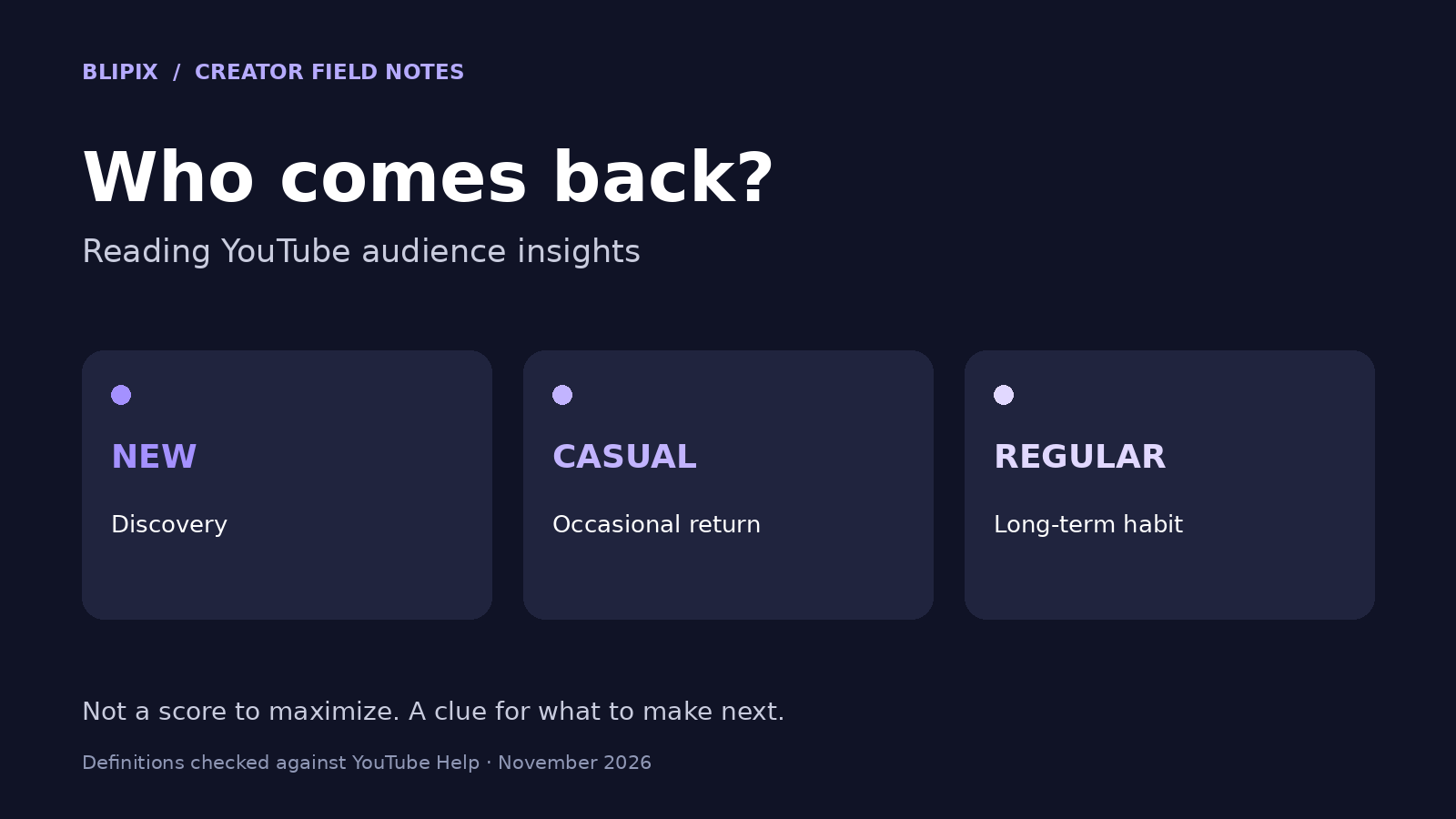
- Playbacks vs people. Views count playbacks. To see how many different people watched, look at unique and returning viewers, which we cover in our guide to YouTube audience insights.
Payouts are the other mismatch, because YPP earnings run on engaged views and engaged watch hours. Our guide to how much YouTube Shorts pay covers the Shorts side, which is based on engaged views. For long-form RPM, see how much YouTube pays per view. Our YouTube views calculator turns long-form views into money estimates but doesn't explain how views are counted.
Views across YouTube, Instagram and TikTok
Post one video in three places and you're working with three definitions:
- YouTube counts a public view when playback starts. For Shorts, that includes replays, and there's no minimum watch time.
- Instagram: its reels insights help page defines Views as "The number of times your reel starts to play or replay." Viewers are unique accounts that saw your reel on screen at least once, whether or not it played. Instagram calls that metric "estimated and in-development." Watch time includes replays, and average watch time divides it by initial views, meaning the first play in a reel session.
- TikTok: we couldn't find a public definition in TikTok's help pages of when an ordinary view is counted. The only view definition we found spelled out is the Creator Rewards "qualified view."
TikTok's Creator Academy lists these rules for qualified views:
- They exclude fraudulent or paid views and need at least five seconds of watch time.
- Views with an "I'm not interested" tap are excluded.
- Repeat views from one account count as one unique view.
- Search views need at least 30 seconds.
- Views must come from program countries.
- Ads, paid promotions and sponsored content don't qualify.
Our Creator Rewards guide covers the pay side.
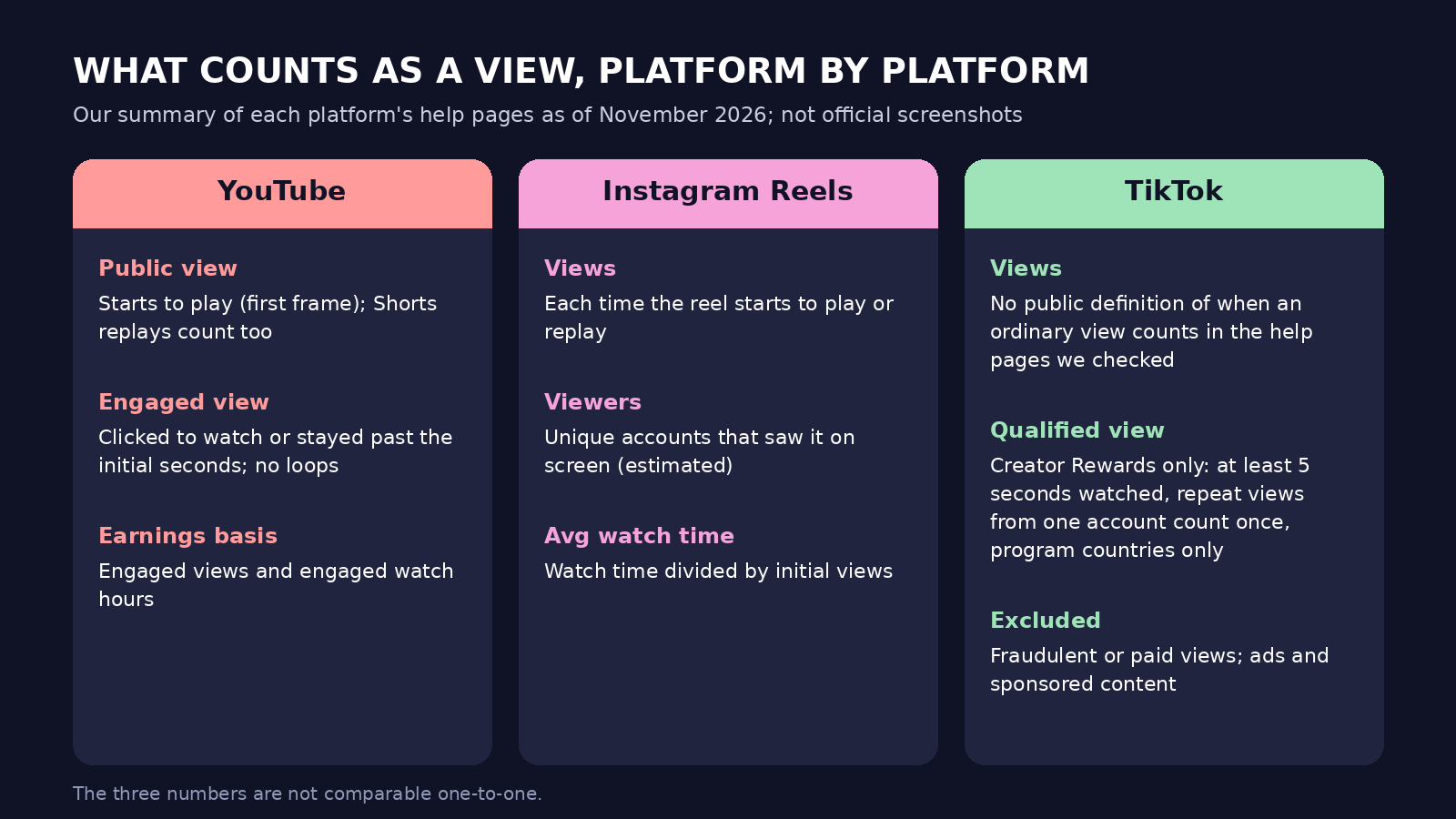
Our own diagram summarizing the linked YouTube, Instagram and TikTok help pages, not platform screenshots.
Our advice: don't compare these numbers one-to-one. Each platform counts by its own rules, and not all of those rules are public.
How to read your own numbers, step by step
This is our advice.
- Find engaged views. In YouTube Studio, open Analytics > Content, which reports both Views and Engaged views. Use SEE MORE or ADVANCED MODE for the expanded reports. For Shorts, also check "Stayed to watch."
- Decide what you're asking. The public count measures reach. To find out whether people actually watched, use engaged views, watch time and retention. YouTube says average view duration and average percentage viewed are "calculated from engaged views and their corresponding watch time."
- Compare like with like. Use the same metric, the same format and videos of a similar age.
- Don't compare public counts across August 24, 2026. If your videos fall on either side of that date, compare engaged views instead.
- Give new uploads time. Early counts can lag, and Realtime is only an estimate.
- Check a dashboard's source. If it reads YouTube's API, it's showing the public count.
A hypothetical example: one 40-second video on three platforms
This example is hypothetical. It isn't a Blipix customer or any real channel.
A faceless creator makes a 40-second vertical video and posts it on the same day as a YouTube Short, an Instagram Reel and a TikTok. Days later, the three apps show three different view counts. On YouTube, the Short's public count is also well above its engaged views in Studio.
Here's how they read it instead:
- YouTube. The public count includes every start and replay. Engaged views count only the times viewers stayed past the initial seconds, without loops. The gap is the difference between exposure and watching, not an error. They use engaged views and "Stayed to watch" to compare this Short with older ones.
- Instagram. Views also count starts and replays, so they're closer in kind to YouTube's public count. Viewers can include accounts that saw the reel without it playing, so that number isn't "people who watched." Average watch time uses initial views as its base, while YouTube's average view duration is based on engaged views, so the two aren't directly comparable.
- TikTok. Like us, they can't find a public definition of when an ordinary TikTok view counts. The qualified view is defined, but it's a payout measure and doesn't explain the number on the post.
Their conclusion: the three numbers don't rank where the video did best. They compare each platform with its own history. On YouTube, they plan around engaged views and retention, not the public count.
What this means if you use Blipix
Blipix is our product. It makes vertical short videos for YouTube Shorts, Instagram Reels and TikTok, plus narrated long-form videos up to 15 minutes. Blipix plans include auto-publishing to YouTube, TikTok and Instagram, and the app has a Stats page in the sidebar.
For each connected YouTube channel, Stats shows:
- view, like and comment counts for your 12 most recent uploads
- subscribers
- total channel views
These numbers come from YouTube's Data API, so the views are YouTube's public view count (from the first frame), not engaged views. We cache them for up to 24 hours, which means they can trail YouTube by up to a day. We also keep daily snapshots for up to 90 days to chart subscriber growth. The quick insights on the page use the same public counts, for example when they show whether recent uploads average more views than earlier ones.
For connected Instagram accounts, Stats shows likes and comments on recent posts, not views. Blipix doesn't show TikTok stats yet.
Our advice: use Blipix Stats for a quick glance across accounts, and use YouTube Studio for engaged views, watch time and retention. If your recent and older uploads straddle August 24, 2026, compare engaged views in Studio rather than the public counts. That applies to our recent-versus-earlier insight too, since it can end up comparing across the definition change.
FAQ
How many seconds make an engaged view on YouTube?
YouTube doesn't publish a number. Its pages only say "the initial seconds" or "some amount of seconds," so be wary of any precise figure you see elsewhere.
Did the August 24, 2026 change affect recommendations or YPP?
No. YouTube's blog says there's no change to recommendations and no change to the YouTube Partner Program. Earnings still use engaged views and engaged watch hours, and eligibility still uses qualified views.
Why is my view count stuck or lower than yesterday?
YouTube says it may temporarily slow down, freeze or change counts while it verifies views, and it may discard low-quality playbacks. A stalled count on its own isn't evidence of a penalty.
Why does a third-party app show different YouTube views than Studio?
Apps that read YouTube's API get the public view count, not engaged views. Compare them with Views in Studio, and allow for when the app last refreshed.