Maybe you exported a clip at the wrong size, or posted a horizontal clip to a vertical feed, or the app refused your file. Problems like these usually start when you export. The platforms write down most of the numbers you need at that step.
This guide collects what YouTube, TikTok and Instagram document about the video file you upload, and what we can see in our own render and publishing code. It does not explain why any particular video looks soft. It does not say how much any app re-compresses a file, or whether a higher resolution or bitrate helps reach or views. It is not a ranking guide. The platforms' own pages are the source. Numbers, menus and availability change, and they differ by surface (app, web, API), account and app version, so check the page and your own app before relying on any figure.
It is for creators and small teams who publish short videos, including AI faceless videos, and who want to export once and get it right.
In short
- YouTube's Shorts page says you can upload vertical videos as Shorts, up to a maximum resolution of 1080p. YouTube also advises against adding padding or black bars to the video itself.
- Instagram allows reels between 1.91:1 and 9:16, at a minimum of 30 FPS and a minimum resolution of 720 pixels.
- The TikTok pages we cite cover the web uploader and the developer API. We found no page with file requirements for the phone app.
- Instagram documents an "Upload at highest quality" toggle. The YouTube and TikTok pages we cite document no equivalent.
- Our advice: export one clean vertical master at the size you plan to post, and check one posted copy in the app before posting more.
Why the numbers differ: three surfaces
Each app documents different things, on different pages, for different surfaces. By surface we mean the route a file takes: a phone app, a web uploader in a browser, or a developer API that other software uses on your behalf.
For example, TikTok's numbers come from two pages: one for TikTok Studio in a web browser and one for developers. Instagram's come from a single Help page about reels.
A figure from one surface does not automatically apply to another. A minimum on TikTok's developer page tells you nothing about the phone app. A YouTube file-size limit for uploads in general is not a Shorts rule. We label each number with its surface. Where an app publishes nothing on the pages we found, we say so instead of filling the gap with third-party charts.
Aspect ratio and orientation
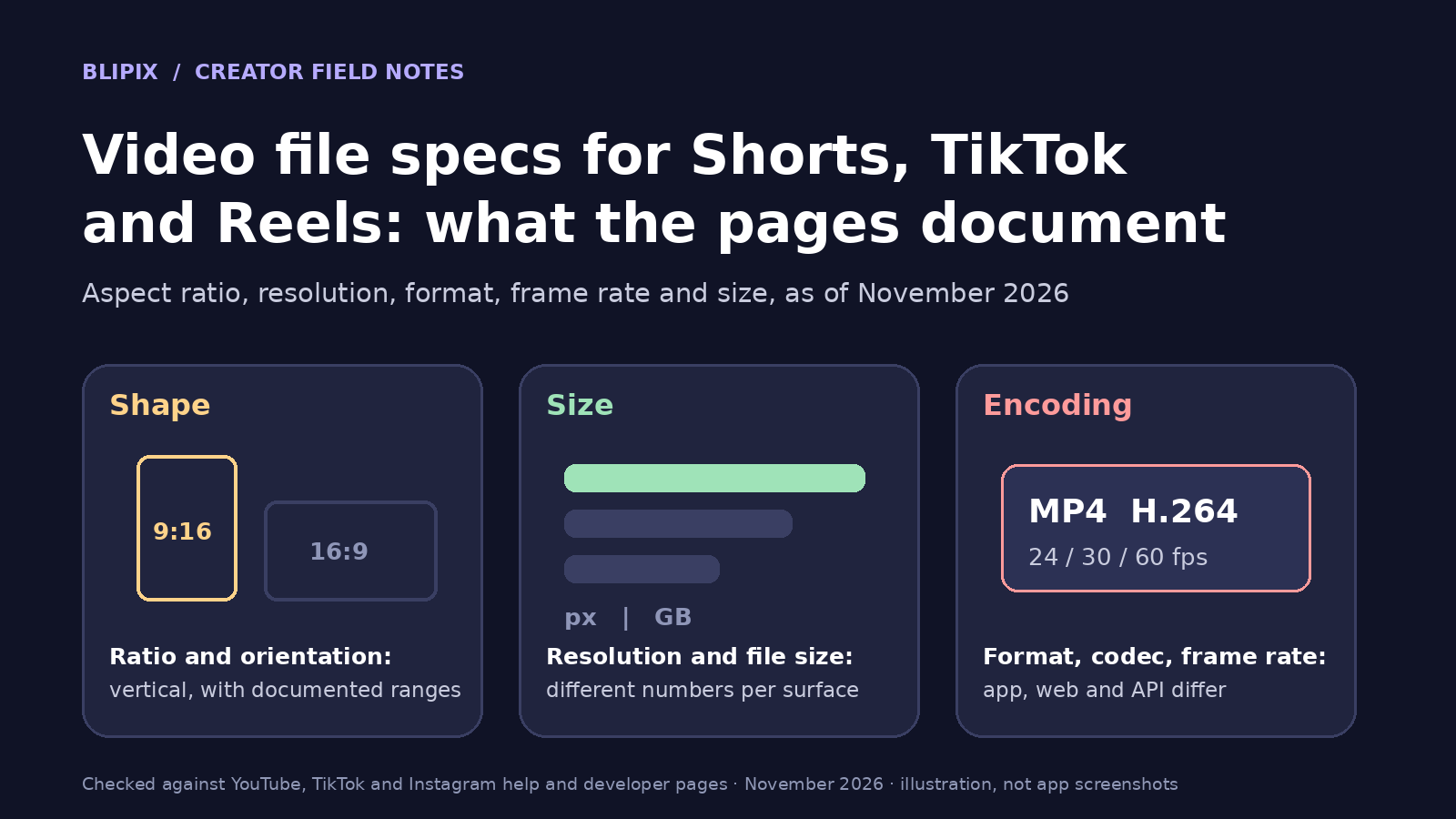
Aspect ratio is the shape of the frame: 9:16 is vertical, 16:9 is horizontal and 1:1 is square.
YouTube. The Help page Get started creating YouTube Shorts says: "You can upload vertical videos saved to your computer or smartphone as Shorts." It gives no ratio range. YouTube's page on video resolution and aspect ratios says the player automatically adapts to the size of each video. It gives 16:9 as the standard aspect ratio on a computer. For 9:16 vertical videos on computer browsers, YouTube may add padding, which is white by default and dark gray when Dark theme is on.
That padding comes from the player. What the page warns against is padding inside your file: "avoid adding padding or black bars directly to your video." YouTube's reason is that padding in the file makes it harder for the player to fit itself to your video and the viewer's device.
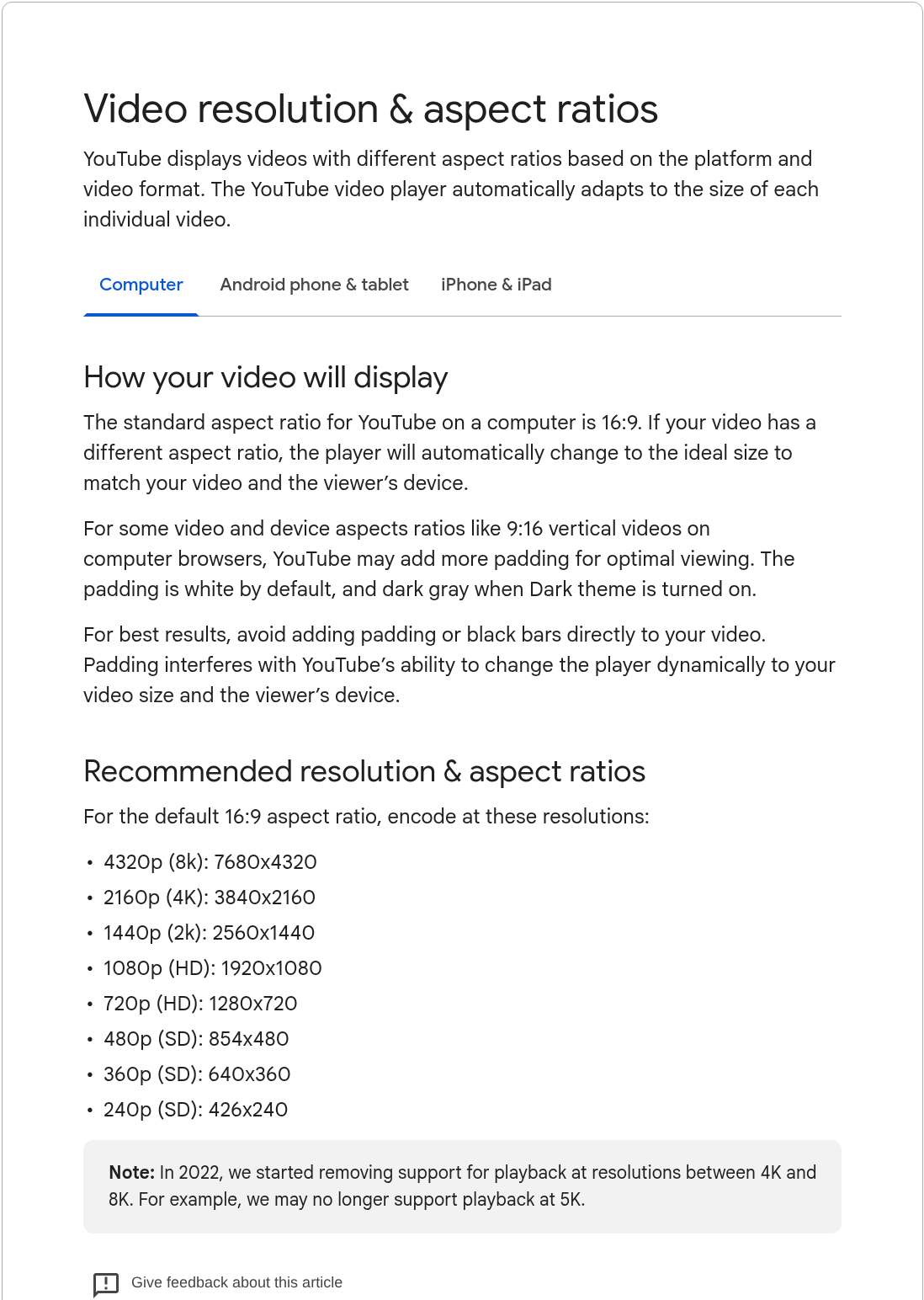 Cropped screenshot of YouTube's public Help page "Video resolution & aspect ratios", taken November 23, 2026.
Instagram. The page Reel size & aspect ratios on Instagram says: "You can upload a reel with an aspect ratio between 1.91:1 and 9:16." It also recommends a cover photo size, which we cover in our guide to thumbnails and covers.
TikTok. The pages we cite are Creator tools on TikTok and the Content Posting API Media Transfer Guide. Both give pixel sizes but no aspect-ratio rule, so we state none. The TikTok Studio web uploader requires "720x1280 resolution or higher". That is a pixel size, not a ratio.
None of these pages says which ratio is best.
Resolution: maximums, minimums and pixel ranges
YouTube Shorts. The Shorts page states: "You can upload Short videos with a maximum resolution of 1080p."
YouTube in general. The resolution page lists sizes to encode at "for the default 16:9 aspect ratio," from 240p to 8K. For example, 1080p is 1920x1080 and 720p is 1280x720. Those sizes are written for horizontal video, so they are not a vertical spec. The page also notes that in 2022 YouTube started removing support for playback at resolutions between 4K and 8K, such as 5K.
Instagram. The Reels page states a "minimum resolution of 720 pixels," in those words. It does not say which side of the frame that refers to, and it states no maximum.
TikTok. TikTok Studio on the web requires 720x1280 or higher. The developer API accepts 360 to 4096 pixels for both height and width.
These surfaces are not interchangeable. A file inside the API range can still be smaller than the web uploader's minimum, and neither page covers the phone app.
Format, codec and frame rate
YouTube. YouTube's page of recommended upload encoding settings opens with the line "These features are only available to partners who use YouTube Studio Content Manager." The page is written for partners. We cite it as YouTube's published recommendation, not as a requirement for ordinary uploads. It recommends:
- An MP4 container with H.264 video, progressive scan and 4:2:0 chroma subsampling.
- AAC-LC or Opus audio at 48kHz.
- "Content should be encoded and uploaded in the same frame rate it was recorded." It lists 24, 25, 30, 48, 50 and 60 frames per second as common rates.
- Deinterlacing interlaced content before uploading.
The page also has a table of recommended bitrates for each resolution. These are recommendations, not limits. For SDR uploads it lists 8 Mbps for 1080p at standard frame rates (24, 25, 30).
TikTok. TikTok Studio on the web accepts MP4 or WebM and states no frame rate. The developer page, last updated August 4, 2026, lists:
- Formats: MP4 (recommended), WebM and MOV.
- Codecs: H.264 (recommended), H.265, VP8 and VP9.
- Frame rate: 23 to 60 FPS.
Instagram. The Reels page says reels should have a "minimum frame rate of 30 FPS." The page's heading mentions video codecs, but we could not read a codec answer on the page, so we state no codec for Instagram.
File size, length and Instagram's upload-quality setting
File size. YouTube's page on uploading longer videos says: "The maximum file size you can upload is 256 GB or 12 hours, whichever is less." That limit covers uploads in general. The default 15-minute limit is explained in our guide to YouTube's 15-minute limit. TikTok Studio on the web accepts videos up to 30 minutes long and less than 10 GB. The developer API accepts files up to 4GB. Instagram's Reels page states no file size.
Length. YouTube's Shorts page mentions Shorts up to 3 minutes long. For reels, see our Reels length and format guide.
Instagram's upload-quality setting. Instagram's Reels page says you can choose to always upload reels at the highest quality. It notes that a higher-quality reel may take longer to upload. The path it gives: Profile > Menu > Your app and media > Media quality > Upload at highest quality (turn the toggle on).
The page does not say what the setting changes, and we did not test it. We know of no equivalent documented setting for YouTube or TikTok on the pages we cite.
The documented specs side by side
This table puts the same information in one place, as of November 2026. "Not stated on the pages we cite" means we found nothing, not that there is no limit.
| Platform | Aspect ratio | Resolution | Format and codec | Frame rate | File size |
|---|---|---|---|---|---|
| YouTube | Shorts: vertical upload; no ratio range stated | Shorts: max 1080p | Recommended encoding: MP4, H.264, AAC-LC or Opus audio | Recommended encoding: same as recorded; 24, 25, 30, 48, 50, 60 common | All uploads: 256 GB or 12 hours, whichever is less |
| TikTok (no page found for the app) | Not stated on the pages we cite | Studio web: 720x1280 or higher; developer API: 360 to 4096 px per side | Studio web: MP4 or WebM; developer API: MP4, WebM, MOV; H.264, H.265, VP8, VP9 | Studio web: not stated on the pages we cite; developer API: 23 to 60 FPS | Studio web: less than 10 GB; developer API: max 4GB |
| Reels: 1.91:1 to 9:16 | Reels: minimum 720 pixels | Not stated on the pages we cite | Reels: minimum 30 FPS | Not stated on the pages we cite |
What stays the same wherever you post, and a checklist
These habits are our advice, not platform instructions, except where we say they come from YouTube:
- Export one clean master at the size you plan to post.
- Keep it vertical for vertical feeds.
- Don't bake padding or black bars into the frame. This is YouTube's advice.
- Keep the frame rate you recorded or rendered. This is also YouTube's advice.
- Don't upscale a small source and call it high resolution. In our view, enlarging a small file adds pixels but no detail.
- Keep text and captions inside the picture. Our auto captions guide covers captions on each app. Then check one posted copy in the app before posting more.
None of this is a claim about reach or quality scores. The point is to match what the pages describe.
Before you export
- Pick the platform surface. Phone app, web uploader or developer API. Read the page for that surface.
- Pick orientation and ratio. Use vertical for vertical feeds, and stay within the documented range, such as Instagram's 1.91:1 to 9:16.
- Pick a resolution within the documented range. For example, no more than 1080p for a YouTube Short, or 720x1280 or higher for TikTok Studio on the web.
- Check frame rate against the strictest page you use. Instagram documents a 30 FPS minimum and TikTok's API a 23 FPS minimum. A file meant for both of those would need to meet Instagram's 30 FPS minimum.
- Check format and size. Every page we cite that lists formats includes MP4. Check the file size against the limit for your surface.
- Upload a test and look at it in the app before the batch. Only then schedule the rest.
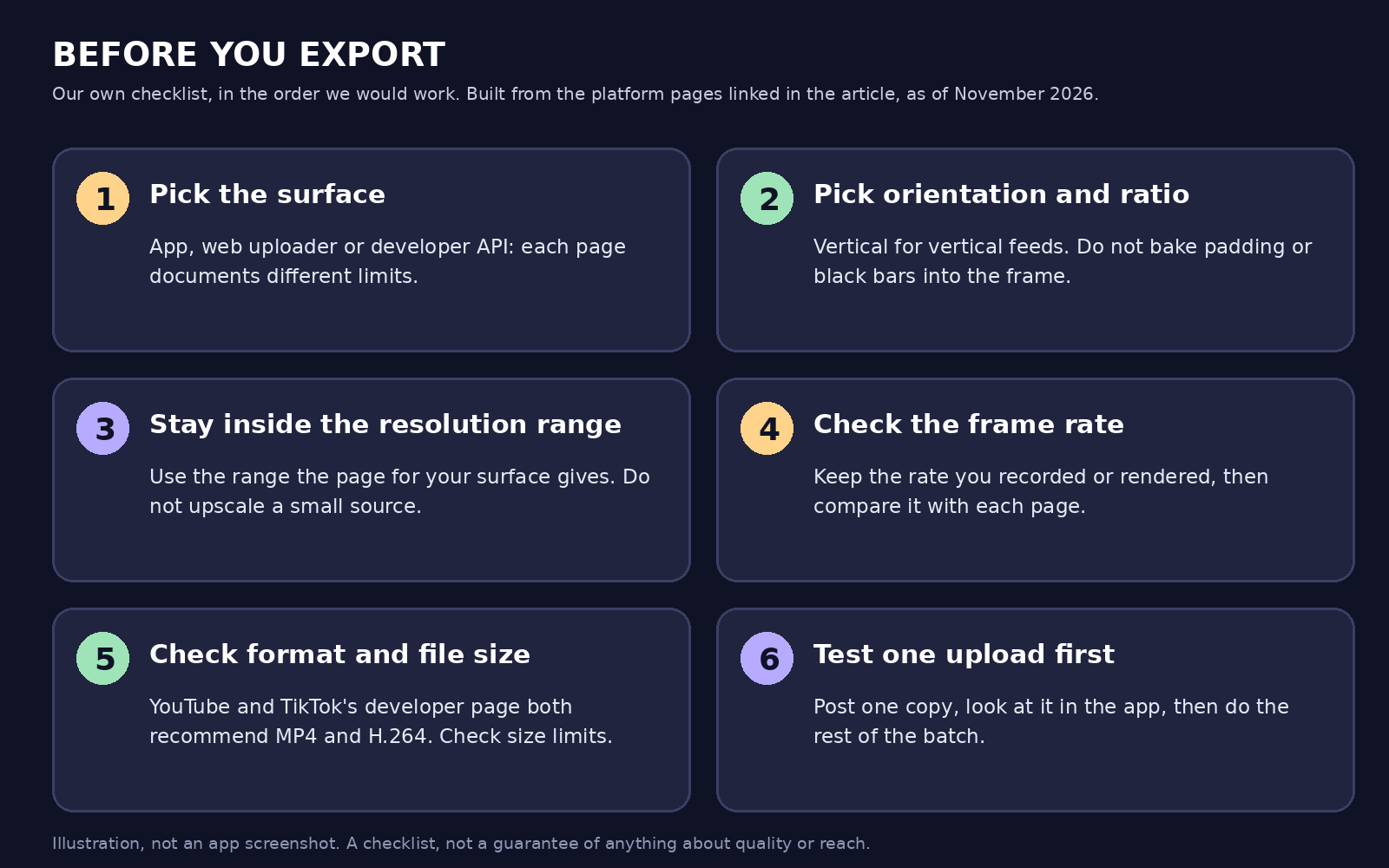 Our own summary graphic, not an app screenshot. The order is our advice, built from the platform pages linked in this article as of November 2026.
What this means if you use Blipix
Blipix is our product. Here is what our app and code do as of November 23, 2026, limited to what we verified:
- Three frame shapes. The editor offers three aspect ratios: 9:16 at 1080x1920, 16:9 at 1920x1080 and 1:1 at 1920x1920.
- Render settings. Our render code uses H.264. It sets a video bitrate of 8M for videos up to 180 seconds and 4M for longer ones, with JPEG quality settings for frames of 95 and 85 respectively. These are settings in our code. We did not inspect an exported file with a media tool for this review. So they do not tell you your file's final bitrate, and we do not claim the file matches any platform's recommendation. YouTube's encoding page lists 8 Mbps for 1080p at standard frame rates, and its resolution page lists 1080p as 1920x1080 for 16:9. Our vertical output is a different shape, so we do not claim the two are equivalent.
- One file for every platform. When you publish, the editor sends the same rendered file, the video's current file, to YouTube, TikTok and Instagram. The editor code we reviewed has no per-platform export or resize step. If you choose 9:16, the vertical option, your file is vertical, which is the upload shape YouTube's Shorts page describes, and 9:16 sits at the edge of Instagram's 1.91:1 to 9:16 range. We do not claim more than that, for example about how YouTube's "1080p" maximum applies to a 1080x1920 frame. Choosing 16:9 or 1:1 is up to you, and the documented ranges above still apply.
- Frame rate. We do not state our output's frame rate, because the default is set outside the files we reviewed. We also do not check files against platform specs before publishing. If frame rate matters to you, check it against the pages above.
- Honest limits. For this article we did not test uploads of our files to each app. We did not verify which options your account or country has, and we did not check what any app does to a file after upload.
Our pages for YouTube Shorts, Instagram Reels and TikTok videos describe the workflow for each app. If a post fails to go out, see why tool posts fail, go private or need a reconnect. To keep your exported master clean, see our watermarks guide.
What we checked and what we did not
On November 23, 2026, we checked the seven platform pages linked above and our own render and editor code. We also looked for a TikTok Support page with file requirements for the phone app and did not find one.
We did not test uploads on live accounts, did not measure any file, and did not check any effect on reach. If a page changes after this date, go by the page.
FAQ
What aspect ratio should a Short, TikTok or Reel be?
YouTube's Shorts page describes uploading vertical videos. Instagram allows ratios between 1.91:1 and 9:16. The TikTok pages we cite state no ratio rule. None of these pages says which ratio is best.
What is the maximum resolution for a YouTube Short?
1080p, according to YouTube's Shorts page.
What frame rate does Instagram require for Reels?
Instagram's Reels page states a minimum of 30 FPS. TikTok's developer API page lists 23 to 60 FPS, but that is a different platform and surface.
Can I upload a 4K video to TikTok?
We can't answer that for the app. The TikTok Studio web page says 720x1280 or higher. The developer API page allows up to 4096 pixels for both height and width. We found no page for the phone app, so check in the app.
Does Instagram's Upload at highest quality setting matter?
The setting exists, and Instagram's page says a higher-quality reel may take longer to upload. The page does not say what the setting changes, and we did not test it.